




Here's how it works

01. Edit your fnb fraud claim form online
Type text, add images, blackout confidential details, add comments, highlights and more.

02. Sign it in a few clicks
Draw your signature, type it, upload its image, or use your mobile device as a signature pad.

03. Share your form with others
Send fnb claim form pdf via email, link, or fax. You can also download it, export it or print it out.
How to use or fill out fnb claim with our platform

- Click ‘Get Form’ to open the fnb claim in the editor.
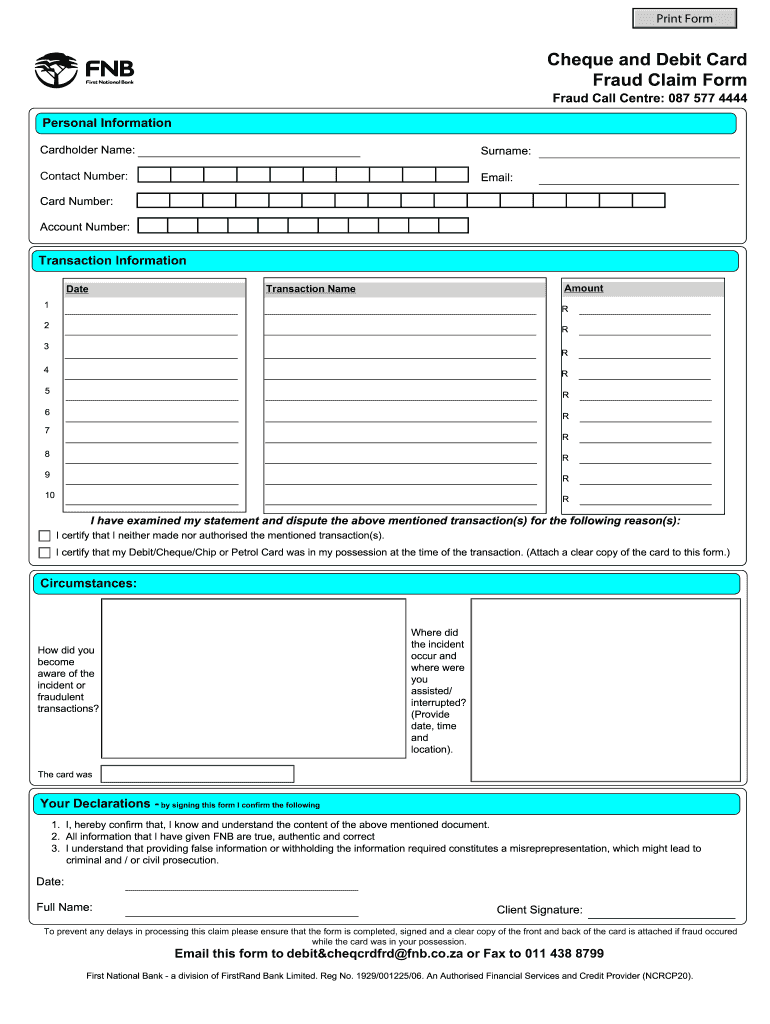
- Begin by entering your personal information. Fill in your cardholder name, surname, contact number, email, card number, and account number accurately.
- In the transaction information section, list each disputed transaction amount along with its corresponding transaction name and date. Ensure all details are correct for a smooth processing experience.
- Provide a clear explanation of the circumstances surrounding the fraud incident. Include where it occurred, how you were interrupted, and any relevant dates and times.
- Review your declarations carefully. By signing this form digitally, you confirm that all provided information is true and understand the implications of misrepresentation.
- Attach a clear copy of both sides of your card if it was in your possession during the fraudulent transactions. This is crucial for processing your claim without delays.
- Once completed, save your document and send it via email to debit&cheqcrdfrd@fnb.co.za or fax it to 011 438 8799.
Start filling out your fnb claim today for free using our platform!
Fill out fnb claim online
It's free
It's free
Security and compliance
At DocHub, your data security is our priority. We follow HIPAA, SOC2, GDPR, and other standards, so you can work on your documents with confidence.
Learn more


