Type text, add images, blackout confidential details, add comments, highlights and more.
02. Sign it in a few clicks
Draw your signature, type it, upload its image, or use your mobile device as a signature pad.
03. Share your form with others
Send vat101 form via email, link, or fax. You can also download it, export it or print it out.
How to use or fill out vat101 form with our platform
Ease of Setup
DocHub User Ratings on G2
Ease of Use
DocHub User Ratings on G2
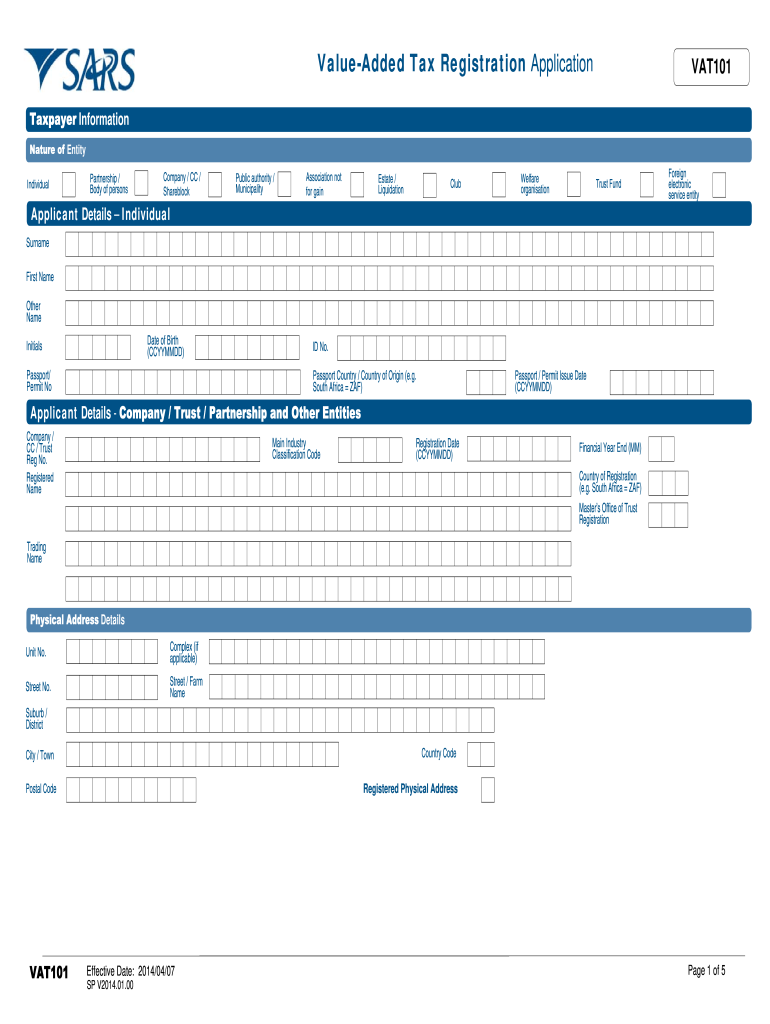
Click ‘Get Form’ to open the VAT101 form in the editor.
Begin by selecting your entity type (e.g., Individual, Company, Trust) and fill in the Applicant Details section. Ensure you provide accurate information such as your name, ID number, and date of birth.
Complete the Registered Physical Address section with your current address details. This includes unit number, street name, suburb, and postal code.
In the Financial Particulars section, indicate whether your supplies are compulsory or voluntary. Fill in the total value of taxable supplies for the specified periods.
Provide particulars of partners or directors if applicable. Include their names, identity numbers, and roles within the entity.
Attach required documents as specified at the end of the form. This may include identity documents and financial statements.
Finally, review all entered information for accuracy before signing and submitting your application.
Start using our platform today to simplify your VAT101 form completion process!
Vat101 form pdfPrintable vat101 formVat101 form downloadVat101 form onlineVAT101 guideSARS VAT registration online application form pdf downloadVAT123e formVAT application form
Security and compliance
At DocHub, your data security is our priority. We follow HIPAA, SOC2, GDPR, and other standards, so you can work on your documents with confidence.
Feb 6, 2009 UNIFORM DOCKETING SYSTEM MANUAL. TABLE OF CONTENTS. Page. Section IV Procedures for Special Types of Appeals. A. Interlocutory Appeals.Read more
Cookie consent notice
This site uses cookies to enhance site navigation and personalize your experience.
By using this site you agree to our use of cookies as described in our Privacy Notice.
You can modify your selections by visiting our Cookie and Advertising Notice.