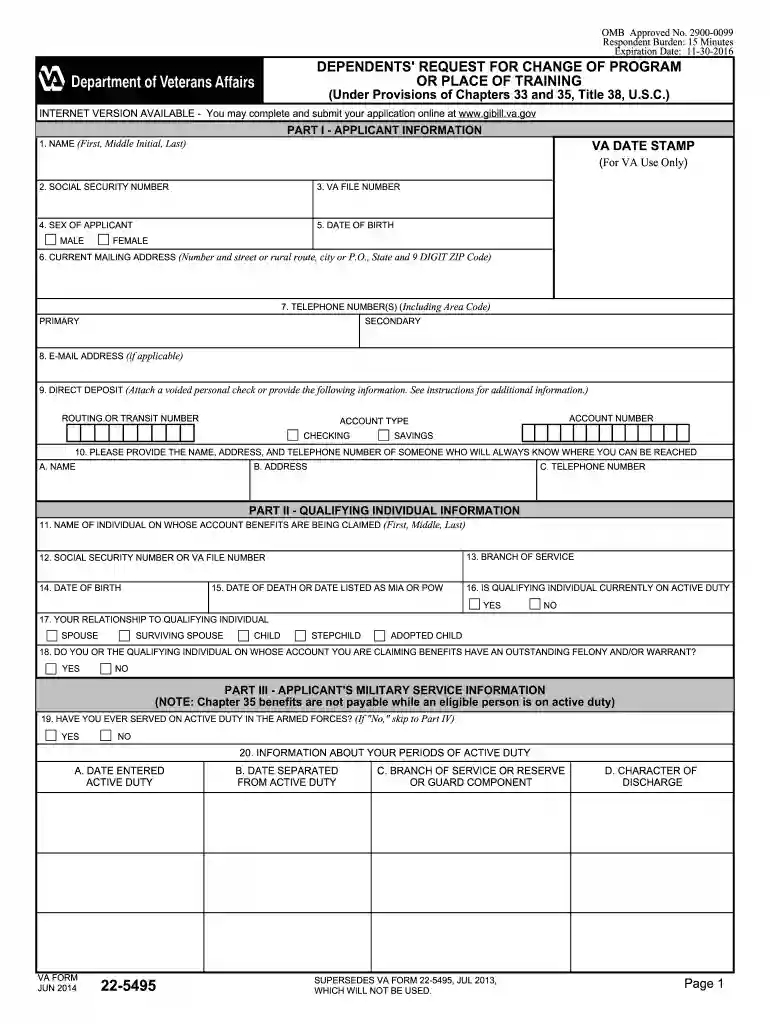
va form 22 5495 2014 Preview on Page 1

Va form 22 5495 2014-2026

Here's how it works

  • 01. Edit your form online

    Type text, add images, blackout confidential details, add comments, highlights and more.

  • 02. Sign it in a few clicks

    Draw your signature, type it, upload its image, or use your mobile device as a signature pad.

  • 03. Share your form with others

    Send it via email, link, or fax. You can also download it, export it or print it out.

How to use or fill out VA Form 22-5495 2014 with our platform

Form edit decoration
9.5
Ease of Setup
DocHub User Ratings on G2
9.0
Ease of Use
DocHub User Ratings on G2
  1. Click ‘Get Form’ to open it in the editor.
  2. Begin with Part I, where you will enter your personal information. Fill in your name, social security number, VA file number, sex, date of birth, current mailing address, and contact details.
  3. In Part II, provide information about the qualifying individual. This includes their name, social security number or VA file number, branch of service, and relationship to you.
  4. Proceed to Part III to detail your military service information if applicable. Indicate whether you have served on active duty and provide relevant dates.
  5. In Part IV, select the type of benefit you are applying for and specify your education or career objective. If changing schools, include the new school's details.
  6. Finally, complete Part V by adding any remarks and certifying your application with your signature and date.

Start using our platform today for free to streamline your form completion process!

See more va form 22 5495 2014 versions

We've got more versions of the va form 22 5495 2014 form. Select the right va form 22 5495 2014 version from the list and start editing it straight away!

VersionsForm popularityFillable & printable
20234.3 Satisfied (56 Votes)
20204.8 Satisfied (67 Votes)
20184.4 Satisfied (203 Votes)
20164.4 Satisfied (167 Votes)
20144.4 Satisfied (91 Votes)
20124.3 Satisfied (53 Votes)
20024.3 Satisfied (47 Votes)

be ready to get more

Complete this form in 5 minutes or less

Security and compliance

At DocHub, your data security is our priority. We follow HIPAA, SOC2, GDPR, and other standards, so you can work on your documents with confidence.

Related links

Metal(loid)s - Small Arms Ranges

May 1, 2022 Military small arms training uses bullets made of metals and metalloids which can include lead, antimony, copper, nickel, zinc, chromium, tungsten, mercury,Read more

Learn more
SS VA Form 22-5495

VA Form 22-5495. (Using an average of the projected benefit usage for Fiscal Years 2012, 2013, and 2014 from the 2013 Presidential budget submission, we

Learn more
DEPENDENTS REQUEST FOR CHANGE OF PROGRAM

To apply for a change of program or place of training for Veterans education assistance benefits based on your own service, use VA Form 22-1995. Page 3. ITEMRead more

Learn more
If you believe that this page should be taken down, please follow our DMCA take down process here