




Here's how it works
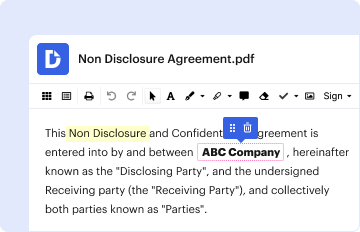
01. Edit your sf3106 online
Type text, add images, blackout confidential details, add comments, highlights and more.
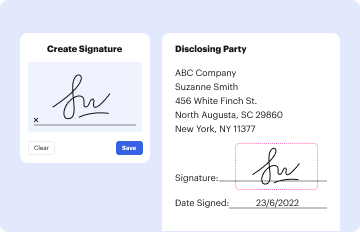
02. Sign it in a few clicks
Draw your signature, type it, upload its image, or use your mobile device as a signature pad.
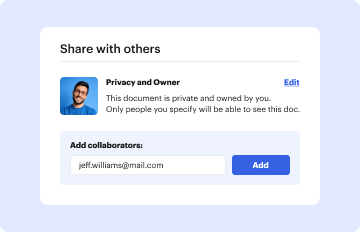
03. Share your form with others
Send fers refund form via email, link, or fax. You can also download it, export it or print it out.
How to use or fill out sf3106 with our platform

- Click ‘Get Form’ to open the sf3106 in the editor.
- Begin by filling in your personal information in Section 1, including your name, date of birth, and Social Security Number. Ensure accuracy as this information is crucial for processing your application.
- In Section 5, provide your current address. Remember that any changes or erasures may delay payment, so type or print clearly.
- List all periods of service in Section 6. Attach a continuation sheet if necessary. This section is vital for determining your eligibility for a refund.
- If applicable, answer questions regarding further employment with the Federal government in Sections 7 through 10. This will help clarify your status and any deductions being withheld.
- Complete Sections 11 and 12 regarding marital status and any former spouses. If you have been divorced, ensure to list all relevant details as required.
- In Section 13, choose how you wish to receive your refund. Carefully read the options provided to avoid delays in payment.
- Finally, review all sections for completeness before signing and dating the application at the end of the form.
Start using our platform today to streamline your sf3106 completion process for free!
Fill out sf3106 online
It's free
It's free
Security and compliance
At DocHub, your data security is our priority. We follow HIPAA, SOC2, GDPR, and other standards, so you can work on your documents with confidence.
Learn more


Related forms

Provider forms
The document is a Provider Claims Appeal Form for Parkland Community Health Plan, which must be completed by healthcare ...

Subpoena juvenile
The document is a subpoena issued by the Juvenile Court in Georgia, commanding an individual to appear as a witness in a ...

Georgia petition juvenile
The document is a petition filed in the Juvenile Court of Georgia concerning a child identified as delinquent or unruly. ...

Ga death believed form
The document outlines the procedure for filing a Petition for Presumption of Death for a missing individual believed to ...

Revocation guardianship custody
The document outlines the revocation or modification of a court order regarding the custody, guardianship, or temporary ...

Kentucky bail credit
The document is a Notice of Bail Credit issued by the Commonwealth of Kentucky Court of Justice, indicating that a defen ...

Ky involuntary form
The document is a petition form used in the Commonwealth of Kentucky's Court of Justice to request a hearing for determi ...
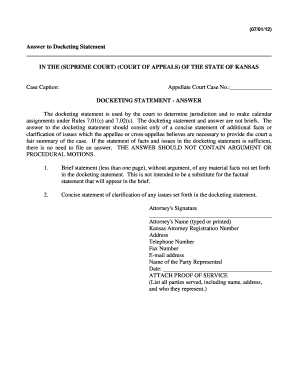
Kansas docketing statement
The document is an 'Answer to Docketing Statement' for a case in the Kansas appellate court, outlining the purpose and r ...