



Here's how it works



How to use or fill out blood pressure chart record with our platform

- Click ‘Get Form’ to open the blood pressure chart record in the editor.
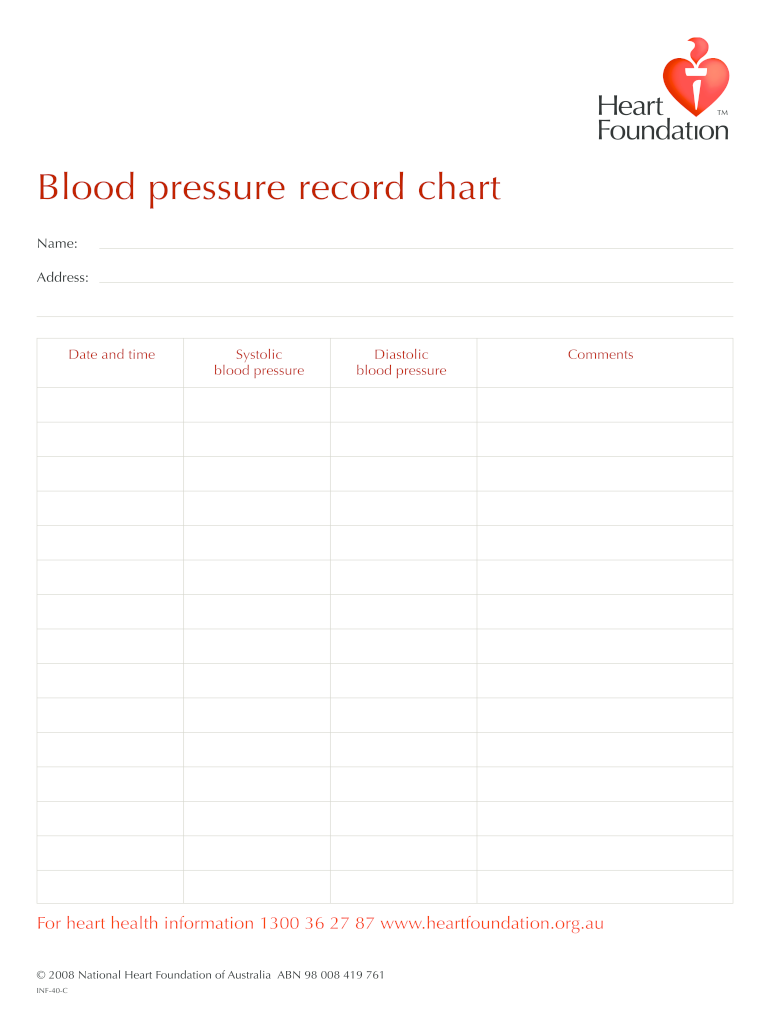
- Begin by entering your name and address in the designated fields at the top of the form. This personal information is essential for tracking your health records.
- Next, input the date and time of your blood pressure reading. Accurate timestamps help maintain a reliable health log.
- In the Systolic blood pressure field, enter your systolic reading, which is the higher number in a blood pressure measurement.
- Proceed to the Diastolic blood pressure field and input your diastolic reading, which is the lower number.
- Finally, use the comments section to note any additional observations or relevant information regarding your health during that time.
Start using our platform today to easily manage and track your blood pressure records online for free!
It's free
Got questions?
How can I eSign my free printable blood pressure chart from Gmail?
With DocHub, it’s pretty simple. The platform offers users an add-on called DocHub for Gmail, which you can locate in the Google Workspace Marketplace without being charged. Install it and give it access to your Google account. Open your email with your free printable blood pressure chart attached and click on the add-on button in the right-side panel. Log in to your DocHub account, and import the form to our editor, where you can fill it out and sign.
How do you fill out free blood pressure log online?
You can get and modify your free blood pressure log online by using DocHub. Its simple yet feature-rich design allows you to start effective work immediately after you register your account. Create your account and add your file, and then our user interface will guide you via our stress-free form completion experience.
Security and compliance
At DocHub, your data security is our priority. We follow HIPAA, SOC2, GDPR, and other standards, so you can work on your documents with confidence.
Learn more