




Here's how it works

01. Edit your california board of accountancy login online
Type text, add images, blackout confidential details, add comments, highlights and more.

02. Sign it in a few clicks
Draw your signature, type it, upload its image, or use your mobile device as a signature pad.

03. Share your form with others
Send ca board of accountancy login via email, link, or fax. You can also download it, export it or print it out.
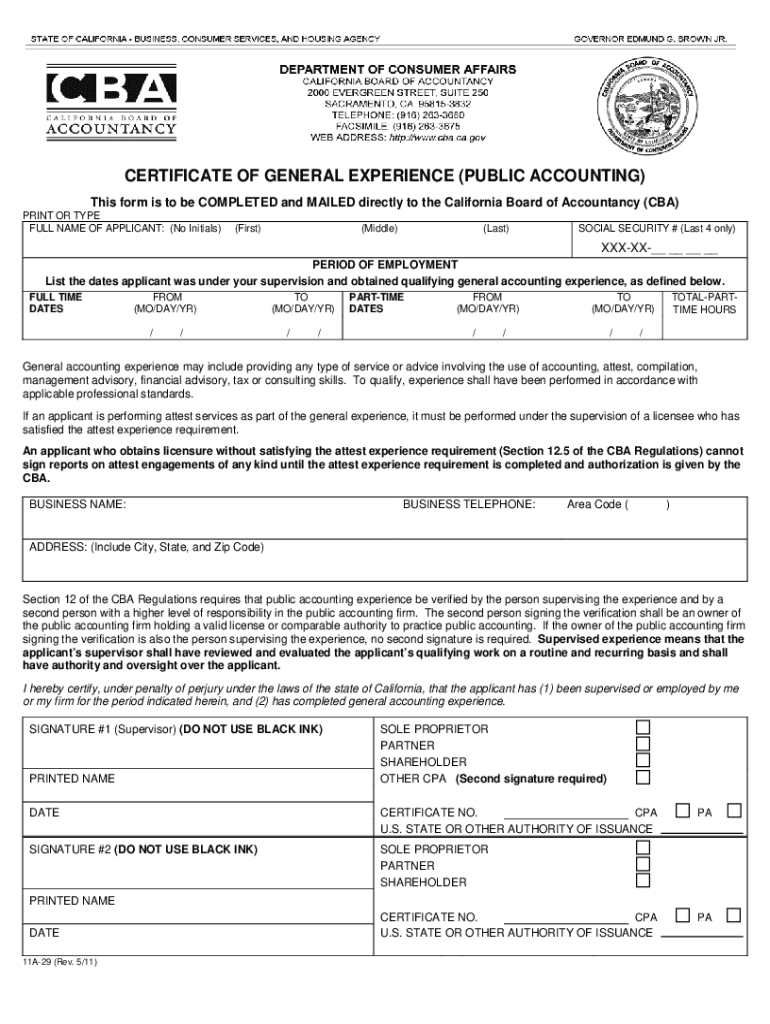
How to use or fill out Certificate of General Experience - Public Accounting - California Board of Accountancy with our platform

- Click ‘Get Form’ to open the Certificate of General Experience in the editor.
- Begin by entering the applicant's full name in the designated fields. Ensure you do not use initials.
- Provide the last four digits of the applicant's Social Security number in the specified section.
- Fill in the period of employment, detailing both full-time and part-time experience. Include start and end dates for each period.
- Indicate total part-time hours worked, ensuring accuracy as this information is crucial for verification.
- Complete the business name and contact details, including a valid business telephone number and address.
- The supervising CPA must sign and date the form, ensuring they do not use black ink. If applicable, include a second signature from a higher authority within the firm.
- Review all entries for completeness before submitting directly to the California Board of Accountancy at their provided address.
Start filling out your Certificate of General Experience today using our platform for free!
Fill out Certificate of General Experience - Public Accounting - California Board of Accountancy. Certificate of General Experience - Public Accounting - California Board of Accountancy - dca ca online
It's free
It's free
Security and compliance
At DocHub, your data security is our priority. We follow HIPAA, SOC2, GDPR, and other standards, so you can work on your documents with confidence.
Learn more


