




Here's how it works

01. Edit your sa370 online
Type text, add images, blackout confidential details, add comments, highlights and more.

02. Sign it in a few clicks
Draw your signature, type it, upload its image, or use your mobile device as a signature pad.

03. Share your form with others
Send sa370 appeal form via email, link, or fax. You can also download it, export it or print it out.
How to use or fill out form sa370 with our platform

- Click ‘Get Form’ to open the SA370 in the editor.
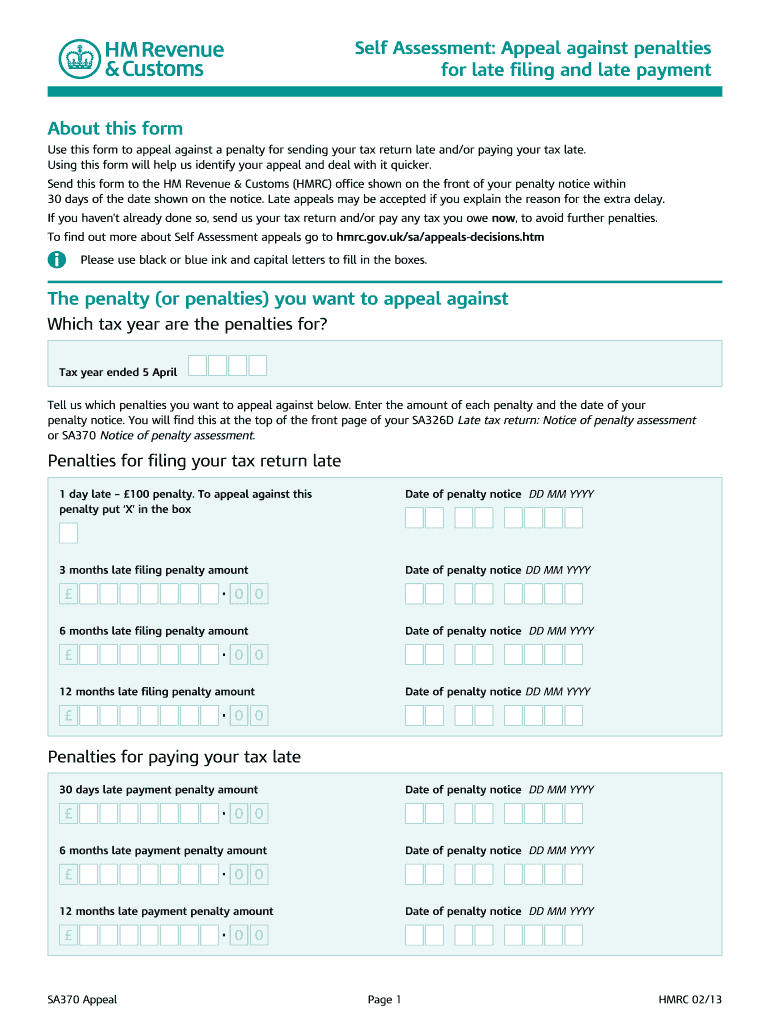
- Begin by entering the tax year for which you are appealing penalties. This is crucial for identifying your case.
- In the section labeled 'The penalty (or penalties) you want to appeal against', list each penalty amount and the corresponding date from your penalty notice. Ensure accuracy to avoid delays.
- For each late filing or payment penalty, mark an 'X' in the appropriate box if you wish to appeal. Include all relevant amounts and dates as specified.
- Provide a detailed explanation of your reason for appeal in the designated space. Include any evidence that supports your claim, as this can strengthen your case.
- Complete your personal information, including full name, tax reference, address, and National Insurance number if known.
- Finally, sign and date your appeal before sending it to the HMRC office indicated on your penalty notice.
Start using our platform today for free to streamline your form completion process!
Fill out form sa370 online
It's free
It's free
Security and compliance
At DocHub, your data security is our priority. We follow HIPAA, SOC2, GDPR, and other standards, so you can work on your documents with confidence.
Learn more


Related forms

Judgment small claims form
The document SC-130 is a Notice of Entry of Judgment for small claims cases, informing plaintiffs and defendants about t ...

Pos 020 d
The document is an attachment to the Proof of Personal Service form (POS-020) used in civil cases, instructing users to ...

Pub 122 court form
The Alaska CINA Therapeutic Court is a collaborative initiative aimed at expediting permanency in child welfare cases by ...

PUB-45 Informal Trial Publication (3-15)
The document outlines the two types of trials available for resolving domestic relations cases, namely informal and form ...

Alaska tr 205
The document is a formal request from the prosecution to reschedule a trial in the District Court for the State of Alask ...

Cn600 form pdf
The document is a legal request to register a tribal court ICWA custody order for a minor under 18 years of age in the S ...

Xyz ofm california form
The document JV-122 S addresses the issue of severe emotional harm to a child, as defined under § 300(c) of the Welfare ...

287 informaci confidencial form
El formulario JV-287 S es un documento confidencial utilizado para mantener la información de contacto relacionada con c ...