




01. Edit your r 1310 rev 07 16 online
Type text, add images, blackout confidential details, add comments, highlights and more.

Type text, add images, blackout confidential details, add comments, highlights and more.

Draw your signature, type it, upload its image, or use your mobile device as a signature pad.

Send r 1310 via email, link, or fax. You can also download it, export it or print it out.

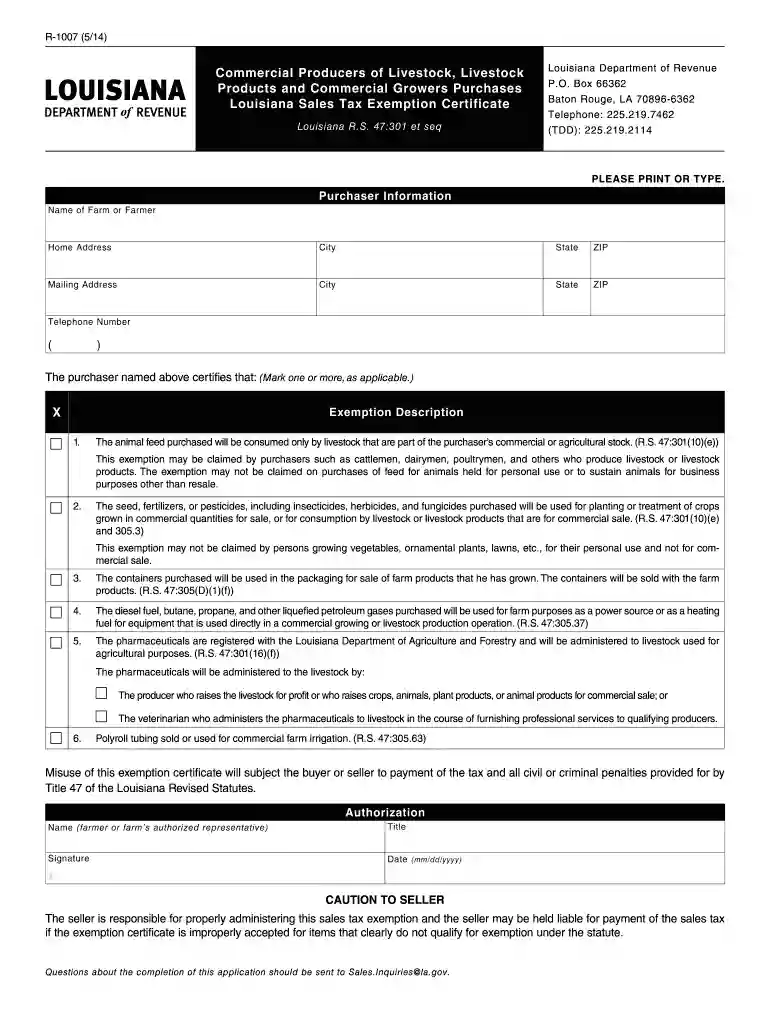
Start using our platform today to fill out Louisiana Form R 1007 quickly and efficiently!
At DocHub, your data security is our priority. We follow HIPAA, SOC2, GDPR, and other standards, so you can work on your documents with confidence.
As required by the Water Resources Development Act of 1992 (WRDA), I am pleased to transmit the Environmental Protection Agencys (EPA) Report to CongressRead more
Louisiana bankruptcy attorneys charge attorneys fees starting at $700 for a. Chapter 7 bankruptcy and $2,400 for a Chapter 13 bankruptcy. Many attorneys alsoRead more
The seller is responsible for properly administering this sales tax exemption, and the seller may be held liable for payment of the sales tax if the exemptionRead more


