Type text, add images, blackout confidential details, add comments, highlights and more.
02. Sign it in a few clicks
Draw your signature, type it, upload its image, or use your mobile device as a signature pad.
03. Share your form with others
Send form 307 via email, link, or fax. You can also download it, export it or print it out.
How to use or fill out nd form 307 with our platform
Ease of Setup
DocHub User Ratings on G2
Ease of Use
DocHub User Ratings on G2
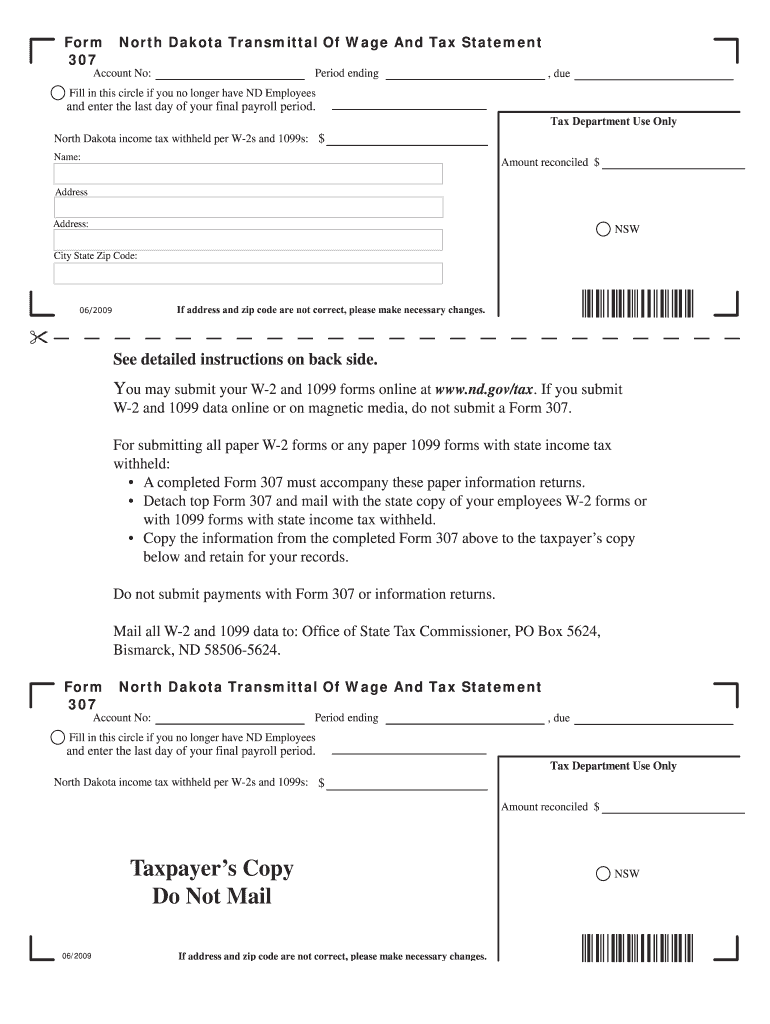
Click ‘Get Form’ to open the nd form 307 in the editor.
Begin by entering your Account Number and the Period Ending date in the designated fields.
If you no longer have ND employees, fill in the circle provided and enter the last day of your final payroll period.
Input the total North Dakota income tax withheld as reported on your W-2s and 1099s in the appropriate field.
Complete your name and address details accurately, ensuring all information is correct for processing.
Review all entries for accuracy before saving or printing your completed form. Make sure to copy relevant information to the Taxpayer’s Copy section for your records.
Start using our platform today to streamline your form completion process for free!
Nd form 307 instructionsNd form 307 pdfPrintable nd form 307Nd form 307 onlineHow to fill out nd form 307Nd form 307 2021North Dakota withholding FormNorth Dakota Form 306
Security and compliance
At DocHub, your data security is our priority. We follow HIPAA, SOC2, GDPR, and other standards, so you can work on your documents with confidence.
The Parsons Corporation (Parsons) prepared this Principles and Practices document under contract to the Air Force Center for Environmental Excellence (AFCEERead more
Any business with an open withholding account is required to submit Form 307, North Dakota Transmittal of Wage and Tax Statement, on or before January 31 of theRead more
North Dakota Transmittal of Wage and Tax Statement, Form 307. Electronic filing of Form 307 is required even if there are no W-2s to report. How to FileRead more
Cookie consent notice
This site uses cookies to enhance site navigation and personalize your experience.
By using this site you agree to our use of cookies as described in our Privacy Notice.
You can modify your selections by visiting our Cookie and Advertising Notice.