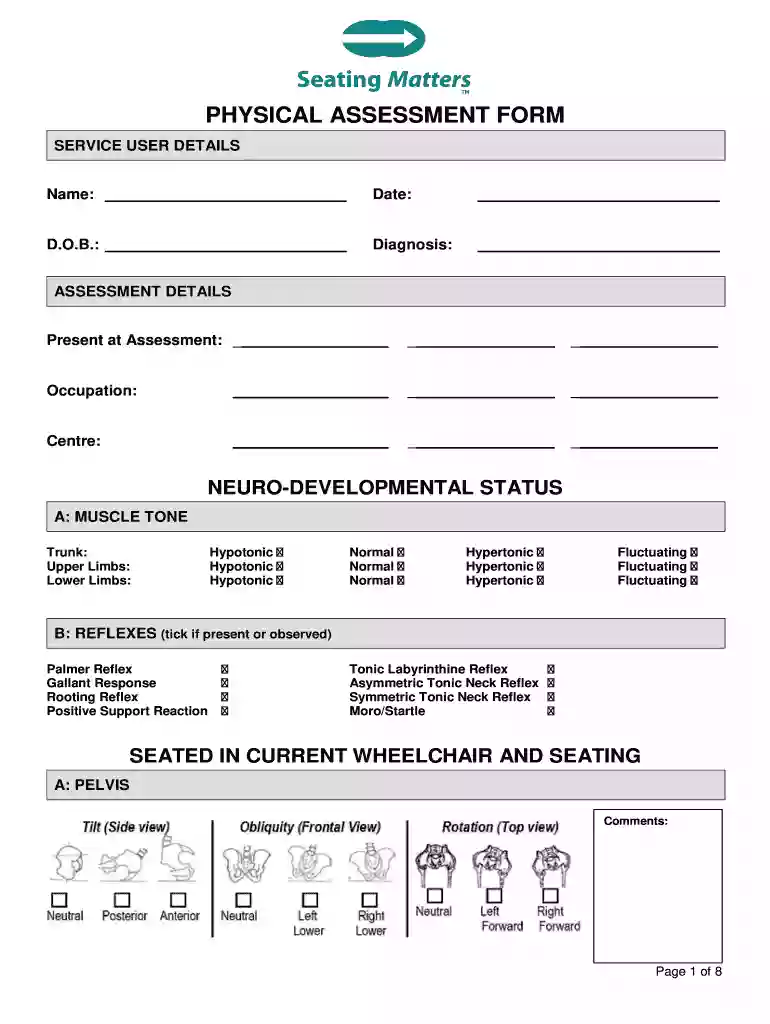
physical assessment form Preview on Page 1

Matters physical assessment form 2026

Here's how it works

  • 01. Edit your physical assessment form online

    Type text, add images, blackout confidential details, add comments, highlights and more.

  • 02. Sign it in a few clicks

    Draw your signature, type it, upload its image, or use your mobile device as a signature pad.

  • 03. Share your form with others

    Send free printable head to toe assessment form pdf via email, link, or fax. You can also download it, export it or print it out.

How to use or fill out matters physical assessment form with our platform

Form edit decoration
9.5
Ease of Setup
DocHub User Ratings on G2
9.0
Ease of Use
DocHub User Ratings on G2
  1. Click ‘Get Form’ to open the matters physical assessment form in the editor.
  2. Begin by filling in the Service User Details section. Enter the name, date, date of birth, and diagnosis clearly in the designated fields.
  3. Proceed to the Assessment Details section. Indicate who was present during the assessment and provide details about the service user's occupation and center.
  4. In the Neuro-Developmental Status section, assess muscle tone for trunk, upper limbs, and lower limbs. Select from options like hypotonic, normal, or hypertonic as applicable.
  5. For reflexes, tick off any that are present or observed. This includes Palmer Reflex and others listed.
  6. Continue through each section methodically, providing comments where necessary for pelvis, trunk, lower extremities, and upper extremities during seated assessments.
  7. Complete risk assessments by ticking appropriate boxes under High Risk Factors and Moderate Risk Factors sections based on observations.
  8. Finally, ensure all measurements are accurately recorded in both Basic and Advanced Measurements sections before saving your work.

Start using our platform today to fill out your matters physical assessment form online for free!

be ready to get more

Complete this form in 5 minutes or less

Security and compliance

At DocHub, your data security is our priority. We follow HIPAA, SOC2, GDPR, and other standards, so you can work on your documents with confidence.

geriatric physical assessment head to toe pdf

MEDICAL HISTORY AND PHYSICAL EXAMINATION

This form is designed to record the result of the medical examination required by INA 221(d), which determines whether an applicant has a medical conditionRead more

Learn more
If you believe that this page should be taken down, please follow our DMCA take down process here