Type text, add images, blackout confidential details, add comments, highlights and more.

02. Sign it in a few clicks
Draw your signature, type it, upload its image, or use your mobile device as a signature pad.

03. Share your form with others
Send it via email, link, or fax. You can also download it, export it or print it out.

How to use or fill out 8664671184 with our platform
Ease of Setup
DocHub User Ratings on G2
Ease of Use
DocHub User Ratings on G2
Click ‘Get Form’ to open the 8664671184 in the editor.
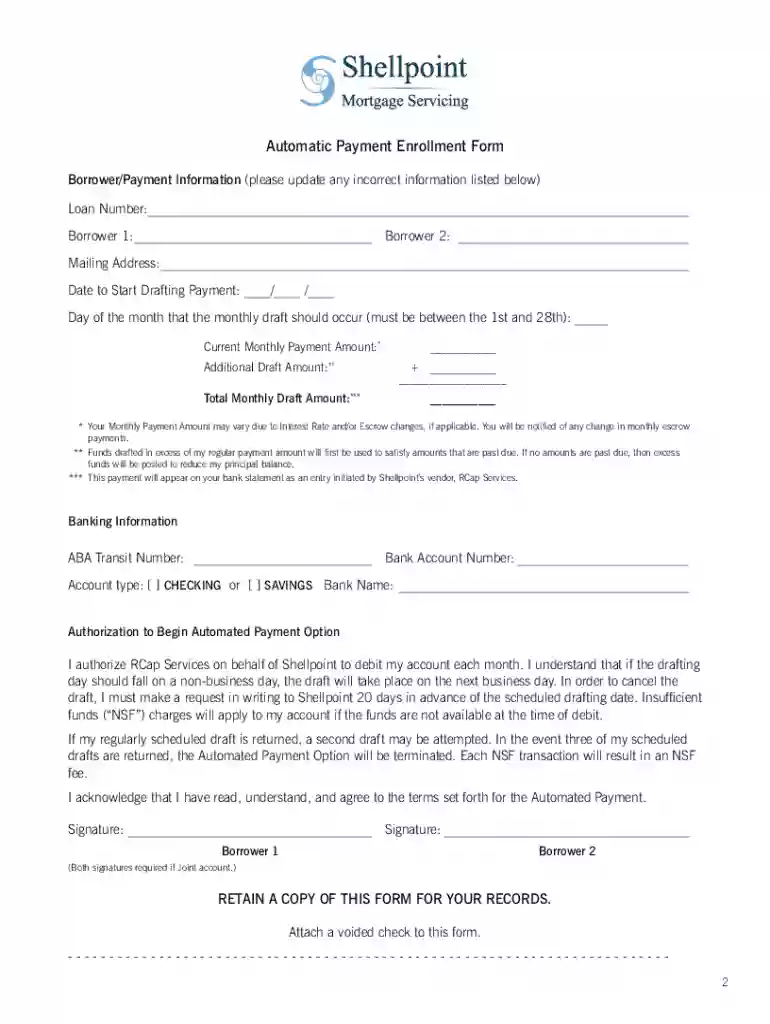
Begin by entering your Loan Number at the top of the form. Ensure this is accurate as it links your payment to your account.
Fill in Borrower 1 and Borrower 2 fields with the names of all individuals responsible for the loan. This section is crucial for joint accounts.
Provide your Mailing Address, ensuring it matches your bank records to avoid any discrepancies.
Select a Date to Start Drafting Payment and specify a Day of the Month for the draft. Remember, this must be between the 1st and 28th.
Input your Current Monthly Payment Amount and any Additional Draft Amount if applicable. The Total Monthly Draft Amount will auto-calculate based on these entries.
Complete the Banking Information section by entering your ABA Transit Number, Bank Account Number, and selecting your Account type (Checking or Savings).
Review the Authorization section carefully before signing. Both borrowers must sign if it's a joint account.
Attach a voided check to ensure accurate banking details and submit the completed form using our platform's submission options.
Start filling out your form today for free and streamline your payment process!
Cookie consent notice
This site uses cookies to enhance site navigation and personalize your experience.
By using this site you agree to our use of cookies as described in our Privacy Notice.
You can modify your selections by visiting our Cookie and Advertising Notice.