




Here's how it works

01. Edit your fair credit act 604 form pdf online
Type text, add images, blackout confidential details, add comments, highlights and more.

02. Sign it in a few clicks
Draw your signature, type it, upload its image, or use your mobile device as a signature pad.

03. Share your form with others
Send company limited via email, link, or fax. You can also download it, export it or print it out.
How to use or fill out the 604 Act Form with Our Platform

- Click ‘Get Form’ to open the 604 Act form in the editor.
- Begin by filling in the details of the substantial holder. Enter the name and ACN/ARSN of the holder, ensuring accuracy for compliance.
- In the section for previous and present voting power, input the total number of votes attached to all voting shares. Make sure to differentiate between previous and current figures.
- Detail any changes in relevant interests. Specify dates, names, nature of changes, and any considerations given related to these changes.
- Complete the present relevant interests section by listing all relevant interests after changes have been made, including class and number of securities.
- If applicable, provide information on any changes in association with other substantial holders.
- Finally, sign and date the form at the bottom. Ensure that all fields are filled out completely before submission.
Start using our platform today for free to streamline your document editing and form completion!
Fill out 604 act form online
It's free
It's free
See more 604 act form versions
We've got more versions of the 604 act form form. Select the right 604 act form version from the list and start editing it straight away!
| Versions | Form popularity | Fillable & printable |
|---|---|---|
| 2012 | 4.8 Satisfied (160 Votes) |
Security and compliance
At DocHub, your data security is our priority. We follow HIPAA, SOC2, GDPR, and other standards, so you can work on your documents with confidence.
Learn more


Related forms
Visitation per form
The document JV-401 outlines the visitation guidelines and restrictions for a child and their sibling, emphasizing that ...
Fl 620
The document FL-620 is a legal form used in California for requesting a default judgment in child support cases. It outl ...
Fl 313 california
La hoja informativa FL-313-INFO S proporciona orientación a los padres sobre la custodia de los hijos y el horario de cr ...
Aviso corte mejor
The document is a form (FW-010 S) used to notify the court of a change in economic circumstances or the resolution of a ...

Int small claims
The document outlines the duties and responsibilities of foreign language interpreters in civil and small claims court f ...

Jv visitacion menores spanish
The document is a legal form (JV-205 S) related to visitation and custody arrangements for minors in California. It outl ...
Fl341ds
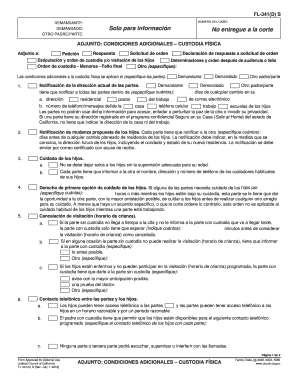
The document FL-341(D) S outlines additional conditions for physical custody arrangements between parents in a legal con ...
Jv quitan hijo make
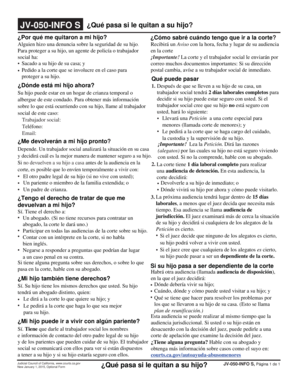
El documento JV-050-INFO S proporciona información sobre el proceso legal que sigue cuando un niño es retirado de su hog ...