




Here's how it works



How to use or fill out ir25 with our platform

- Click ‘Get Form’ to open the ir25 in the editor.
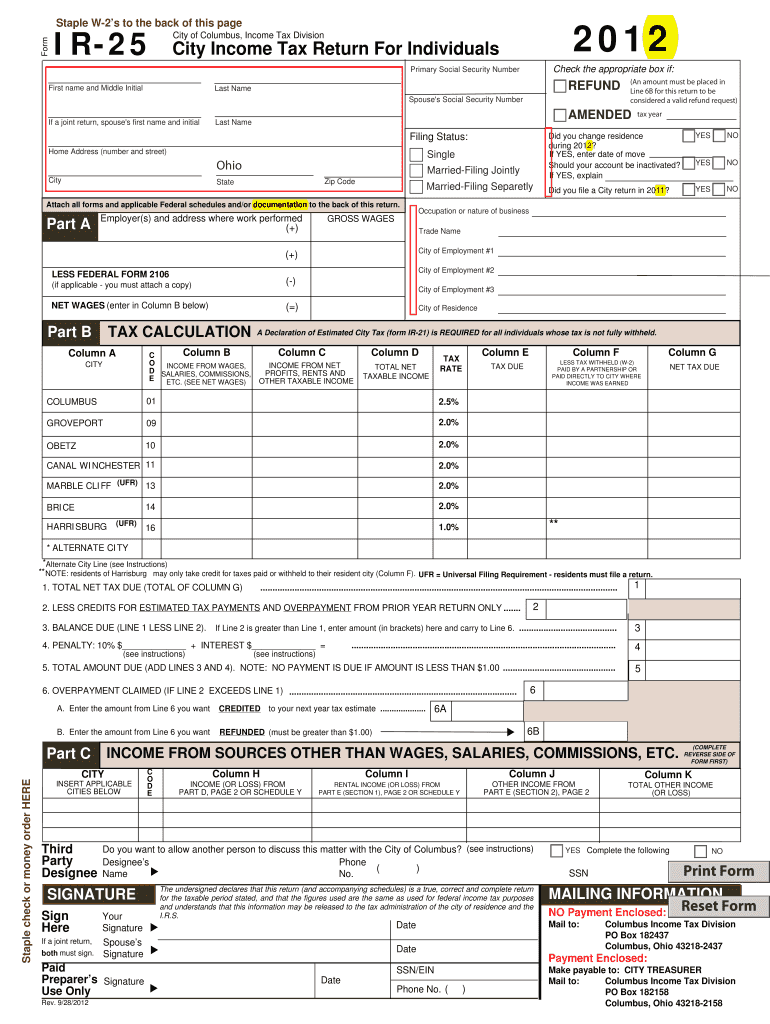
- Begin by entering your Primary Social Security Number, followed by your first name, middle initial, and last name. If filing jointly, include your spouse's details.
- Select your Filing Status: Single, Married-Filing Jointly, or Married-Filing Separately. Ensure you check the appropriate box.
- In the income section, list all employers and their addresses where work was performed. Enter your gross wages and any applicable deductions.
- Complete the tax calculation sections by entering net taxable income and calculating taxes due based on the provided rates for Columbus and other cities.
- Finally, review all entries for accuracy before signing at the bottom of the form. Use our platform’s features to save or print your completed form.
Start filling out your ir25 today for free using our platform!
It's free
Got questions?
Can I use DocHub to generate legal electronic signatures on my columbus ir 25?
Yes, you can use DocHub for signing any business and personal documentation, including your columbus ir 25. All eSignatures you generate with our tool are legally binding and court-admissible, as DocHub complies with criteria required by ESIGN and UETA. Save your completed form with a detailed Audit Trail if necessary.
Can I edit ir 25 columbus 2023 on my phone?
As a comprehensive document editing service, DocHub is accessible on mobile devices. Open DocHub in your choice of mobile internet browser and employ our intelligent mobile-friendly toolset to complete your ir 25 columbus 2023.
Security and compliance
At DocHub, your data security is our priority. We follow HIPAA, SOC2, GDPR, and other standards, so you can work on your documents with confidence.
Learn more




