




Here's how it works

01. Edit your article of dissolution online
Type text, add images, blackout confidential details, add comments, highlights and more.

02. Sign it in a few clicks
Draw your signature, type it, upload its image, or use your mobile device as a signature pad.

03. Share your form with others
Send articles of dissolution georgia via email, link, or fax. You can also download it, export it or print it out.
How to use or fill out cd 400 articles dissolution with our platform

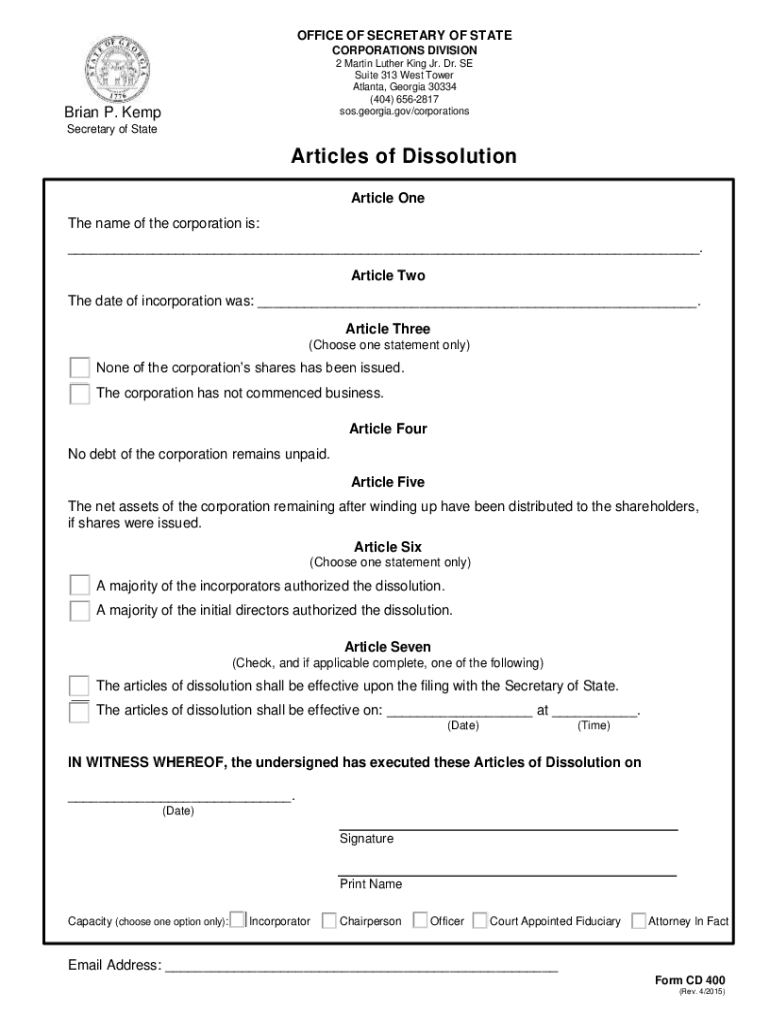
- Click ‘Get Form’ to open the CD 400 Articles of Dissolution in the editor.
- In Article One, enter the name of your corporation as it appears on official documents.
- For Article Two, provide the date of incorporation. Ensure this is accurate for legal purposes.
- In Article Three, select one statement: either 'None of the corporation’s shares has been issued' or 'The corporation has not commenced business.' Only one option can be chosen.
- Article Four requires a confirmation that no debts remain unpaid. Make sure all obligations are settled before proceeding.
- In Article Five, confirm that any remaining assets have been distributed to shareholders if shares were issued.
- Choose an authorization method in Article Six by selecting one of the provided options regarding who authorized the dissolution.
- For Article Seven, check whether the dissolution is effective upon filing or at a later date. If later, specify the date and time.
- Finally, sign and print your name in the signature section, indicating your capacity (e.g., Incorporator, Officer).
Start using our platform today to complete your CD 400 Articles of Dissolution easily and for free!
Fill out cd 400 articles dissolution online
It's free
See more cd 400 articles dissolution versions
We've got more versions of the cd 400 articles dissolution form. Select the right cd 400 articles dissolution version from the list and start editing it straight away!
Security and compliance
At DocHub, your data security is our priority. We follow HIPAA, SOC2, GDPR, and other standards, so you can work on your documents with confidence.
Learn more


