



Here's how it works



How to use or fill out lease share crops pdf with our platform

- Click ‘Get Form’ to open the lease share crops PDF in the editor.
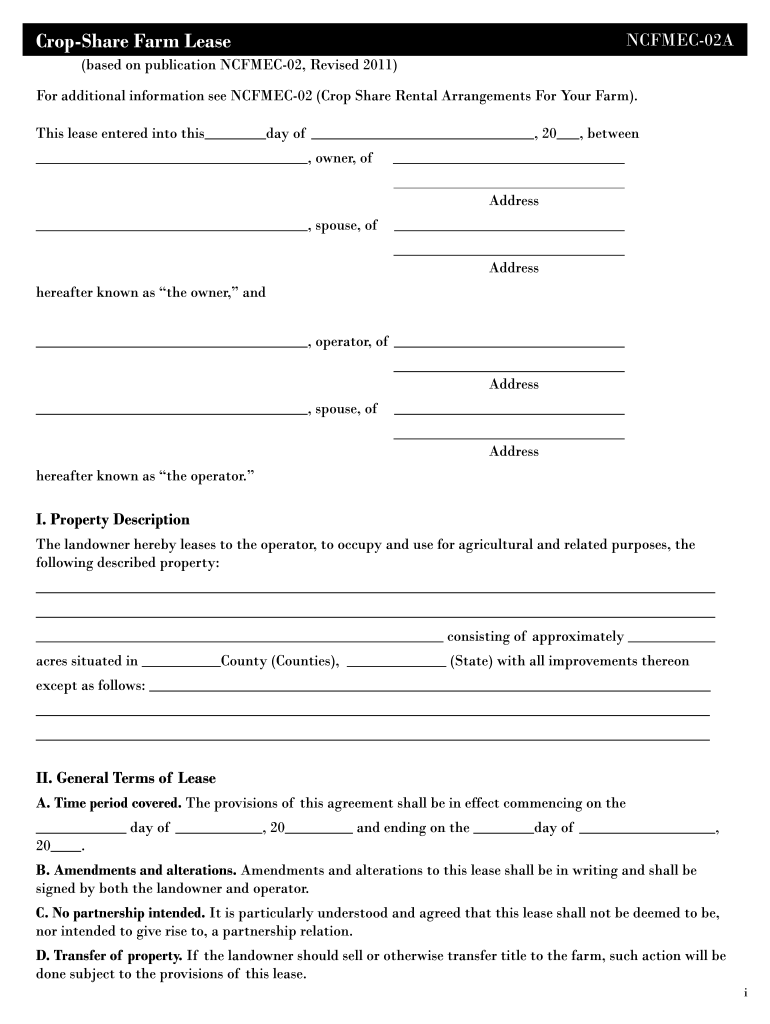
- Begin by filling in the date at the top of the form, specifying the day and year when the lease is entered into.
- In Section I, provide a detailed description of the property being leased, including acreage and location.
- Proceed to Section II to outline general terms. Fill in the time period covered by the lease, ensuring both parties agree on start and end dates.
- In Section IV, specify income sharing percentages for crop production and other sources. Clearly define contributions from both landowner and operator.
- Complete Section V by detailing maintenance responsibilities and any specific restrictions that apply during the rental period.
- Finally, ensure all parties sign at the bottom of the document, including spouses if applicable, before saving or exporting your completed form.
Start using our platform today to streamline your lease share crops PDF editing for free!
It's free
Got questions?
Can I complete and sign my crop share agreement template online?
Yes, and it’s really straightforward! DocHub is an online PDF editor with advanced document processing functions that allow you rapidly adjust your documents, fill out empty fields and insert new ones for other people to fill out, and create electronic signatures in several ways. Upload your crop share agreement template, provide information as required, and select how you want to eSign your template - by typing your name, drawing your signature, uploading its image, or utilizing a QR code.
How do you get crop share agreement alberta?
You can find the latest and most relevant version of the crop share agreement alberta in our DocHub forms collection. Search it by categories or use the search field to find the exact template that fits your case. You can open this form for editing after you find it.
How does a crop share agreement work?
How much do farmers pay per acre to lease?
How does sharecrop work?
Security and compliance
At DocHub, your data security is our priority. We follow HIPAA, SOC2, GDPR, and other standards, so you can work on your documents with confidence.
Learn more


Related forms