Type text, add images, blackout confidential details, add comments, highlights and more.
02. Sign it in a few clicks
Draw your signature, type it, upload its image, or use your mobile device as a signature pad.
03. Share your form with others
Send sl 1 form via email, link, or fax. You can also download it, export it or print it out.
How to use or fill out sl1 form with our platform
Ease of Setup
DocHub User Ratings on G2
Ease of Use
DocHub User Ratings on G2
Click ‘Get Form’ to open the sl1 form in the editor.
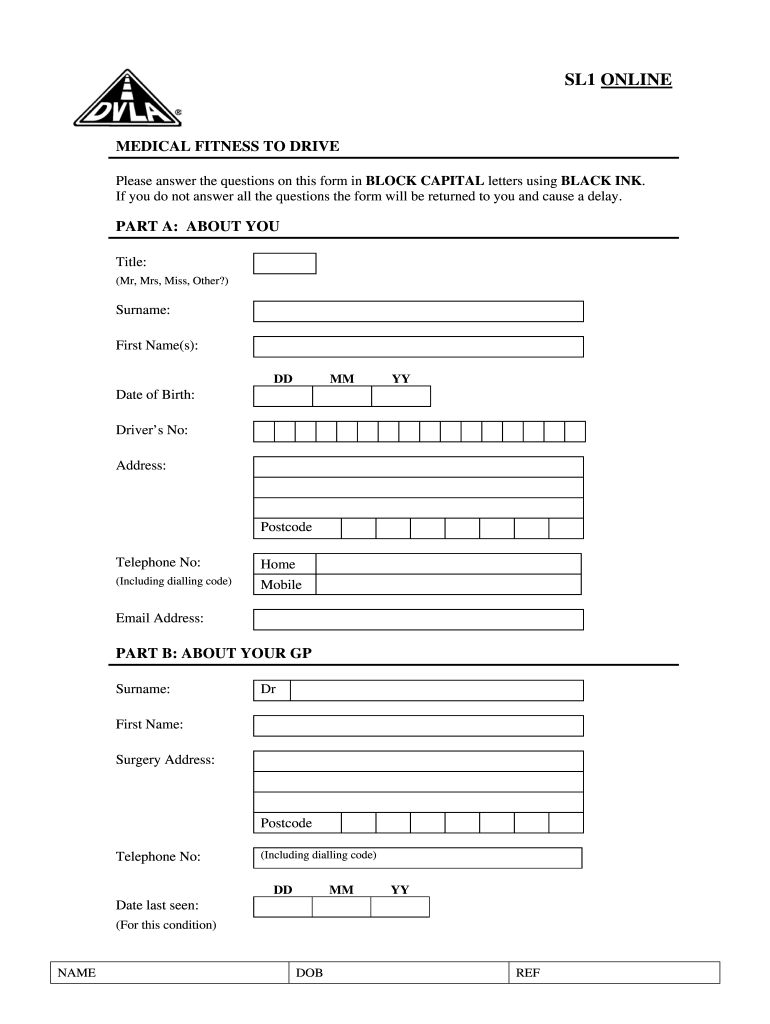
Begin with Part A: About You. Fill in your title, surname, first name(s), date of birth, driver's number, address, postcode, and contact numbers in BLOCK CAPITAL letters using BLACK INK.
Proceed to Part B: About Your GP. Enter your GP's surname, first name, surgery address, postcode, and telephone number. Also include the date you were last seen by your GP for this condition.
In Part C: About the Consultant You See for This Condition, provide details about your consultant including their surname (with title), first name, hospital department, address, postcode, telephone number, and your hospital number.
Complete Part D: Details of Clinics Attending/Attended by listing clinics and reasons for attendance along with dates last seen by both your GP and consultant.
Answer the questionnaire regarding your medical fitness to drive. Ensure you tick appropriate boxes and provide detailed answers where required.
Finally, read the consent section carefully before signing. Ensure all information is accurate before submitting.
Start filling out your sl1 form online for free today!
Herewith submitted are the following documents: A completed Form SL1. A certificate of Authority from State of Domicile. A signed copy of Annual StatementRead more
Cookie consent notice
This site uses cookies to enhance site navigation and personalize your experience.
By using this site you agree to our use of cookies as described in our Privacy Notice.
You can modify your selections by visiting our Cookie and Advertising Notice.