Type text, add images, blackout confidential details, add comments, highlights and more.
02. Sign it in a few clicks
Draw your signature, type it, upload its image, or use your mobile device as a signature pad.
03. Share your form with others
Send it via email, link, or fax. You can also download it, export it or print it out.
How to use or fill out pa tax form rev 1737 with DocHub
Ease of Setup
DocHub User Ratings on G2
Ease of Use
DocHub User Ratings on G2
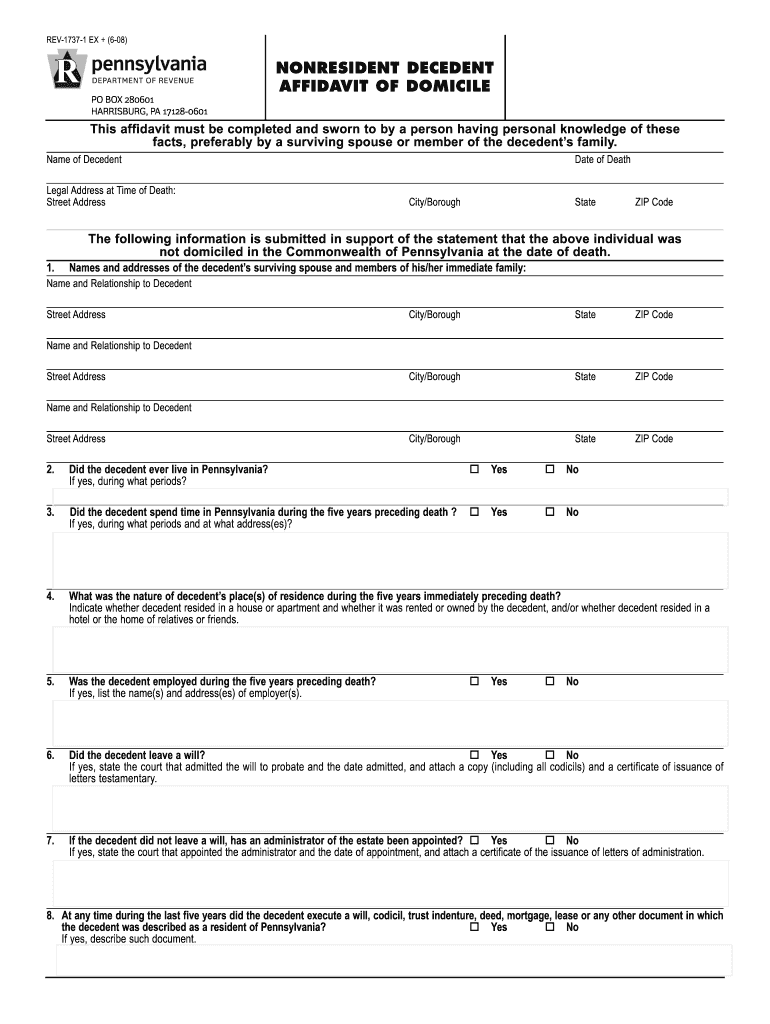
Click ‘Get Form’ to open the PA Tax Form REV-1737 in our editor.
Begin by entering the name of the decedent and their legal address at the time of death, including street address, city, state, and ZIP code.
Fill in the date of death in MM/DD/YYYY format. This is crucial for establishing timelines related to domicile.
Provide details about the decedent’s surviving spouse and immediate family members, including names, relationships, and addresses.
Answer questions regarding the decedent's residency in Pennsylvania over the last five years. Be prepared to provide specific periods and addresses if applicable.
Indicate whether the decedent was employed during this period and list employers' names and addresses if applicable.
Complete sections regarding any wills or estate administrators, ensuring all necessary documentation is attached as required.
Finally, review all entries for accuracy before signing. Use our platform’s tools to save or print your completed form.
Start filling out your PA Tax Form REV-1737 today for free using our platform!
A completed REV-1737-1, affidavit of domicile must be included with all filed REV-1737-A, Pennsylvania. Inheritance Tax returns for nonresident decedents.Read more
Cookie consent notice
This site uses cookies to enhance site navigation and personalize your experience.
By using this site you agree to our use of cookies as described in our Privacy Notice.
You can modify your selections by visiting our Cookie and Advertising Notice.