




Here's how it works

01. Edit your authorization for vehicle services online
Type text, add images, blackout confidential details, add comments, highlights and more.

02. Sign it in a few clicks
Draw your signature, type it, upload its image, or use your mobile device as a signature pad.

03. Share your form with others
Send letter of authorization alberta via email, link, or fax. You can also download it, export it or print it out.
How to use or fill out authorization vehicle services form with our platform

- Click ‘Get Form’ to open the authorization vehicle services form in the editor.
- Begin by entering your personal information in the designated fields, including your name, address, and contact details. Ensure accuracy for seamless communication.
- Next, specify the vehicle details such as make, model, year, and VIN. This information is crucial for identifying the vehicle you are authorizing services for.
- In the authorization section, clearly indicate which services you are permitting. You can check boxes or write in specific requests as needed.
- Finally, review all entered information for completeness and accuracy. Once satisfied, proceed to sign the document electronically using our platform’s signature feature.
Start using our platform today to effortlessly complete your authorization vehicle services form online for free!
Fill out authorization vehicle services form online
It's free
See more authorization vehicle services form versions
We've got more versions of the authorization vehicle services form form. Select the right authorization vehicle services form version from the list and start editing it straight away!
| Versions | Form popularity | Fillable & printable |
|---|---|---|
| 2005 | 4.9 Satisfied (472 Votes) |
Security and compliance
At DocHub, your data security is our priority. We follow HIPAA, SOC2, GDPR, and other standards, so you can work on your documents with confidence.
Learn more


Related forms
Jdf462 notice form get
The document is a legal notice from a Colorado court regarding a hearing on a petition filed by an individual seeking to ...
- courts state co
The document is a Notice of Hearing from the District Court or Denver Juvenile Court in Colorado, informing the involved ...
- courts state co
The document provides detailed instructions for defendants on how to file a criminal appeal from a County Court to a Dis ...
Sf180
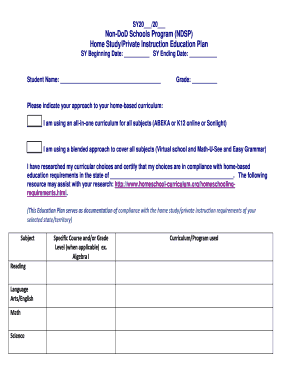
Non-DoD Schools Program NDSP Home StudyPrivate
The document is a Home Study/Private Instruction Education Plan for students enrolled in the Non-DoD Schools Program (ND ...

Youth Badminton Registration Form
The document is a registration form for a co-ed youth badminton program organized by the Department of Planning, Parks & ...

SAFCGPSAFC Student Travel Reimbursement Addendum - Cornell
The document is an addendum for the SAFC/GPSAFC Student Travel Reimbursement Request form, intended for organizations to ...