




01. Edit your l1 form online
Type text, add images, blackout confidential details, add comments, highlights and more.

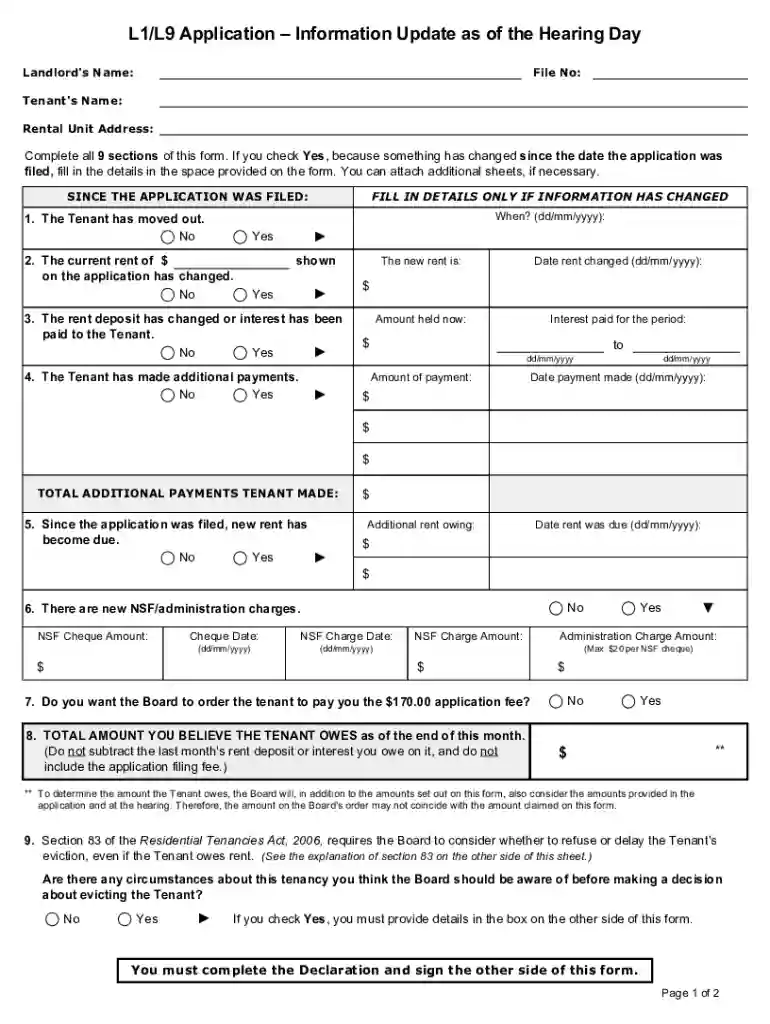
Type text, add images, blackout confidential details, add comments, highlights and more.

Draw your signature, type it, upload its image, or use your mobile device as a signature pad.

Send l1 form ontario via email, link, or fax. You can also download it, export it or print it out.

Start using our platform today to easily fill out your L1/L9 update form online for free!
We've got more versions of the l1 form form. Select the right l1 form version from the list and start editing it straight away!
At DocHub, your data security is our priority. We follow HIPAA, SOC2, GDPR, and other standards, so you can work on your documents with confidence.
May 7, 2018 underpayment survivor (L1-L9) that is to be added. (viii) STATUS field enter D for each survivor that is added. D must be usedRead more
by AP Griffith Cited by 8 The first form is the policy/application that only needs to be completed once unless changing agents, while the second form, specific coverage endorsement (SCE)Read more
Jun 5, 1997 The policies and procedures set forth here are intended as guidance to Agency and other government employees.Read more


