




01. Edit your application for confirmation in the teaching service uganda pdf online
Type text, add images, blackout confidential details, add comments, highlights and more.

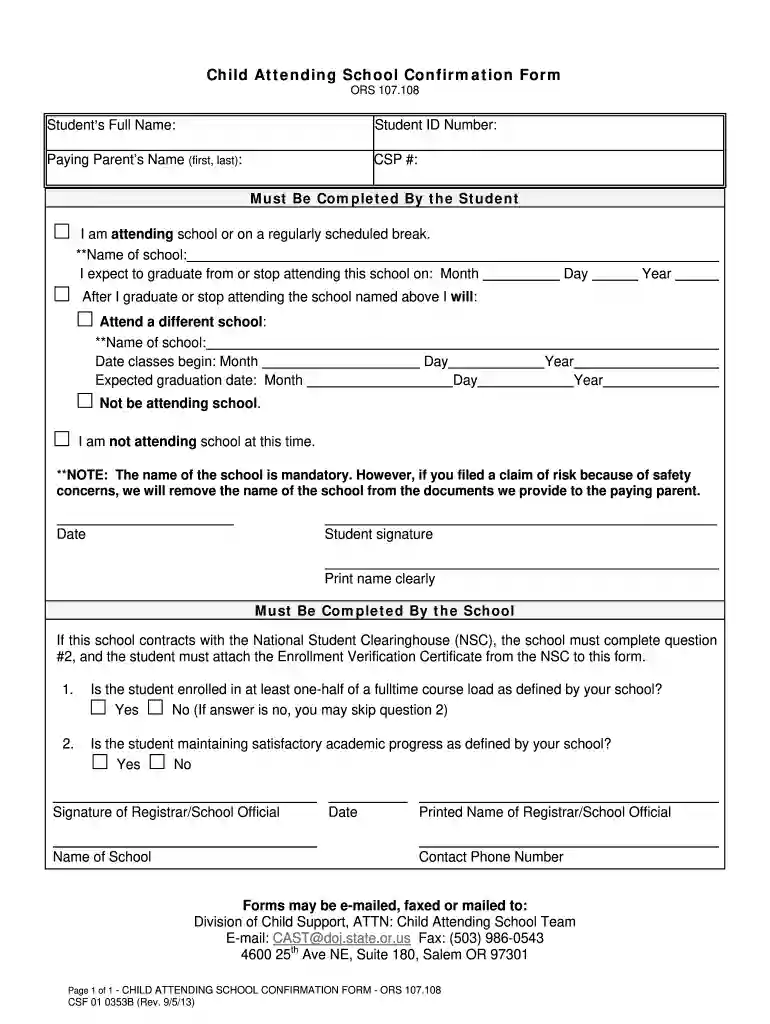
Type text, add images, blackout confidential details, add comments, highlights and more.

Draw your signature, type it, upload its image, or use your mobile device as a signature pad.

Send application form for confirmation in the teaching service uganda via email, link, or fax. You can also download it, export it or print it out.
The confirmation form for teachers is an official document used to verify the employment status of teachers in educational institutions. It is typically required by school districts or commissions responsible for maintaining oversight over educators, such as the Teaching Service Commission (TSC). The form serves as evidence that the teacher has successfully completed any required probationary period and meets the qualifications necessary for permanent employment.
This form includes vital information, such as the teacher's name, employment records, qualifications, and any relevant endorsements. It plays a critical role in the assessment and approval of a teacher’s standing, ensuring that they meet the required professional standards before they are confirmed in their teaching positions. The confirmation process not only helps educational institutions maintain a high standard of teaching but also protects the rights of educators seeking job security.
Using the confirmation form for teachers typically involves several steps, starting with obtaining the form from the relevant education authority. Once the form is acquired, the teacher must complete it according to the specified guidelines. This includes providing personal information, employment history, and any endorsements received.
After filling out the form, the teacher should submit it to the designated educational administrative body. This submission may be done online or via physical submission, depending on the specific requirements set by the local education authority or the TSC. It is essential that the teacher ensures all sections of the form are accurately completed as incomplete forms can lead to delays in the confirmation process.
To enhance the chances of successful approval, teachers should consider keeping the following in mind:
Completing the confirmation form for teachers requires a careful approach to ensure accuracy and compliance with all requirements. The process can be broken down into a series of manageable steps:
Obtain the Form: Access the correct version of the confirmation form, either online from the TSC's website or from your school administrative office.
Read the Instructions: Before filling out the form, thoroughly read through any accompanying instructions to understand the information needed.
Fill Out Personal Information: Input your full name, contact information, teaching position, and any relevant identification numbers.
Document Employment History: Provide details of your employment history, including previous teaching positions and qualifications. Ensure that this aligns with your official credentials.
Add Endorsements and Certifications: If applicable, list any endorsements, certifications, or additional training you have received that may support your application for confirmation.
Sign and Date: Complete the form by signing and dating it, verifying that the information you provided is true and accurate.
Submit the Form: Deliver the completed form to the designated authority, ensuring it is submitted in accordance with the specific submission methods outlined by the TSC.
Keep a Copy: Retain a copy of the completed form for your records. This may be useful for follow-ups or in case of discrepancies later.
Following these steps helps to facilitate a smooth confirmation process while ensuring that all required details are provided.
The confirmation form for teachers includes several key elements essential for processing the application. Understanding these components is crucial in ensuring the form is completed and submitted correctly:
Personal Information: This section typically requires the teacher's full name, date of birth, contact information, and identification numbers.
Employment Details: Teachers must provide details about their current and past teaching positions, including school names, dates of employment, and specific subjects taught.
Qualification Records: Information about educational qualifications, degrees obtained, and any teaching certifications should be included. This section verifies that the teacher meets the educational requirements set forth by the relevant authorities.
Endorsements and Recommendations: If applicable, endorsements from supervisors or education authorities can be included to strengthen the application.
Signature and Date: The completion of the form requires the teacher's signature to affirm the accuracy of the provided information, along with the date to validate the submission period.
These elements are crucial in assessing a teacher’s eligibility for confirmation. Each section needs to be comprehensive and truthful to ensure a favorable outcome in the process.
Understanding the terminology surrounding the confirmation form for teachers can greatly assist educators in navigating the process. Here are some critical terms:
Probationary Period: The period during which new teachers are evaluated for their performance and suitability before being offered permanent status.
Teaching Service Commission (TSC): The body responsible for overseeing teacher recruitment, licensing, and confirmation in many jurisdictions.
Electronic Signature: A digital form of signing that can be used in place of a handwritten signature, often acceptable for submitting forms electronically.
Endorsement: Additional qualifications or specializations a teacher may possess, allowing them to teach specific subjects or grade levels.
Verification: The process of confirming the validity of the information provided in the confirmation form, often requiring cross-checking with official records.
Familiarity with these terms can facilitate smoother interactions with administrative processes and improve teachers' understanding of what is required for confirmation.
The confirmation form for teachers is utilized mainly by individuals engaged in the education sector. This includes:
New Teachers: Those who have recently completed their probation and seek confirmation of their employment status.
Experienced Teachers Seeking Reconfirmation: Teachers who may need to reapply for confirmation after a significant break in service or who have transitioned to new districts or positions.
Human Resource Departments: Educational institutions use these forms to verify the status of their teachers for employment compliance and records management.
Certification Bodies: Organizations that oversee educator qualifications and compliance may require these forms as part of their standard verification processes.
Understanding the primary users of this document helps in identifying the varying needs throughout the educational system and clarifying responsibilities during the confirmation process.


We've got more versions of the application for confirmation in the teaching service uganda pdf form. Select the right application for confirmation in the teaching service uganda pdf version from the list and start editing it straight away!
| Versions | Form popularity | Fillable & printable |
|---|---|---|
| 2013 | 4.7 Satisfied (87 Votes) |
At DocHub, your data security is our priority. We follow HIPAA, SOC2, GDPR, and other standards, so you can work on your documents with confidence.
Education Integration: Programs for teacher training, student ambassador networks, and classroom activities based on live dashboard data. TargetedRead more
Confirmation Form for Level 1: Early Experiences. Thank you for arranging a placement for {Add the students names} to complete observations in your schoolRead more
COMPLETE THE FORM: One form per district per school year. Fill in the school year start and end dates, the district, andRead more


