




Here's how it works

01. Edit your cd 401s instructions 2021 online
Type text, add images, blackout confidential details, add comments, highlights and more.

02. Sign it in a few clicks
Draw your signature, type it, upload its image, or use your mobile device as a signature pad.

03. Share your form with others
Send nc form cd 401s instructions 2021 via email, link, or fax. You can also download it, export it or print it out.
How to use or fill out 1997 2014 cd 401s form - dor state nc with DocHub

- Click ‘Get Form’ to open the 1997 2014 cd 401s form in our editor.
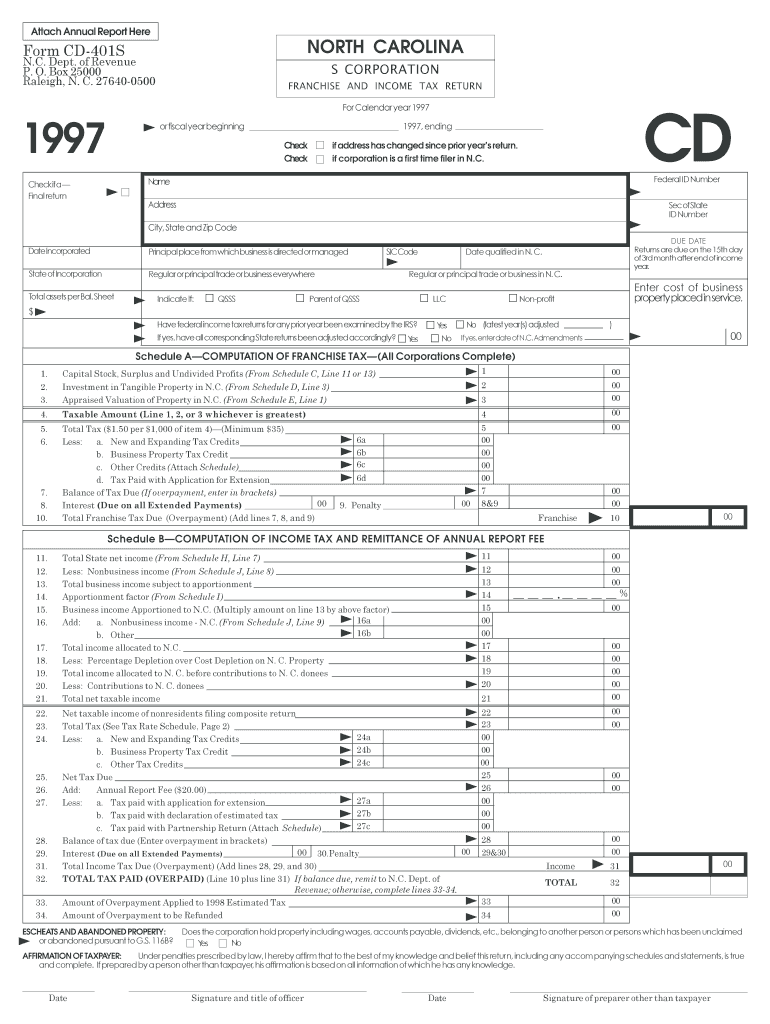
- Begin by filling in your corporation's name, address, and federal ID number at the top of the form. Ensure that all details are accurate to avoid processing delays.
- Indicate whether this is a final return or if there have been any changes in your address since the last filing. Check the appropriate boxes provided.
- Complete Schedule A for franchise tax computation. Enter your taxable amount and calculate the total tax due based on the provided rates.
- Proceed to Schedule B for income tax computation. Fill in your total state net income and apply any deductions as necessary.
- Review all sections carefully, ensuring that all required schedules are completed based on your corporation's specific situation.
- Once finished, utilize our platform’s signing feature to electronically sign the document before submission.
Start using our platform today to fill out your forms online for free!
Fill out 1997 2014 cd 401s form - dor state nc online
It's free
It's free
See more 1997 2014 cd 401s form - dor state nc versions
We've got more versions of the 1997 2014 cd 401s form - dor state nc form. Select the right 1997 2014 cd 401s form - dor state nc version from the list and start editing it straight away!
| Versions | Form popularity | Fillable & printable |
|---|---|---|
| 2025 | 4.9 Satisfied (43 Votes) | |
| 2024 | 4.4 Satisfied (22 Votes) | |
| 2023 | 4.7 Satisfied (51 Votes) | |
| 2022 | 4.1 Satisfied (35 Votes) | |
| 2021 | 4.3 Satisfied (39 Votes) | |
| 2020 | 4.8 Satisfied (109 Votes) | |
| 2018 | 4.4 Satisfied (145 Votes) | |
| 2017 | 4.3 Satisfied (132 Votes) | |
| 2016 | 4.3 Satisfied (167 Votes) | |
| 2015 | 4.3 Satisfied (140 Votes) | |
| 2014 | 4.4 Satisfied (932 Votes) | |
| 2013 | 4.3 Satisfied (45 Votes) | |
| 2012 | 4 Satisfied (35 Votes) | |
| 2011 | 4.2 Satisfied (53 Votes) | |
| 2009 | 4 Satisfied (55 Votes) |
Security and compliance
At DocHub, your data security is our priority. We follow HIPAA, SOC2, GDPR, and other standards, so you can work on your documents with confidence.
Learn more


