Type text, add images, blackout confidential details, add comments, highlights and more.
02. Sign it in a few clicks
Draw your signature, type it, upload its image, or use your mobile device as a signature pad.
03. Share your form with others
Send tkppf 2023 via email, link, or fax. You can also download it, export it or print it out.
How to use or fill out tkppf with our platform
Ease of Setup
DocHub User Ratings on G2
Ease of Use
DocHub User Ratings on G2
Click ‘Get Form’ to open the tkppf in the editor.
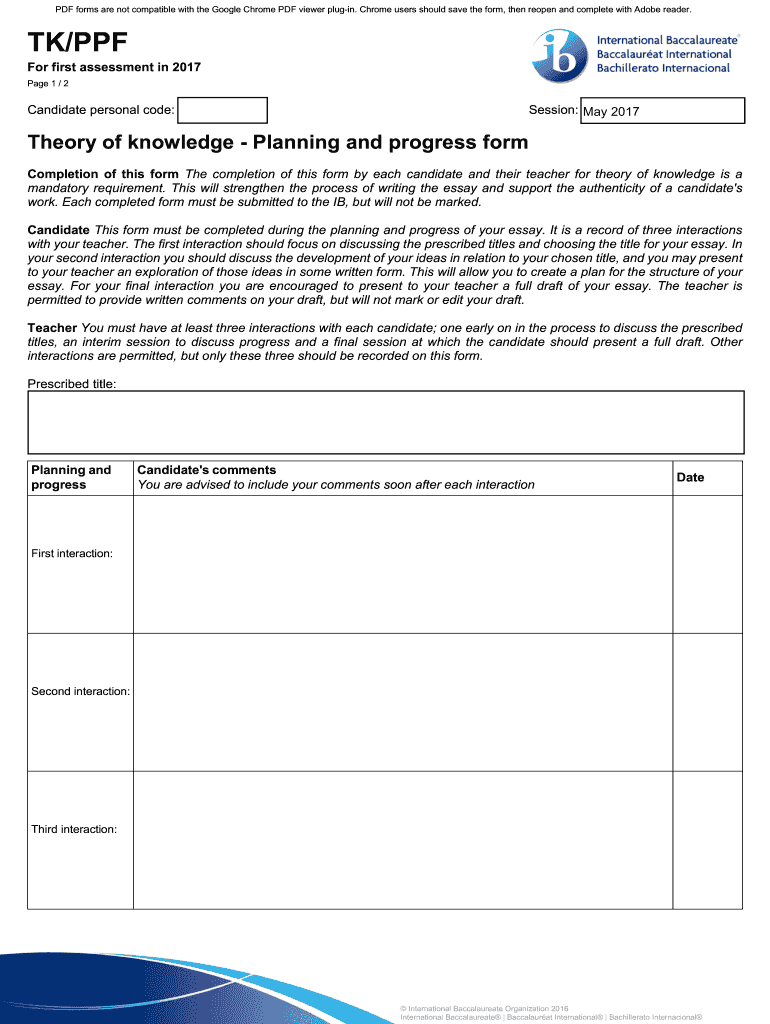
Begin by entering your candidate personal code and session date at the top of the form. This information is essential for identification purposes.
In the 'Prescribed title' section, select and write down the title you have chosen for your essay after discussing it with your teacher during your first interaction.
Document each of your three interactions with your teacher in the designated fields. For each interaction, include the date and a brief summary of what was discussed, focusing on planning and progress.
In the 'Candidate's comments' section, provide reflections after each interaction to track your development and insights gained from discussions.
Finally, ensure that both you and your teacher sign off on the completed declarations at the bottom of the form, confirming accuracy before submission.
Start using our platform today to streamline your tkppf completion process for free!
Jan 13, 2021 Sirve como registro de las tres interacciones con su profesor. La primera interaccin debe centrarse en comentar los ttulos prescritos y elegirRead more
Cookie consent notice
This site uses cookies to enhance site navigation and personalize your experience.
By using this site you agree to our use of cookies as described in our Privacy Notice.
You can modify your selections by visiting our Cookie and Advertising Notice.