Lctcb 2026

Get Form
lctcb Preview on Page 1

Here's how it works

01. Edit your lctcb online
Type text, add images, blackout confidential details, add comments, highlights and more.

02. Sign it in a few clicks
Draw your signature, type it, upload its image, or use your mobile device as a signature pad.

03. Share your form with others
Send lancaster pa local taxes via email, link, or fax. You can also download it, export it or print it out.

How to use or fill out lctcb with our platform

Form edit decoration
9.5
Ease of Setup
DocHub User Ratings on G2
9.0
Ease of Use
DocHub User Ratings on G2
  1. Click ‘Get Form’ to open the lctcb in the editor.
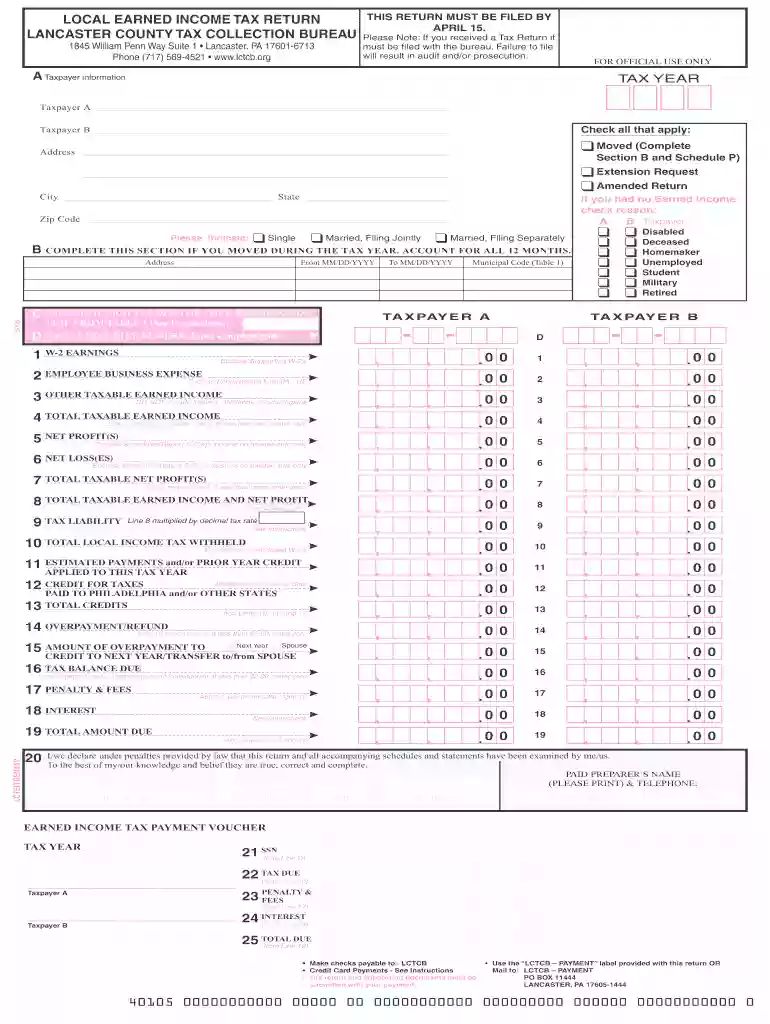
  2. Begin by filling out Taxpayer A and B information, including names, addresses, and check applicable boxes for status changes like 'Moved' or 'Extension Request'.
  3. Complete Section B if you moved during the tax year. Enter your previous address and the dates of your move.
  4. Select the appropriate municipal code for your residence from Table 1 provided in the instructions.
  5. Enter your Social Security Number and W-2 earnings. Ensure to enclose supporting W-2 forms as required.
  6. Calculate total taxable income by following the prompts for lines related to net profit, losses, and other taxable earned income.
  7. Review all entries carefully before submitting. Use our platform's features to sign and save your completed form securely.

Start using our platform today to fill out your lctcb form easily and for free!

be ready to get more

Complete this form in 5 minutes or less

Get form

Got questions?

We have answers to the most popular questions from our customers. If you can't find an answer to your question, please contact us.
Contact us

With DocHub, you can rapidly approve your lancaster county tax forms or any other paperwork on iOS, even without setting up extra applications. You can access your DocHub account from any web-connected browser and fill out and sign your document in any preferred method with just a few clicks.

It is a no-brainer on a computer or via a mobile phone to fill out a lctcb org with DocHub. All you need to do is open any installed browser on your smartphone and proceed to the DocHub website. Once authenticated, add your file and open it in editing mode. Use our toolbar to make your edits and save changes. Optionally, keep your document in your files or send it to a recipient immediately.

Security and compliance

At DocHub, your data security is our priority. We follow HIPAA, SOC2, GDPR, and other standards, so you can work on your documents with confidence.
Learn more
ccpa2
pci-dss
gdpr-compliance
hipaa
soc-compliance
be ready to get more

Complete this form in 5 minutes or less

Get form