




01. Edit your dr 501a online
Type text, add images, blackout confidential details, add comments, highlights and more.

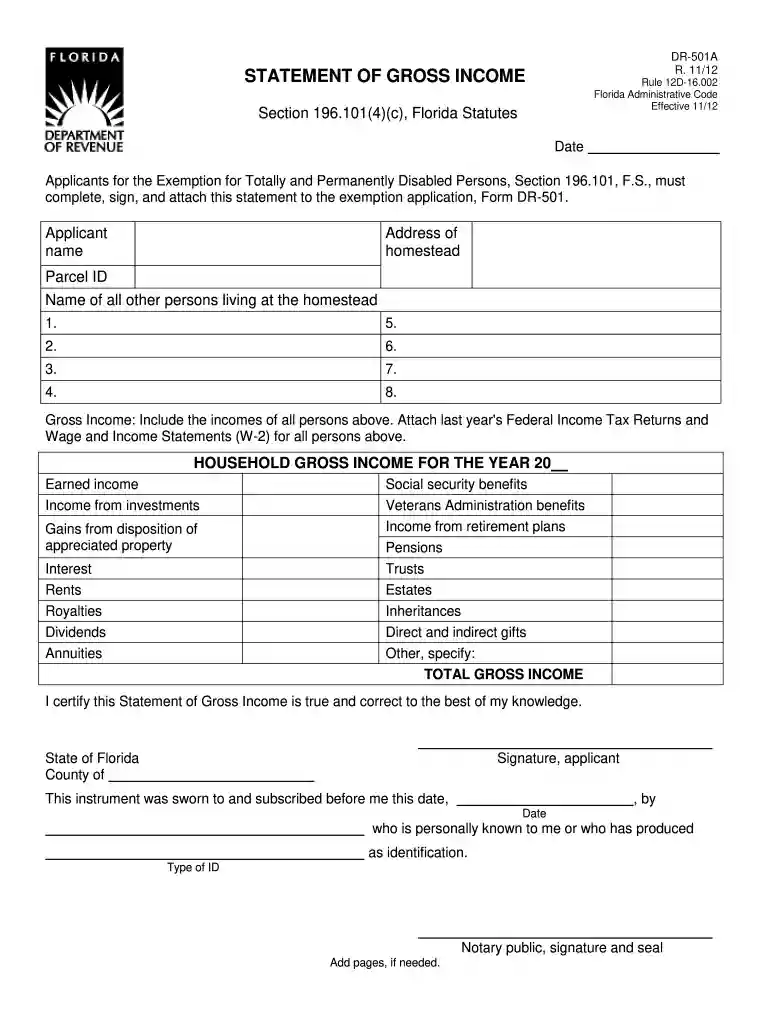
Type text, add images, blackout confidential details, add comments, highlights and more.

Draw your signature, type it, upload its image, or use your mobile device as a signature pad.

Send it via email, link, or fax. You can also download it, export it or print it out.

Start filling out your DR-501A today for free using our platform!
We've got more versions of the dr 501a form. Select the right dr 501a version from the list and start editing it straight away!
Electronic document signing requires a software solution that works in compliance with data security and eSignature regulations. DocHub is an excellent tool for that, since it meets all the previously mentioned requirements. Whatever method you prefer to sign your dr 501a in DocHub, your electronic signature will be legally binding and court-admissible.
Having a swift editing system like DocHub, you do not require anything but a browser and internet connection to edit your dr 501a on the internet easily. Add your file or get the appropriate form in DocHub’s catalog, open our editor with a single click, and complete it digitally. To revise your forms anytime, sign up a free account with DocHub.
At DocHub, your data security is our priority. We follow HIPAA, SOC2, GDPR, and other standards, so you can work on your documents with confidence.
DR-501A. Statement of Gross Income. DR-501DV. Application and Return for DR-501A, household income. 196.101. Veterans and First Responders ExemptionsRead more
(6) Totally and permanently disabled persons must make application on Form DR-501, (incorporated by reference in rule 12D-16.002, F.A.C.) in conjunction withRead more
Dec 11, 1997 40 West Gude Drive. Room: 130. Operation: Daily, 24 hours per day. Coverage: Every hour on the hour Monday through. Friday, 7:00 am to 5:00 pm.Read more


