




01. Edit your pt100 form online
Type text, add images, blackout confidential details, add comments, highlights and more.

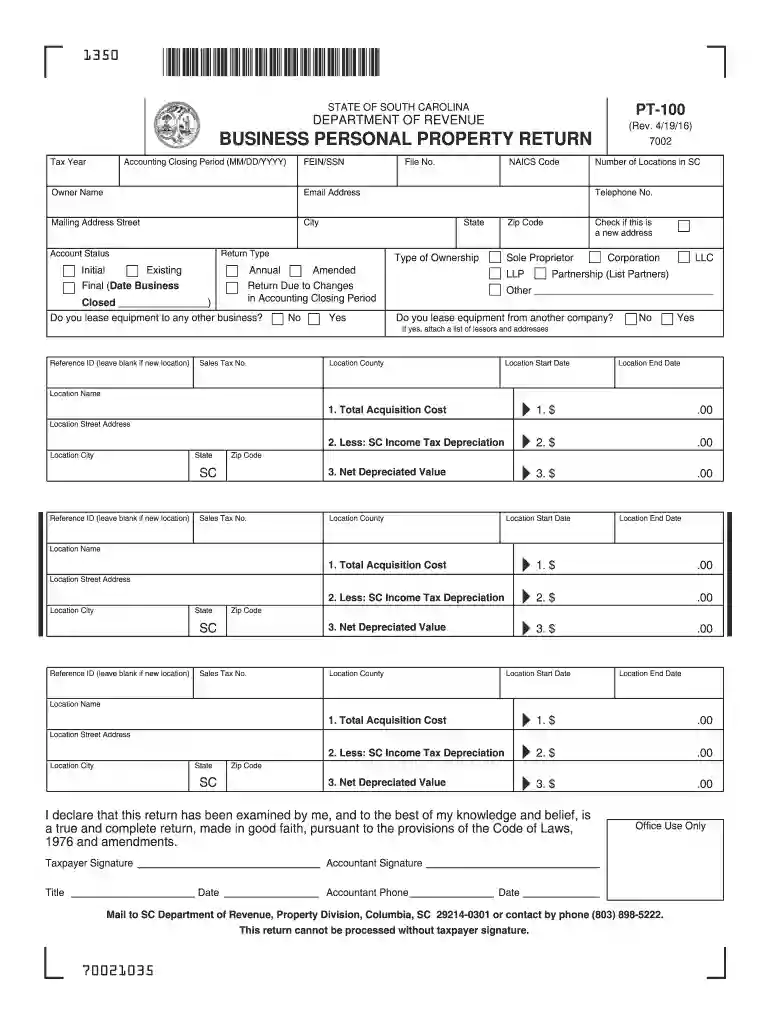
Type text, add images, blackout confidential details, add comments, highlights and more.

Draw your signature, type it, upload its image, or use your mobile device as a signature pad.

Send pt 100 form via email, link, or fax. You can also download it, export it or print it out.

Start using our platform today to fill out your PT-100 form easily and for free!
We've got more versions of the pt100 form form. Select the right pt100 form version from the list and start editing it straight away!
At DocHub, your data security is our priority. We follow HIPAA, SOC2, GDPR, and other standards, so you can work on your documents with confidence.

This questionnaire will give your provider information about how your neck condition affects your everyday life. Please answer every section by marking theRead more
For control of broadleaf annual and perennial weeds and woody brush species on: rangeland and permanent grass pastures, grasses grown.Read more
PT-100. (Rev. 7/25/23). 7002. STATE OF SOUTH CAROLINA. DEPARTMENT OF REVENUE. BUSINESS PERSONAL PROPERTY RETURN. 1350. Mail to: SCDOR, Property Division,Read more


