Interdistricttransfer form 2026

Get Form
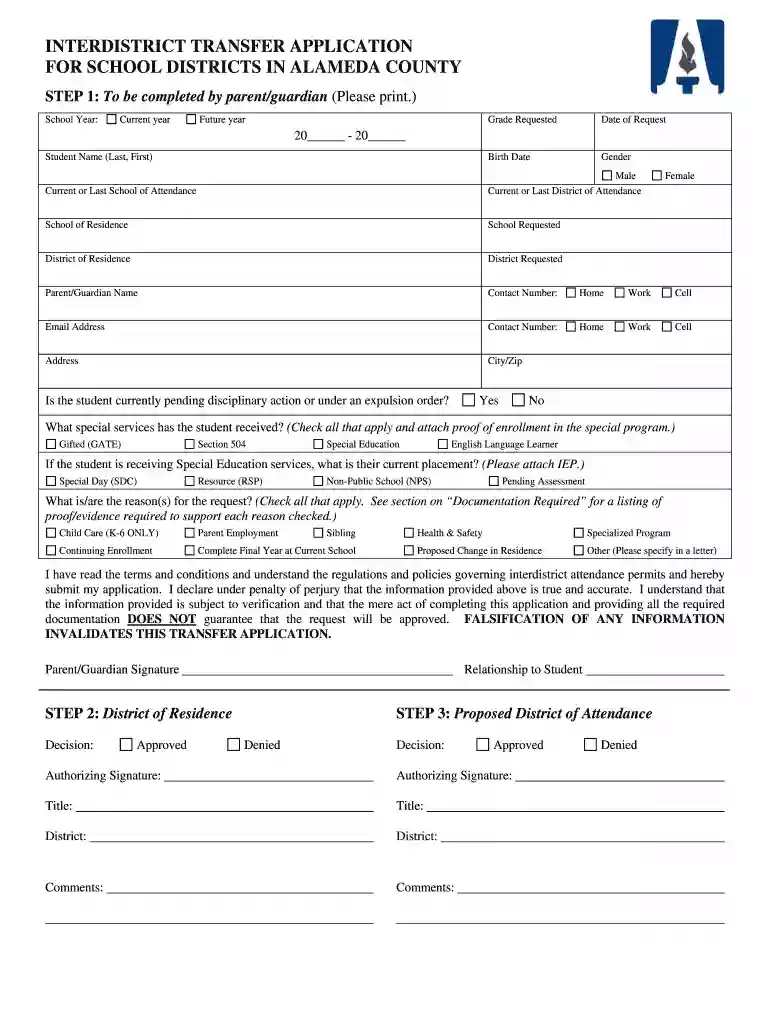
interdistricttransfer form Preview on Page 1

Here's how it works

01. Edit your form online
Type text, add images, blackout confidential details, add comments, highlights and more.

02. Sign it in a few clicks
Draw your signature, type it, upload its image, or use your mobile device as a signature pad.

03. Share your form with others
Send it via email, link, or fax. You can also download it, export it or print it out.

How to use or fill out interdistrict transfer form with our platform

Form edit decoration
9.5
Ease of Setup
DocHub User Ratings on G2
9.0
Ease of Use
DocHub User Ratings on G2
  1. Click ‘Get Form’ to open the interdistrict transfer application in the editor.
  2. Begin by filling out the parent/guardian information. Enter the school year, grade requested, and student details including name, birth date, and gender.
  3. Provide current school and district of attendance, as well as the requested school and district. Ensure all contact information for the parent/guardian is accurate.
  4. Indicate if the student is pending disciplinary action or under an expulsion order by selecting 'Yes' or 'No'.
  5. Check any special services received by the student and attach proof of enrollment if applicable.
  6. Select reasons for the transfer request from the provided options and ensure you attach necessary documentation to support your claims.
  7. Review all entered information for accuracy before signing. Submit your application along with required documents through our platform.

Start using our editor today to streamline your interdistrict transfer application process for free!

be ready to get more

Complete this form in 5 minutes or less

Get form

Got questions?

We have answers to the most popular questions from our customers. If you can't find an answer to your question, please contact us.
Contact us
Common reasons for approving the transfer include moving out of the district, having a sibling in the district, being a victim of bullying, needing childcare, or concerns regarding the childs general health and well-being. If you can identify one of these reasons, you should be in a favorable position.
How to Write a School Transfer Letter Use a Formal Format. Start with your address, date, and the schools address. State the Purpose Clearly. Begin the letter by clearly stating your request for a transfer. Explain the Reason. Mention the Desired School. Highlight the Students Records Documentation. Close Formally.
Transfer Admission Transfer Credential/Honorable Dismissal. Certification of Grades/Transcript of Records for evaluation purposes. Receipt of Admission Fee payment. NSO Copy of Birth Certificate. Receipt of Admission fee payment, and. Curriculum sheet.
Start by obtaining the transfer school form from the desired institution. This form can usually be found on the schools website or obtained from their admissions office.

Security and compliance

At DocHub, your data security is our priority. We follow HIPAA, SOC2, GDPR, and other standards, so you can work on your documents with confidence.

Learn more
ccpa2
pci-dss
gdpr-compliance
hipaa
soc-compliance
be ready to get more

Complete this form in 5 minutes or less

Get form