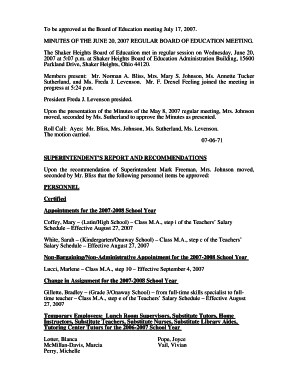
Revenue ie registration 2026

Get Form
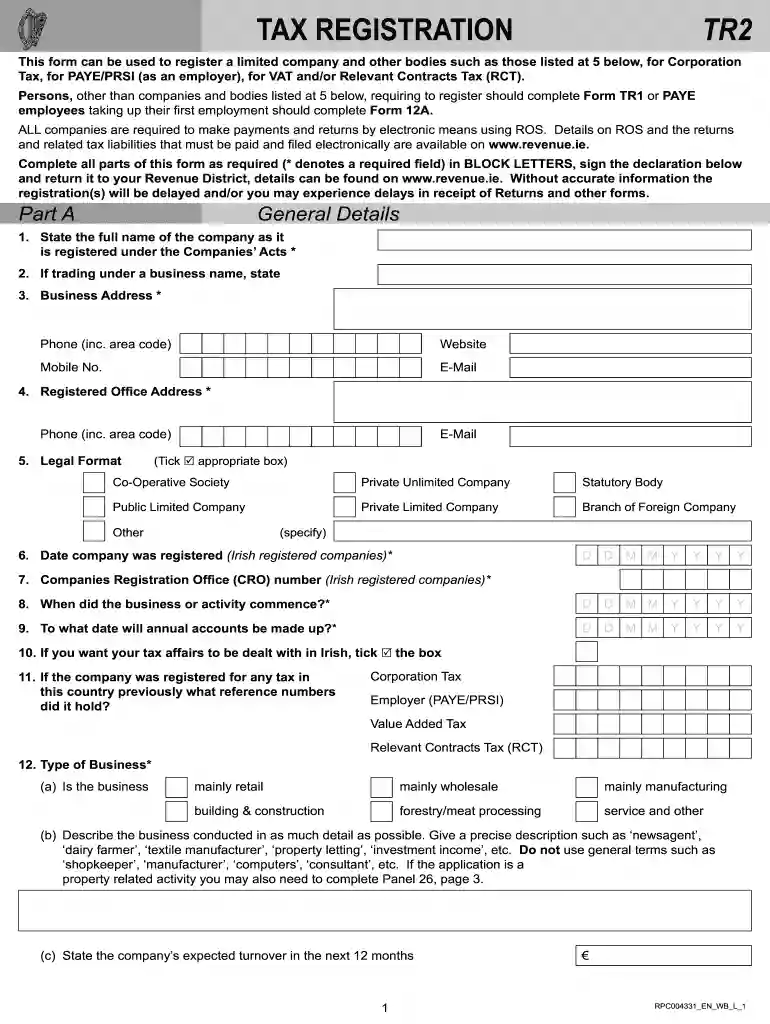
revenue tr2 form Preview on Page 1

Here's how it works

01. Edit your revenue tr2 form online
Type text, add images, blackout confidential details, add comments, highlights and more.

02. Sign it in a few clicks
Draw your signature, type it, upload its image, or use your mobile device as a signature pad.

03. Share your form with others
Send what is a tr2 form via email, link, or fax. You can also download it, export it or print it out.

How to use or fill out revenue ie registration with our platform

Form edit decoration
9.5
Ease of Setup
DocHub User Ratings on G2
9.0
Ease of Use
DocHub User Ratings on G2
  1. Click ‘Get Form’ to open the revenue ie registration in the editor.
  2. Begin with Part A: General Details. Fill in the full name of the company as registered under the Companies’ Acts, ensuring all required fields marked with an asterisk (*) are completed in BLOCK LETTERS.
  3. Provide your business address, contact details including phone and email, and specify if trading under a business name.
  4. Indicate the legal format of your company by ticking the appropriate box and enter your Companies Registration Office (CRO) number.
  5. Continue through each section, providing details about directors, shareholders, and any previous tax registrations as required.
  6. For VAT registration, complete Part C by indicating your expected annual turnover and bank account details for refunds.
  7. Finally, review all entries for accuracy before signing the declaration at the end of the form to confirm that all information is true.

Start filling out your revenue ie registration form online for free today!

See more revenue ie registration versions

We've got more versions of the revenue ie registration form. Select the right revenue ie registration version from the list and start editing it straight away!
Versions Form popularity Fillable & printable
2023 4.2 Satisfied (30 Votes)
2014 4.8 Satisfied (26 Votes)
be ready to get more

Complete this form in 5 minutes or less

Get form

Got questions?

We have answers to the most popular questions from our customers. If you can't find an answer to your question, please contact us.
Contact us
You must provide the following information at registration: your Personal Public Service Number (PPSN) your date of birth. your mobile number or landline number. your email address. your home address.
You can access myAccount by following these steps: Go to the myAccount sign in page. Click Login with MyGovID. Provide the required information.
To get a TRN, you must register with the Irish Revenue through their online registration system. The process varies depending on whether youre an individual, a sole trader, or a company. After applying, Revenue will issue your TRN once the registration is processed​.
To set up as a sole trader, you must register for income tax with Revenue as a self-employed sole trader, using the Revenue Online Service (also called ROS). You must have a Personal Public Service (PPS) number to register with Revenue.
There are 3 steps to becoming a ROS customer: Step 1: Apply for your ROS Access Number (RAN). Step 2: Apply for your Digital Certificate. Step 3: Download and Save your Digital Certificate.

Security and compliance

At DocHub, your data security is our priority. We follow HIPAA, SOC2, GDPR, and other standards, so you can work on your documents with confidence.
Learn more
ccpa2
pci-dss
gdpr-compliance
hipaa
soc-compliance

People also ask

To access ROS eRegistration: login to ROS, then on the My Services page, go down to Manage Tax Registrations. This will display a list of tax types. If you are already registered for a particular tax type, you will have the option to Cease Registration.

tr2 revenue