




Here's how it works

01. Edit your dole 13th month pay report online
Type text, add images, blackout confidential details, add comments, highlights and more.

02. Sign it in a few clicks
Draw your signature, type it, upload its image, or use your mobile device as a signature pad.

03. Share your form with others
Send 13th month pay form via email, link, or fax. You can also download it, export it or print it out.
How to use or fill out report on compliance with p d no 851 with our platform

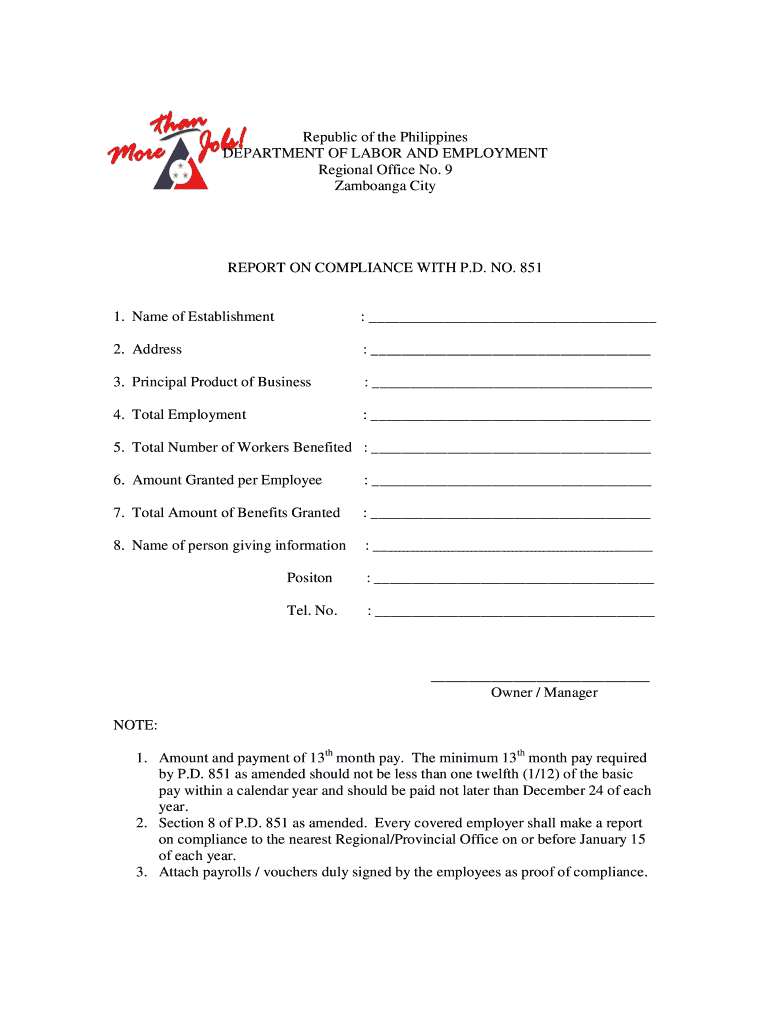
- Click ‘Get Form’ to open the report on compliance with P.D. No. 851 in the editor.
- Begin by entering the 'Name of Establishment' in the designated field. Ensure that this is the official name as registered.
- Next, fill in the 'Address' of your establishment accurately to avoid any discrepancies.
- In the 'Principal Product of Business' section, specify what your business primarily produces or offers.
- Indicate 'Total Employment' by entering the number of employees currently working at your establishment.
- Fill out the 'Total Number of Workers Benefited' to reflect how many employees received benefits under P.D. No. 851.
- Enter the 'Amount Granted per Employee', ensuring it meets or exceeds the minimum requirements set forth by P.D. No. 851.
- Calculate and input the 'Total Amount of Benefits Granted', which should be a sum based on previous entries.
- Provide your name in the 'Name of person giving information' field, followed by your position and contact number for verification purposes.
- Finally, review all entries for accuracy before saving or exporting your completed form for submission.
Start using our platform today to easily complete and submit your report on compliance with P.D. No. 851 for free!
Fill out report on compliance with p d no 851 online
It's free
It's free
See more report on compliance with p d no 851 versions
We've got more versions of the report on compliance with p d no 851 form. Select the right report on compliance with p d no 851 version from the list and start editing it straight away!
| Versions | Form popularity | Fillable & printable |
|---|---|---|
| 2009 | 4.8 Satisfied (62 Votes) |
Security and compliance
At DocHub, your data security is our priority. We follow HIPAA, SOC2, GDPR, and other standards, so you can work on your documents with confidence.
Learn more


