



Here's how it works



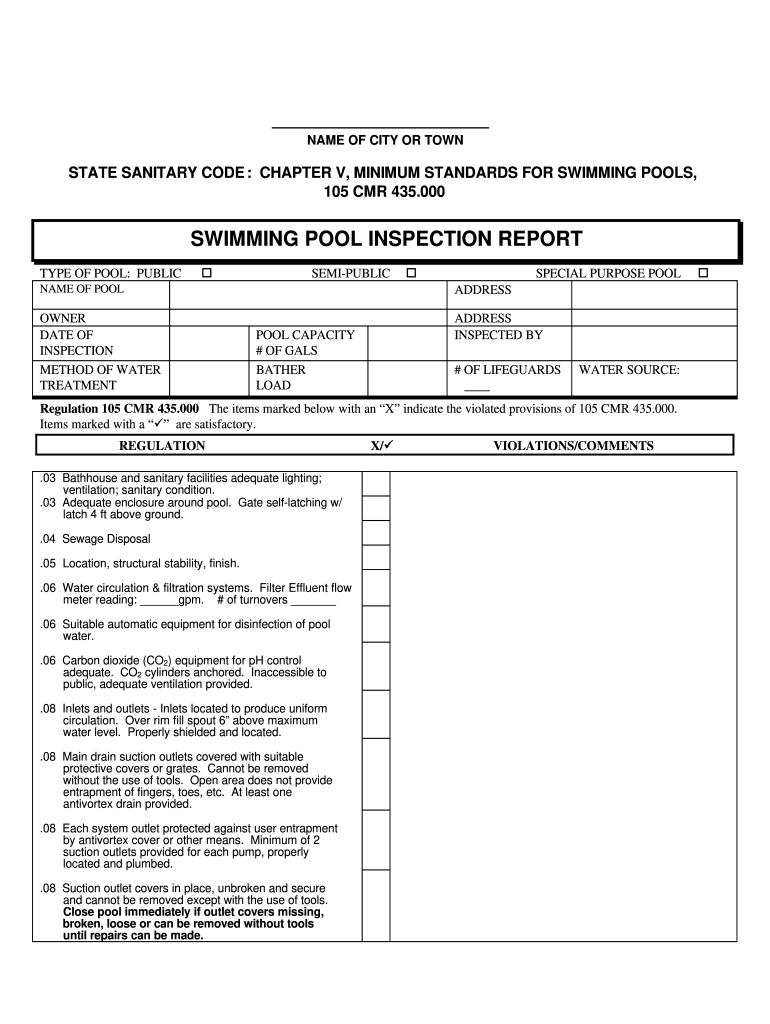
How to use or fill out swimming pool inspection report template

- Click ‘Get Form’ to open the swimming pool inspection report template in our editor.
- Begin by filling in the 'NAME OF POOL' and 'OWNER' fields. Ensure that you enter accurate information as this is crucial for record-keeping.
- Next, input the 'DATE OF INSPECTION' and select the 'METHOD OF WATER TREATMENT'. This section helps identify how the pool is maintained.
- Fill in the 'POOL CAPACITY' and 'BATHER LOAD' sections. These details are essential for understanding pool usage and safety requirements.
- Review each regulation listed under violations/comments. Mark any violations with an ‘X’ and provide comments where necessary to ensure compliance with health standards.
- Finally, have both the operator and board of health sign at the bottom of the form to validate the inspection report.
Start using our platform today to streamline your swimming pool inspection reporting process for free!
It's free
Got questions?
Can I use DocHub to create legal eSignatures on my pool inspection report template?
Yes, you can utilize DocHub for signing any business and personal documentation, including your pool inspection report template. All eSignatures you create with our service are legally binding and court-admissible, as DocHub complies with standards required by ESIGN and UETA. Save your accomplished paperwork with a detailed Audit Trail if necessary.
How do you create an e-signature for the pool inspection form on iOS?
Apart from a comprehensive toolset for editing PDFs on mobile phones, DocHub enables you to sign your pool inspection form along the way. Open our editor in your internet browser, make modifications using DocHub’s toolset, and finish your editing by eSigning the completed form.
What is the laws on pools in Florida?
What is the golden rule in swimming?
Does a swimming pool need building regulations?
Security and compliance
At DocHub, your data security is our priority. We follow HIPAA, SOC2, GDPR, and other standards, so you can work on your documents with confidence.
Learn more


Related forms