




01. Edit your form online
Type text, add images, blackout confidential details, add comments, highlights and more.

Type text, add images, blackout confidential details, add comments, highlights and more.

Draw your signature, type it, upload its image, or use your mobile device as a signature pad.

Send it via email, link, or fax. You can also download it, export it or print it out.
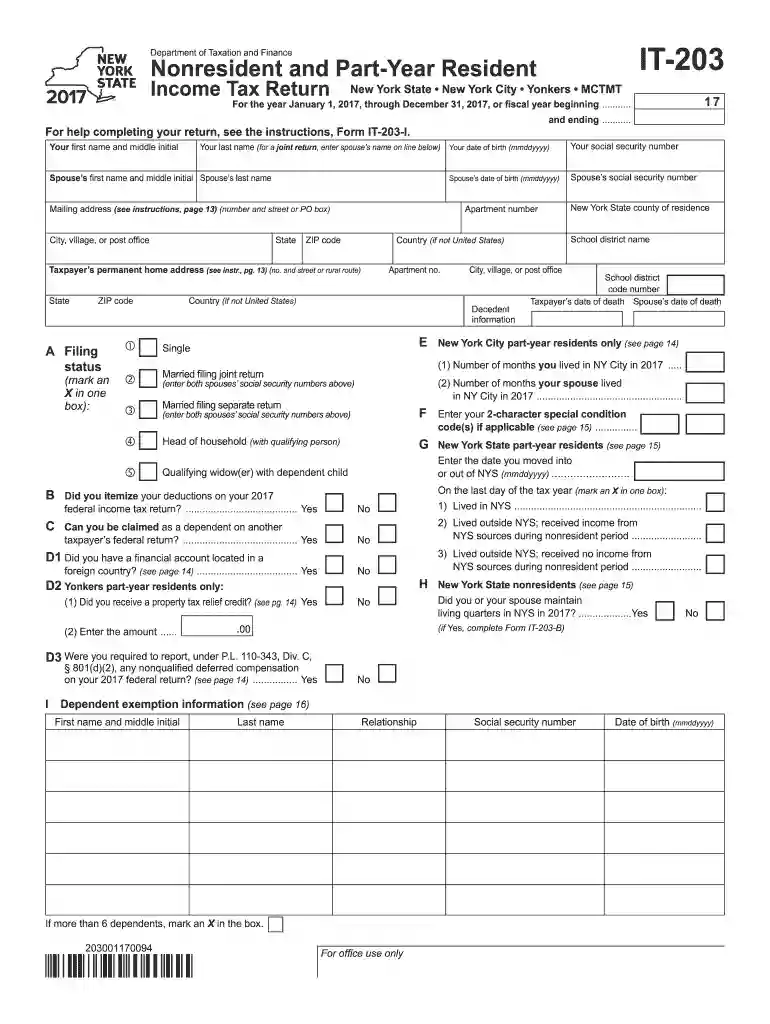
The form titled "For the year January 1, 2017, through December 31, 2017, or fiscal year beginning - tax ny" is officially known as the New York State Nonresident and Part-Year Resident Income Tax Return Form IT-203. This is a document required by individuals who did not reside in New York State for the entire calendar year but earned income from New York sources during that tax year. The form's main objective is to accurately report taxable income, deductions, and credits specific to New York State, and calculate the tax obligations for nonresidents and part-year residents.
To obtain the Form IT-203, you can visit the New York State Department of Taxation and Finance website, where the form is available for download in PDF format. You may also request a physical copy by contacting their offices directly. Additionally, many tax software programs, like TurboTax and QuickBooks, include the form within their platforms, automatically pulling it into your filing workflow. Local tax offices and libraries typically also provide paper copies if you prefer a tangible version.
Completing Form IT-203 involves several detailed steps:
Form IT-203 is typically used by individuals who:
Understanding certain terms is crucial:
Using Form IT-203 correctly is vital to complying with New York State tax laws. This form ensures that individuals who earn income from New York sources accurately report their earnings and pay the appropriate taxes. Non-compliance, whether intentional or accidental, can result in penalties. It's also essential to remember that completing this form does not exempt you from federal filing requirements; Form IT-203 is specifically for New York State tax reporting.
For the tax year 2017, the filing deadline for Form IT-203 was April 17, 2018. It's important to adhere to these deadlines to avoid late penalties. Extensions can be filed but must be requested before the original deadline. These extensions allow additional time for filing but do not extend the payment deadline for any taxes owed.
Individuals have several options when it comes to submitting Form IT-203:
Failing to file or pay taxes accurately and timely can lead to significant penalties, including fines and interest on unpaid taxes. Late filing typically incurs a 5% fee of the unpaid tax per month, up to a maximum of 25%, while late payments attract additional interest charges. To avoid penalties, ensure timely and accurate submission of Form IT-203, and consider professional tax preparation assistance if needed.
We've got more versions of the For the year January 1, 2017, through December 31, 2017, or fiscal year beginning - tax ny form. Select the right For the year January 1, 2017, through December 31, 2017, or fiscal year beginning - tax ny version from the list and start editing it straight away!
| Versions | Form popularity | Fillable & printable |
|---|---|---|
| 2025 | 4.6 Satisfied (39 Votes) | |
| 2024 | 4.6 Satisfied (43 Votes) | |
| 2023 | 4.1 Satisfied (44 Votes) | |
| 2022 | 4.9 Satisfied (24 Votes) | |
| 2021 | 4.8 Satisfied (81 Votes) | |
| 2020 | 4.4 Satisfied (264 Votes) | |
| 2019 | 4.4 Satisfied (214 Votes) | |
| 2018 | 4.3 Satisfied (118 Votes) | |
| 2017 | 4.2 Satisfied (66 Votes) | |
| 2015 | 4.5 Satisfied (49 Votes) | |
| 2011 | 4.3 Satisfied (74 Votes) | |
| 2010 | 4 Satisfied (51 Votes) | |
| 2002 | 4 Satisfied (26 Votes) |
At DocHub, your data security is our priority. We follow HIPAA, SOC2, GDPR, and other standards, so you can work on your documents with confidence.
For the full year January 1, 2017, through December 31, 2017, or fiscal year beginning New York City and Yonkers taxes, credits, and surcharges, and MCTMT.Read more
Feb 28, 2026 We are no longer subject to foreign or state income tax audits for returns covering tax years through fiscal 1999 and fiscal 2008, respectively.Read more
For purposes of subclause (I), the term tax-exempt use period means the period beginning with the taxable year in which the property described in subclause (I)Read more


