Form LL-1: Wage Claim Form - Texas Workforce Commission - twc state tx 2026

Get Form
twc Preview on Page 1

Here's how it works

01. Edit your twc online
Type text, add images, blackout confidential details, add comments, highlights and more.

02. Sign it in a few clicks
Draw your signature, type it, upload its image, or use your mobile device as a signature pad.

03. Share your form with others
Send wage claim form texas via email, link, or fax. You can also download it, export it or print it out.

How to use or fill out Form LL-1: Wage Claim Form - Texas Workforce Commission - twc state tx with our platform

Form edit decoration
9.5
Ease of Setup
DocHub User Ratings on G2
9.0
Ease of Use
DocHub User Ratings on G2
  1. Click ‘Get Form’ to open it in the editor.
  2. Begin by filling out your personal information in the 'Claimant Information' section. Ensure that you provide your full name, address, and contact details clearly.
  3. In the 'Information About Your Employer' section, enter the business name and owner’s details. This helps establish the context of your claim.
  4. Complete the employment information fields, detailing your job role, employment dates, pay rate, and any agreements regarding compensation.
  5. Specify the types of unpaid wages you are claiming in Section 10. Be precise about amounts for regular wages, overtime, commissions, or bonuses.
  6. Attach any necessary documentation such as payroll stubs or timecards using our platform's attachment feature to support your claim.
  7. Finally, review all entries for accuracy before signing at the bottom of the form under penalty of perjury.

Start filling out your Wage Claim Form today for free using our platform!

See more Form LL-1: Wage Claim Form - Texas Workforce Commission - twc state tx versions

We've got more versions of the Form LL-1: Wage Claim Form - Texas Workforce Commission - twc state tx form. Select the right Form LL-1: Wage Claim Form - Texas Workforce Commission - twc state tx version from the list and start editing it straight away!
Versions Form popularity Fillable & printable
2017 4.8 Satisfied (201 Votes)
2016 4 Satisfied (28 Votes)
2014 4.3 Satisfied (47 Votes)
2009 4 Satisfied (50 Votes)
be ready to get more

Complete this form in 5 minutes or less

Get form

Got questions?

We have answers to the most popular questions from our customers. If you can't find an answer to your question, please contact us.
Contact us
A TWC Wage Claim is a process by which you ask the Texas Workforce Commission to decide whether you have a legal right to unpaid money from your current or former employer. If the TWC ultimately determines you are owed money, the TWC may also have authority to force the employer to pay up.
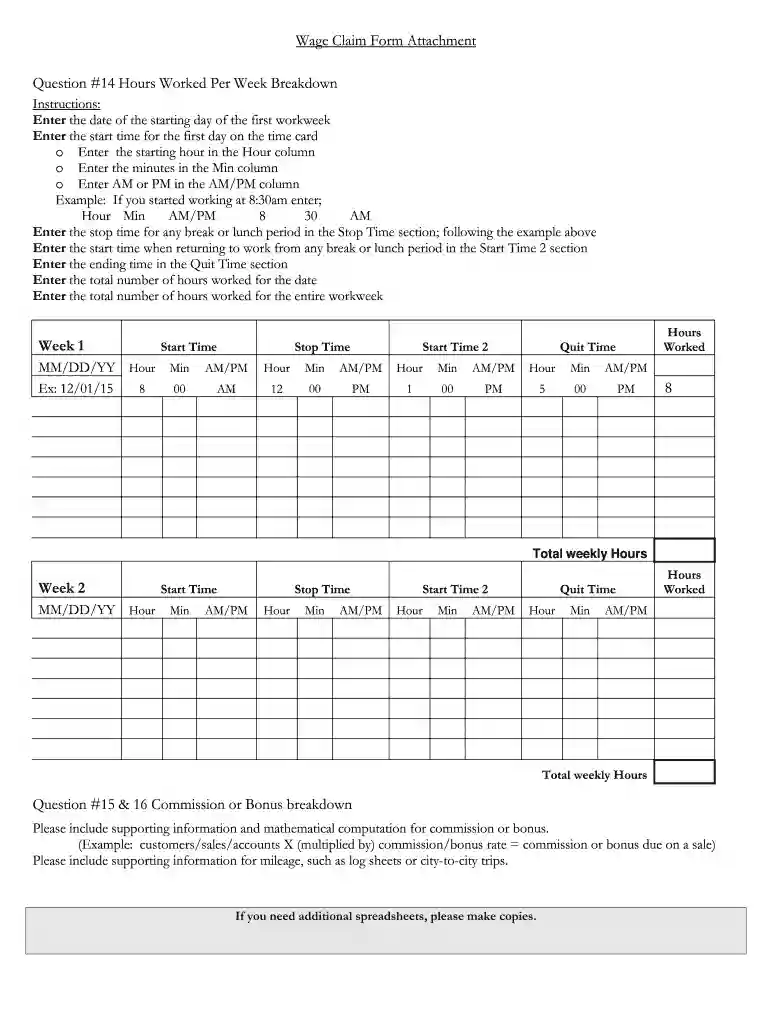
Call 800-832-9243, 512-475-2670, or TDD 800-735-2989 (hearing impaired) if you need assistance. breakdown of the days and hours of work or complete the Wage Claim Form Attachment. If your address or phone number changes, it is your responsibility to notify the Wage and Hour Department in writing immediately.
The claim may be filed online, in person at any local TWC office or Workforce Solutions center, by mail, or by fax - see How to File a Wage claim on the TWC website at for complete instructions and a note concerning the temporary unavailability of the
Texas Workforce Commission (TWC) suggests talking to the employer before filing a wage claim because most problems can be solved by talking to the employer first. If an employee believes they are owed wages, they need to file a wage claim within 180 days from the original date the wages were supposed to be paid.
Tele-Serv. If you request benefit payment using Tele-Serv by calling 800-558-8321, select Option 1, the Tele-Serv automated system will ask you if you want to request payment for your backdated weeks.
be ready to get more

Complete this form in 5 minutes or less

Get form