




Here's how it works



How to use or fill out form cms 1 mn with our platform

- Click ‘Get Form’ to open the form cms 1 mn in the editor.
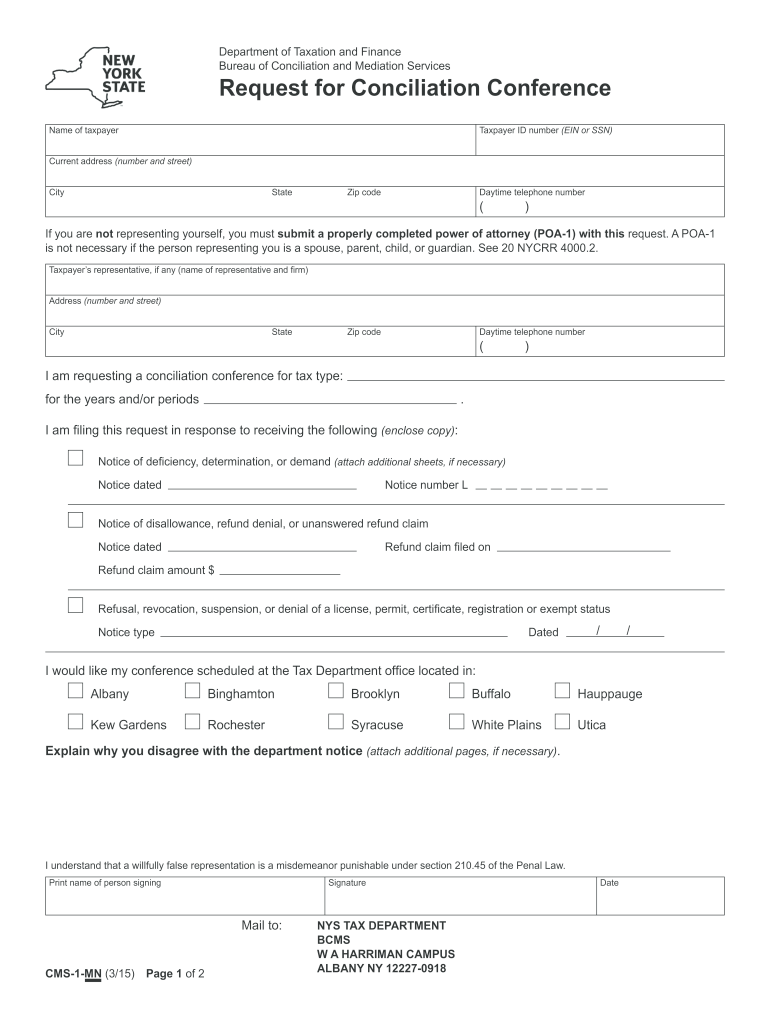
- Begin by entering your name and taxpayer ID number (EIN or SSN) in the designated fields. Ensure accuracy as this information is crucial for processing your request.
- Fill in your current address, including street number, city, state, and zip code. This helps the department contact you regarding your conciliation conference.
- Provide a daytime telephone number where you can be reached. This is important for any follow-up communications.
- If applicable, enter details of your representative, including their name and firm. Remember to attach a properly completed power of attorney if they are not an immediate family member.
- Indicate the tax type and years/periods for which you are requesting a conciliation conference. Be specific to avoid delays.
- Attach copies of any notices received that prompted this request, such as notices of deficiency or disallowance.
- Select your preferred location for the conference from the provided options and explain why you disagree with the department's notice in the space provided.
- Finally, print your name, sign the form, and ensure it is mailed to the correct address as indicated on the document.
Start using our platform today to streamline your form completion process for free!
It's free
Got questions?
How can I eSign my cms1mn from Gmail?
With DocHub, it’s pretty simple. The editor offers users an add-on called DocHub for Gmail, which you can find in the Google Workspace Marketplace free of charge. Set it up and give it access to your Google account. Open your email with your cms1mn attached and click on the add-on button in the right-side panel. Sign in to your DocHub account, and upload the file to our editor, where you can complete it and sign.
How do you edit form cms 1 mn in Chrome?
If you are using Chrome, there are two straightforward ways to edit your form cms 1 mn online. First, go to the DocHub site, add your file, and edit it utilizing our toolbar. You may also set up our Chrome extension and edit any document by dragging and dropping it in your web browser tab.
What is conciliation with examples?
What is conciliation in simple words?
Why would I get a letter from New York State Department of Taxation and Finance?
Security and compliance
At DocHub, your data security is our priority. We follow HIPAA, SOC2, GDPR, and other standards, so you can work on your documents with confidence.
Learn more


