




Here's how it works

01. Edit your waiver releases online
Type text, add images, blackout confidential details, add comments, highlights and more.

02. Sign it in a few clicks
Draw your signature, type it, upload its image, or use your mobile device as a signature pad.

03. Share your form with others
Send california waiver release via email, link, or fax. You can also download it, export it or print it out.
How to use or fill out unconditional lien waiver template with our platform

- Click ‘Get Form’ to open the unconditional lien waiver template in the editor.
- Begin by entering the 'Name of Claimant' in the designated field. This identifies who is waiving their rights.
- Next, fill in the 'Name of Customer' and 'Job Location' fields to specify the parties involved and where the work was performed.
- In the 'Owner' section, provide the name of the property owner for clarity on whom this waiver pertains to.
- Review the 'Unconditional Waiver and Release' section. Ensure it accurately reflects that you have been paid in full for all services rendered.
- If applicable, list any exceptions in the provided space, particularly for disputed claims for extras.
- Finally, sign in the 'Claimant's Signature' field, add your title, and date your signature to complete the form.
Start using our platform today to easily fill out your unconditional lien waiver template for free!
Fill out unconditional lien waiver template online
It's free
It's free
See more unconditional lien waiver template versions
We've got more versions of the unconditional lien waiver template form. Select the right unconditional lien waiver template version from the list and start editing it straight away!
| Versions | Form popularity | Fillable & printable |
|---|---|---|
| 2012 | 4.9 Satisfied (59 Votes) |
Security and compliance
At DocHub, your data security is our priority. We follow HIPAA, SOC2, GDPR, and other standards, so you can work on your documents with confidence.
Learn more


Related forms

Model Opgaaf gegevens voor de loonheffingen, Studenten- en scholierenregeling LH 202 - 1B*13FOL - te
Model Opgaaf gegevens voor de loonheffingen, Studenten- en scholierenregeling LH 202 - 1B*13FOL - te
The document is a form from the Belastingdienst intended for students and pupils who are working and earning wages. It o ...
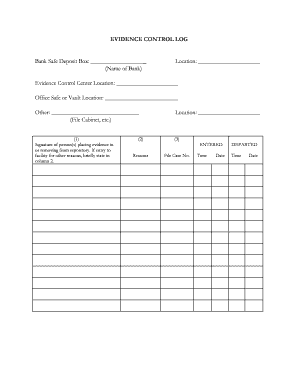
Evidence log example
The document is an Evidence Control Log used for tracking the handling of evidence stored in a bank safe deposit box or ...
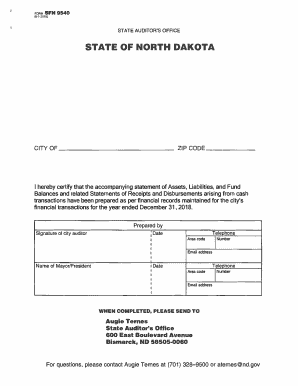
CITY OF ZIP CODE
The document is a financial report for the City of North Dakota, detailing the statement of assets, liabilities, fund ba ...

Biometric Couture
The document is a certification form used in the Circuit Court of Cook County, Illinois, under Supreme Court Rule 298. I ...

Donation Form
The document is a donation form for the Special Olympics Canada Foundation, requesting personal information from donors ...

Download the PEP Application North American Registry of Midwives
The document is a checklist and application guide for entry-level midwives seeking certification through NARM (North Ame ...

THIS IS NOT A FILLABLE DOCUMENT-PLEASE PRINT, COMPLETE AND RETURN THIS DOCUMENT TO THE OFFICE
THIS IS NOT A FILLABLE DOCUMENT-PLEASE PRINT, COMPLETE AND RETURN THIS DOCUMENT TO THE OFFICE
The document is a patient registration form for the Maryland Vision Institute, LLC, which includes sections for personal ...

2014 Los Angeles Green Building Code FORM GRN 4A TIER 1 AND TIER 2 VOLUNTARY REQUIREMENTS CHECKLIST
2014 Los Angeles Green Building Code FORM GRN 4A TIER 1 AND TIER 2 VOLUNTARY REQUIREMENTS CHECKLIST
The document outlines the 2014 Los Angeles Green Building Code, specifically focusing on a checklist for voluntary requi ...