Type text, add images, blackout confidential details, add comments, highlights and more.
02. Sign it in a few clicks
Draw your signature, type it, upload its image, or use your mobile device as a signature pad.
03. Share your form with others
Send return exchange form template via email, link, or fax. You can also download it, export it or print it out.
How to use or fill out jegs return form with our platform
Ease of Setup
DocHub User Ratings on G2
Ease of Use
DocHub User Ratings on G2
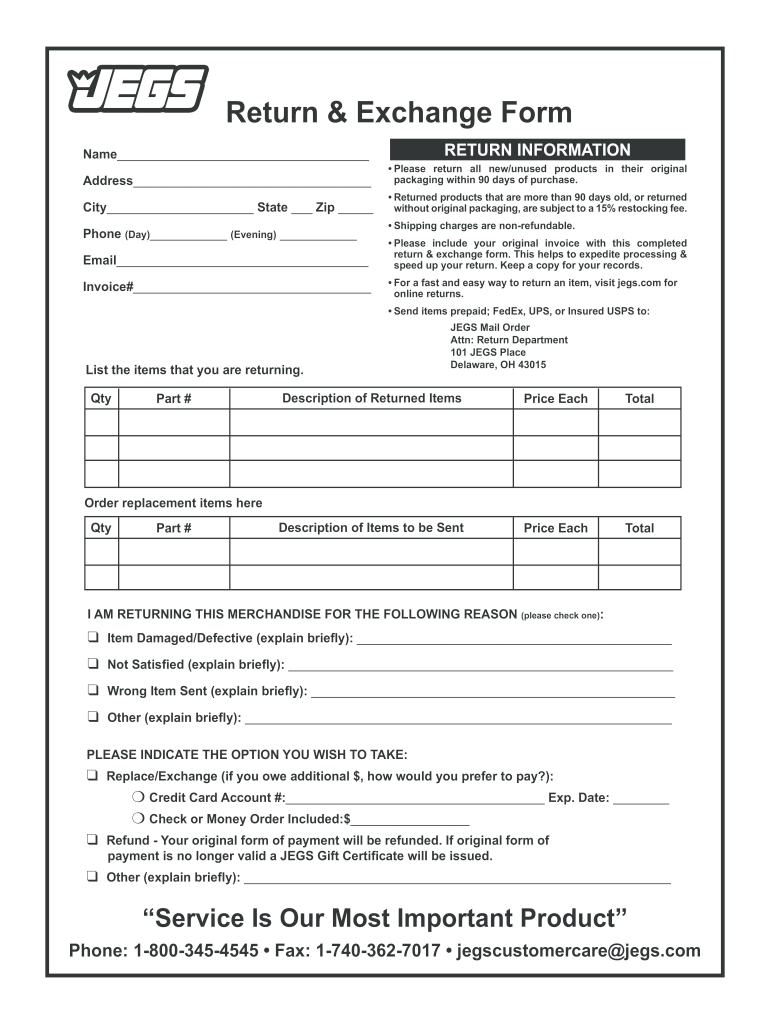
Click ‘Get Form’ to open the jegs return form in the editor.
Begin by filling in your name and address at the top of the form. Ensure all details are accurate for a smooth return process.
In the RETURN INFORMATION section, provide your phone number and email address. This information is crucial for communication regarding your return.
Enter your invoice number and list the items you are returning, including quantity, part number, and description. Be sure to include prices for each item.
Select the reason for your return by checking one of the options provided. If applicable, briefly explain any issues with the item.
Indicate whether you would like a replacement or a refund. If opting for a replacement, provide payment details if necessary.
Review all entered information for accuracy before submitting your completed form along with the original invoice.
Start using our platform today to streamline your return process effortlessly!
Bend the heat shield tab out at a 90˚ angle and again half the distance up at a. 90˚ angle to form an L shape (fig. 14). Repeat on the other tab. PositionRead more
JEDS allows you to electronically submit your documents and record requests to the courts. Documents can be submitted through JEDS 24 hours a day, 7 days aRead more
Cookie consent notice
This site uses cookies to enhance site navigation and personalize your experience.
By using this site you agree to our use of cookies as described in our Privacy Notice.
You can modify your selections by visiting our Cookie and Advertising Notice.