






Definition & Meaning
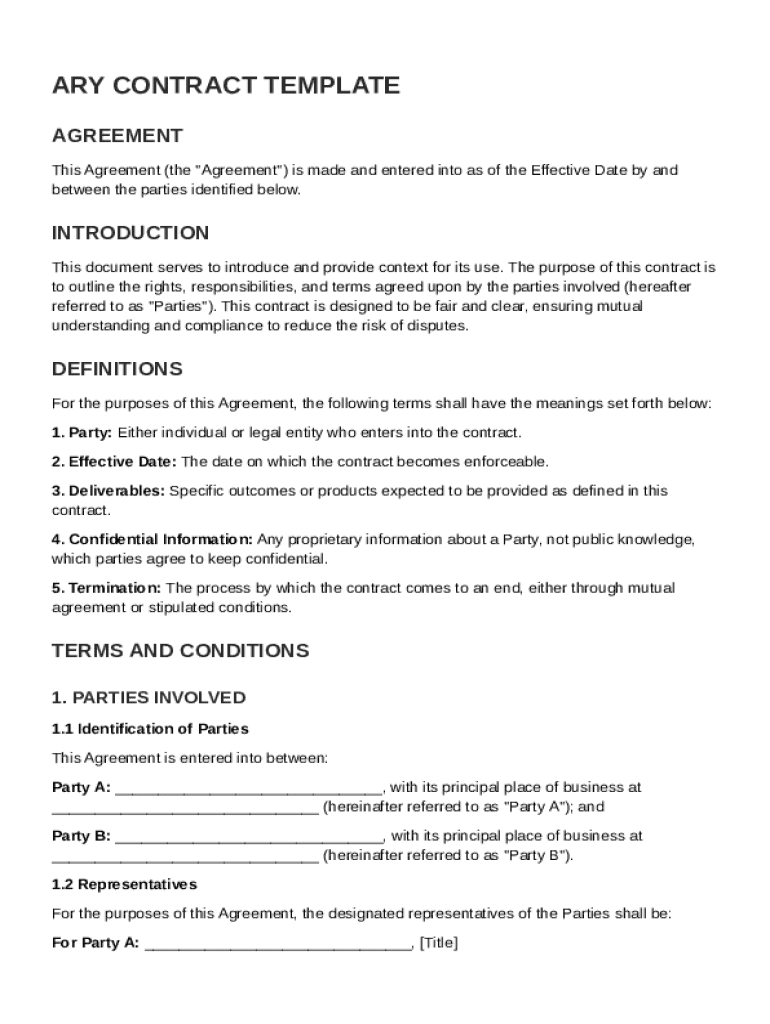
The ARY Contract Template is a detailed document that outlines the agreement between two parties. It encompasses various sections that represent the rights, responsibilities, and terms of engagement of each party. This template typically includes parts on definitions, scope of work, timelines, compensation, confidentiality, termination rights, dispute resolution, governing law, and miscellaneous provisions. The primary goal of this contract is to provide clarity and fairness in the contractual relationship, reducing the likelihood of disputes and misunderstandings.
Key Elements
- Definitions: Clarifies critical terms used throughout the contract to prevent ambiguity.
- Scope of Work: Details what work will be completed, including specific tasks and responsibilities.
- Timelines: Outlines the schedule for when tasks should be completed and milestones achieved.
- Compensation: Specifies payment terms, amounts, and schedules for services rendered.
- Confidentiality: Ensures that sensitive information shared between parties is protected.
- Termination Rights: Describes conditions under which the agreement can be ended prematurely.
How to Use the Ary Contract Template
To use the ARY Contract Template effectively, it's crucial to understand each component and fill it out accurately. Begin by reviewing each section and identifying where specific information is needed. For instance, you need to specify the scope of work and define compensation structures. Using examples from past agreements or industry standards can aid in drafting these sections.
Step-by-Step Instructions
- Review Definitions: Tailor the template's definitions to fit the specific transaction or partnership.
- Customize Scope of Work: Clearly outline the deliverables and responsibilities of each party.
- Set Timelines: Establish realistic deadlines that both parties agree upon.
- Determine Compensation: Choose applicable payment methods and schedules.
- Enforce Confidentiality: Ensure that all sensitive information is adequately addressed.
- Outline Termination Rights: Clearly define under which circumstances the contract can be voided.
Steps to Complete the Ary Contract Template
Completing the ARY Contract Template requires careful attention to detail to ensure that all elements are properly addressed. Here’s how to proceed:
Process Outline
- Initial Drafting: Start by entering known information, such as party names and basic terms.
- Detailed Specification: For sections like Scope of Work and Timelines, provide detailed descriptions and use concrete terms.
- Consultation: Engage with a legal professional to confirm that terms comply with applicable laws.
- Revision: Make necessary adjustments based on feedback from all parties involved.
- Final Review: Conduct a final review of the document to ensure accuracy and completeness.
Important Terms Related to Ary Contract Template
Understanding the lexicon used within the ARY Contract Template is vital for ensuring clarity and mutual understanding. Key terms often include:
Glossary
- Indemnification: A clause that protects one party from legal liabilities incurred by the other.
- Force Majeure: Conditions under which contractual obligations might be suspended due to uncontrollable events like natural disasters.
- Governing Law: Indicates which jurisdiction's laws will apply to the contract.
- Arbitration: Outlines the process for resolving disputes outside court.
Legal Use of the Ary Contract Template
The ARY Contract Template is designed to meet legal standards, providing a secure framework for formalizing agreements. Legal compliance ensures enforceability and provides protection for all involved parties.
Compliance Guidelines
- Adherence to State Laws: Ensure all clauses adhere to the local laws and regulations of the relevant jurisdiction.
- Legal Review: A legal professional should review the template to confirm compliance and relevance.
- Confidentiality and IP Protections: Ensure these sections align with legal requirements for protecting proprietary information and intellectual property.
Who Typically Uses the Ary Contract Template
The ARY Contract Template is versatile and can be used by various entities in different sectors. Businesses and individuals alike benefit from its comprehensive structure.


Target Users
- Freelancers: Use it to formalize work agreements with clients.
- Small Businesses: Employ the template for vendor agreements or service contracts.
- Corporations: Utilize for formal partnerships and supplier agreements.
- Nonprofits: Implement for partnerships and volunteer engagements.
Examples of Using the Ary Contract Template
The practical application of the ARY Contract Template can be demonstrated through a variety of examples that showcase its flexibility.
Real-World Scenarios
- Consulting Agreements: In consulting, this template can delineate specific deliverables, timeframes, and payment terms clearly.
- Service Providers: Companies providing ongoing maintenance or services use it to set recurring fee agreements and service levels.
- Project-Based Engagements: Custom projects benefit from clearly defined scope and timeline commitments within this template.
Software Compatibility
For those using digital platforms, the ARY Contract Template is often compatible with document management systems such as the DocHub platform. This integration ensures efficient drafting, signing, and management of the contract.
Compatible Systems
- DocHub: Offers tools for editing, signing, and storing documents such as the ARY Contract Template.
- Google Workspace Integration: Allows seamless import and export between Google Drive and Gmail.
- Cloud Storage Services: Utilize platforms like Dropbox and OneDrive for secure and accessible storage.