




Here's how it works

01. Edit your ebt 2259 online
Type text, add images, blackout confidential details, add comments, highlights and more.

02. Sign it in a few clicks
Draw your signature, type it, upload its image, or use your mobile device as a signature pad.

03. Share your form with others
Send inz1209 via email, link, or fax. You can also download it, export it or print it out.
How to use or fill out inz1209 with our platform

- Click ‘Get Form’ to open the inz1209 in the editor.
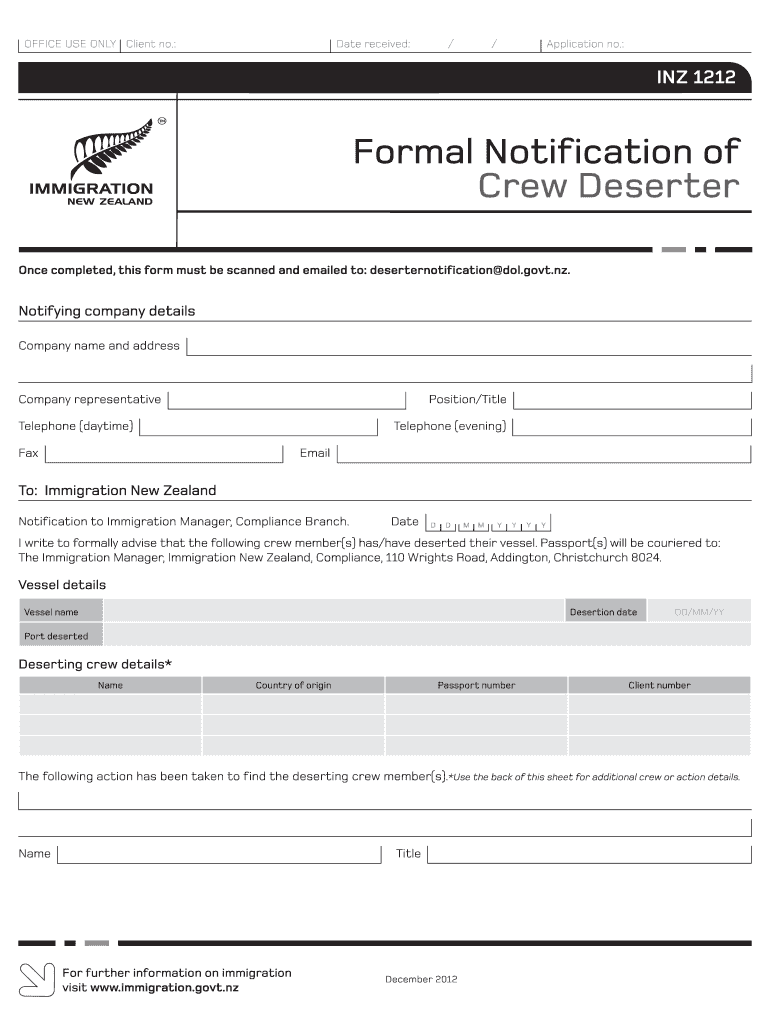
- Begin by entering your company details, including the company name, address, representative's name, position/title, and contact information such as daytime and evening telephone numbers, fax, and email.
- Next, provide the date of notification to Immigration New Zealand. This is crucial for tracking purposes.
- Fill in the vessel details: include the vessel name, desertion date (in DD/MM/YY format), and port where the desertion occurred.
- For each deserting crew member, enter their name, country of origin, passport number, and client number. If there are additional crew members or actions taken to locate them, use the back of the form or add more fields as needed.
Start using our platform today to complete your inz1209 form easily and for free!
Fill out inz1209 online
It's free
It's free
Security and compliance
At DocHub, your data security is our priority. We follow HIPAA, SOC2, GDPR, and other standards, so you can work on your documents with confidence.
Learn more




