Type text, add images, blackout confidential details, add comments, highlights and more.
02. Sign it in a few clicks
Draw your signature, type it, upload its image, or use your mobile device as a signature pad.
03. Share your form with others
Send seafarers' earnings deduction hmrc manual via email, link, or fax. You can also download it, export it or print it out.
How to use or fill out r43m sed with our platform
Ease of Setup
DocHub User Ratings on G2
Ease of Use
DocHub User Ratings on G2
Click ‘Get Form’ to open the r43m sed in the editor.
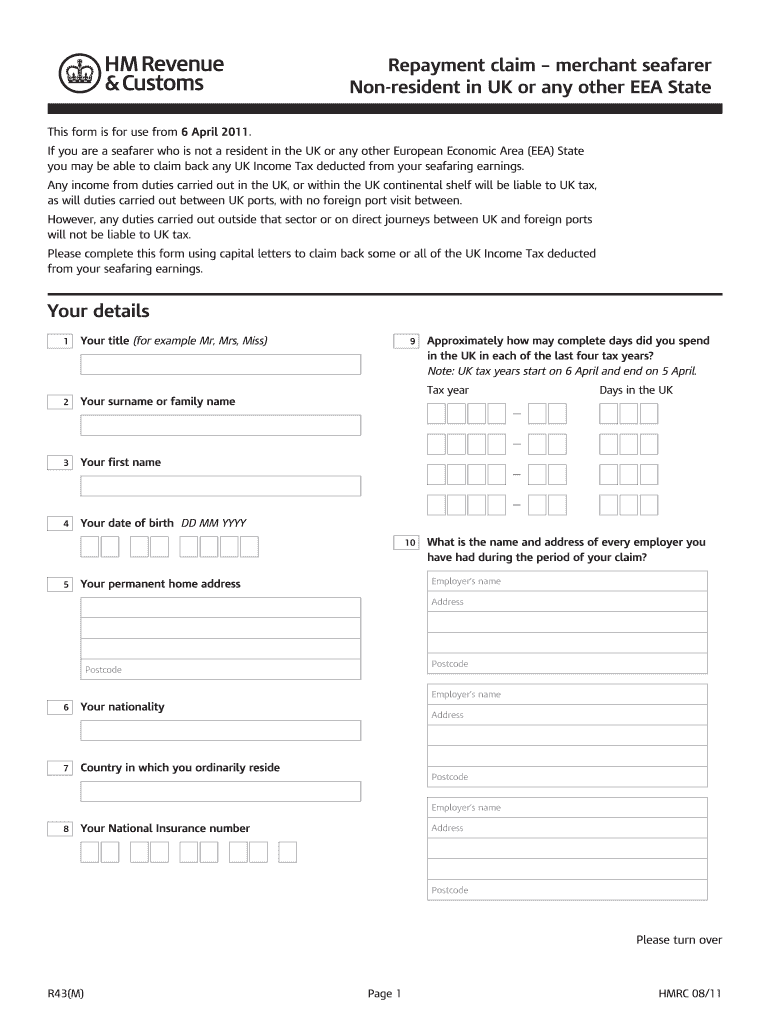
Begin by filling in your personal details. Enter your title, surname, first name, and date of birth using capital letters.
Provide information about your employment history during the claim period. List each employer's name and address, along with your National Insurance number.
In the 'Details of your claim' section, specify the tax year for which you are claiming and enter your pay and UK tax deducted.
Document your periods spent in the UK by entering dates for voyages between UK ports and any other relevant duties performed within UK territorial waters.
Indicate how you would like your repayment made—either to yourself or a nominee—and provide their details if applicable.
Attach all necessary supporting documents as indicated on the form, ensuring you check each box to confirm inclusion.
Complete the repayment claim declaration by signing and dating the form before sending it to HM Revenue & Customs.
Start using our platform today for free to streamline your r43m sed form completion!
R43m sed calculatorR43m sed refundR43m sed 2022Seafarers Earnings Deduction National InsuranceR43 formSED rulesBx9 1QZ addressIsbc Campaigns and Projects hm Revenue and Customs bx9 1QZ
Security and compliance
At DocHub, your data security is our priority. We follow HIPAA, SOC2, GDPR, and other standards, so you can work on your documents with confidence.
Cookie consent notice
This site uses cookies to enhance site navigation and personalize your experience.
By using this site you agree to our use of cookies as described in our Privacy Notice.
You can modify your selections by visiting our Cookie and Advertising Notice.