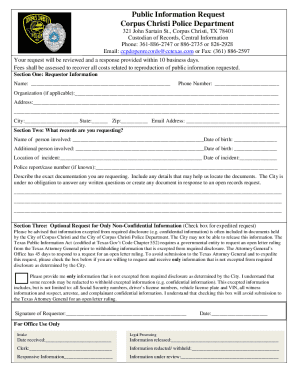
01. Edit your form online
Type text, add images, blackout confidential details, add comments, highlights and more.

Type text, add images, blackout confidential details, add comments, highlights and more.

Draw your signature, type it, upload its image, or use your mobile device as a signature pad.

Send it via email, link, or fax. You can also download it, export it or print it out.
The LAUSD TK Report Card, aligning with Common Core and TCOE standards, serves as a progress report tailored specifically for Transition Kindergarten students within the Los Angeles Unified School District. Designed to offer insights into a child's development across key domains, it focuses on reading readiness, communication skills, mathematics, history/social studies, science, visual and performing arts, physical development, and personal/emotional/social skills. This report card is an essential tool, providing teachers and parents with a structured framework to track and discuss student progress during critical early learning stages.
The LAUSD TK Report Card is structured to evaluate multiple areas of student development:
The primary users of the LAUSD TK Report Card are educators and parents of Transition Kindergarten students. Teachers, particularly those in LAUSD, use it to monitor student development, tailor instruction, and communicate progress to parents. Parents rely on the report card to understand their child's strengths and areas needing improvement. Educational administrators may also use aggregate data from these report cards to assess curriculum effectiveness and inform district-wide educational strategies.


Review Student Performance: Teachers should begin by gathering observational and assessment data on each student. This can be done through direct interaction, assignments, and assessments in various domains.
Complete Each Section: For each domain (e.g., reading, math), teachers fill in the student's progress and achievements, noting specific skills demonstrated or emerging.
Provide Comments: Personalized comments provide context to ratings, offering specific examples of progress or areas where the student excels or requires additional support.
Finalize and Review: After completing the entries, the report card should be reviewed for accuracy. Ensuring all sections are thoroughly filled contributes to a complete picture of the student's developmental status.
Discuss with Parents: Schedule meetings with parents to discuss the report card’s contents. Engage in a collaborative discussion on how to support the child's learning journey.
Real-world scenarios illustrate the value of the LAUSD TK Report Card:
Case Study 1: A student shows excellent numerical skills but struggles with verbal communication. The report card helps the teacher develop a targeted plan to enhance language skills, aligning activities with the student's learning needs.
Case Study 2: A child excels in visual and performing arts but needs support in personal/emotional development. Feedback from the report card guides the teacher and parents in creating a supportive environment that fosters social interactions and emotional resilience.
While the California Department of Education has set guidelines for early childhood education, individual school districts like LAUSD adhere to specific criteria that align with state standards such as Common Core and TCOE. Teachers assessing students must ensure they are familiar with LAUSD's detailed criteria to maintain consistency and accuracy in evaluation.
While the LAUSD TK Report Card itself may not directly integrate with software like TurboTax or QuickBooks, platforms like DocHub allow educators to manage report cards digitally. Using DocHub, teachers can fill out, share, and store report cards securely online, ensuring that data remains accessible and protected.
Modern educational environments increasingly favor digital formats for convenience and security. The digital version of the LAUSD TK Report Card, when managed through platforms like DocHub, allows real-time updates and easier access for teachers and administrators. However, paper versions may still be utilized in areas with limited access to technology or for traditional record-keeping.
Understanding specific terms can enhance the comprehension and utility of the LAUSD TK Report Card:
Each of these terms plays a crucial role in the context of early childhood education and should be understood by educators completing this form.
We've got more versions of the LAUSD TK Report Card - commoncore tcoe form. Select the right LAUSD TK Report Card - commoncore tcoe version from the list and start editing it straight away!
| Versions | Form popularity | Fillable & printable |
|---|---|---|
| 2010 | 4.2 Satisfied (38 Votes) |
At DocHub, your data security is our priority. We follow HIPAA, SOC2, GDPR, and other standards, so you can work on your documents with confidence.