




Here's how it works

01. Edit your tudoring online
Type text, add images, blackout confidential details, add comments, highlights and more.

02. Sign it in a few clicks
Draw your signature, type it, upload its image, or use your mobile device as a signature pad.

03. Share your form with others
Send tutoring form via email, link, or fax. You can also download it, export it or print it out.
How to use or fill out proof of tutoring form with our platform

- Click ‘Get Form’ to open it in the editor.
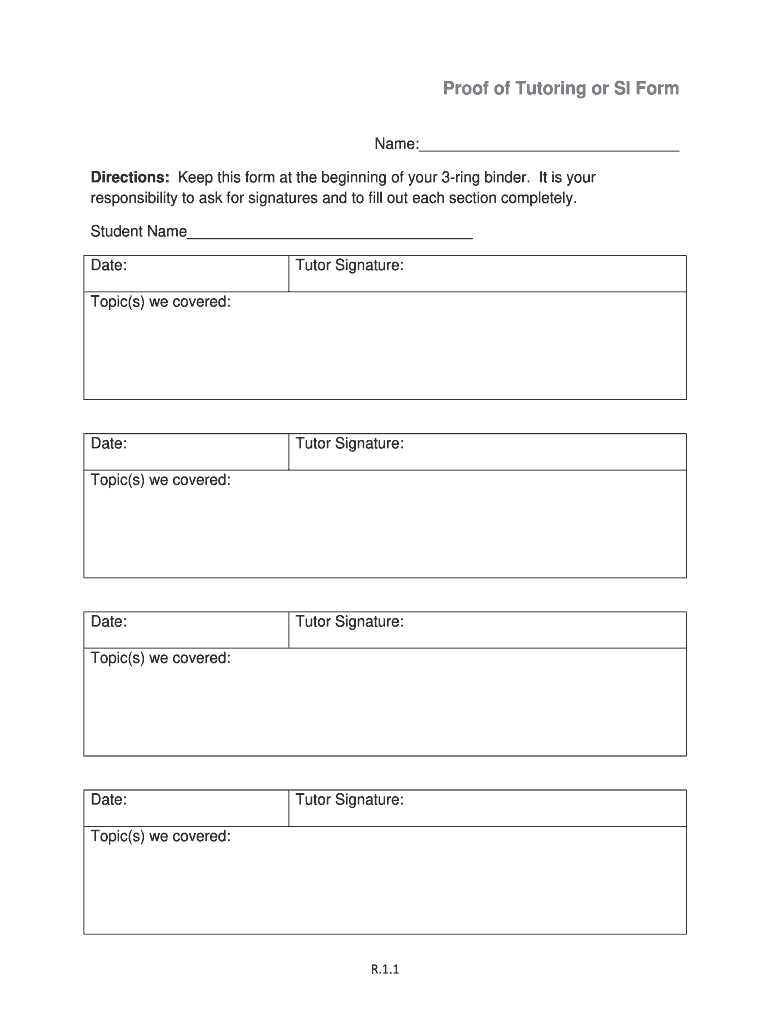
- Begin by entering your name in the designated field at the top of the form. This identifies you as the student receiving tutoring.
- Fill in the date next to your name, ensuring that it reflects when you are completing this form.
- In each section for tutor signatures, enter the date and topic(s) covered during each tutoring session. Make sure to leave space for your tutor's signature after each entry.
- Once all sections are filled out, review the document for accuracy. Ensure all required fields are completed before saving or sharing.
Start using our platform today to easily fill out and manage your proof of tutoring forms online for free!
Fill out proof of tudoring form online
It's free
It's free
Got questions?
We have answers to the most popular questions from our customers. If you can't find an answer to your question, please contact us.
Contact us
What is a form tutor?
Completion of the NTAs Basic Tutor Training program or an equivalent tutor training program. A minimum of one year of experience in tutoring or academic coaching. Completion of the Certified Academic Coach training program offered by the NTA. Passing the Certified Academic Coach examination administered by the NTA.
Security and compliance
At DocHub, your data security is our priority. We follow HIPAA, SOC2, GDPR, and other standards, so you can work on your documents with confidence.
Learn more


