Type text, add images, blackout confidential details, add comments, highlights and more.
02. Sign it in a few clicks
Draw your signature, type it, upload its image, or use your mobile device as a signature pad.
03. Share your form with others
Send tsui scale via email, link, or fax. You can also download it, export it or print it out.
How to use or fill out tsui score with our platform
Ease of Setup
DocHub User Ratings on G2
Ease of Use
DocHub User Ratings on G2
Click ‘Get Form’ to open the tsui score document in the editor.
Begin by entering the patient's information at the top of the form, including their name, chart number, and date of assessment.
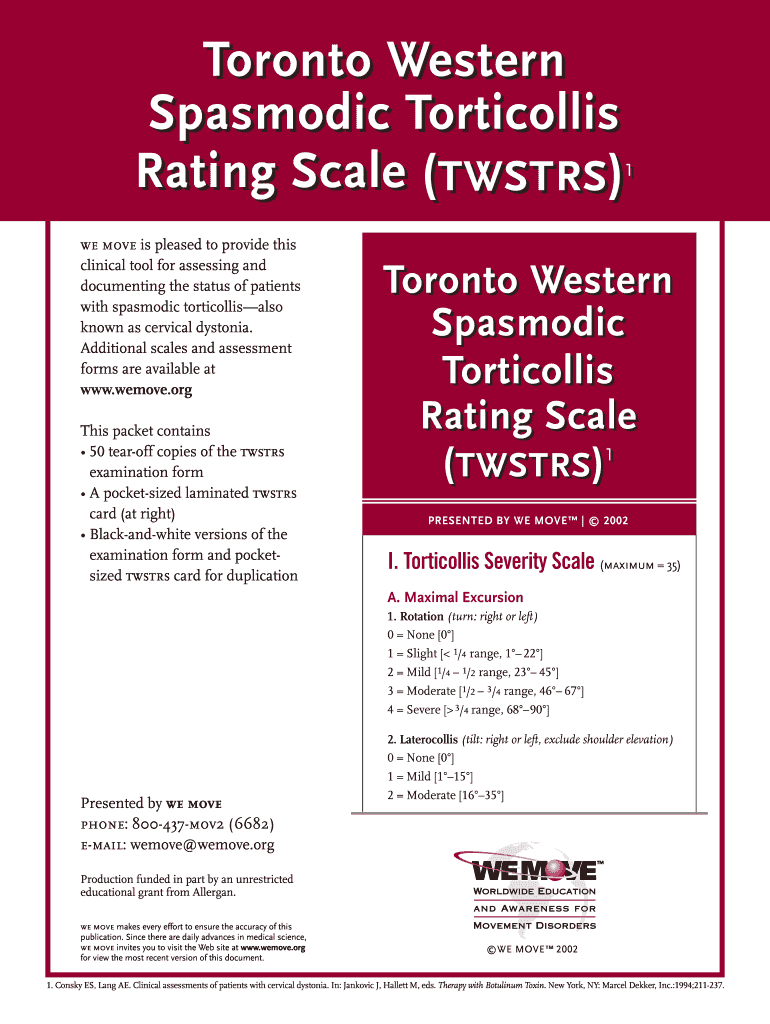
Proceed to the Torticollis Severity Scale section. For each component such as Maximal Excursion, rate the patient's condition based on their range of motion. Use the provided scale to select a score from 0 (None) to 4 (Severe).
Continue filling out the Disability Scale by assessing how spasmodic torticollis affects daily activities like work and driving. Assign scores from 0 to 5 for each activity.
In the Pain Scale section, calculate pain severity using the average of worst, best, and usual pain levels. Rate duration and disability due to pain accordingly.
Finally, sum up all scores for a total TWSTRS score and ensure all fields are completed before saving or sharing your document.
Start using our platform today for free to streamline your tsui score assessments!
Rating scales for cervical dystonia: a critical evaluation of tools
by WH Jost 2012 Cited by 152 The scoring system developed by Tsui comprises a rating for sustained movement amplitudes, duration, shoulder elevation and, in addition, for dystonic tremor.Read more
Treatment of heterogeneous forms of cervical dystonia with
Tsui score across these subgroups. This study with a large patient population will provide valuable insights for optimal initial treatment of heterogeneous
Cookie consent notice
This site uses cookies to enhance site navigation and personalize your experience.
By using this site you agree to our use of cookies as described in our Privacy Notice.
You can modify your selections by visiting our Cookie and Advertising Notice.