




Here's how it works



How to use or fill out blood type worksheet with our platform

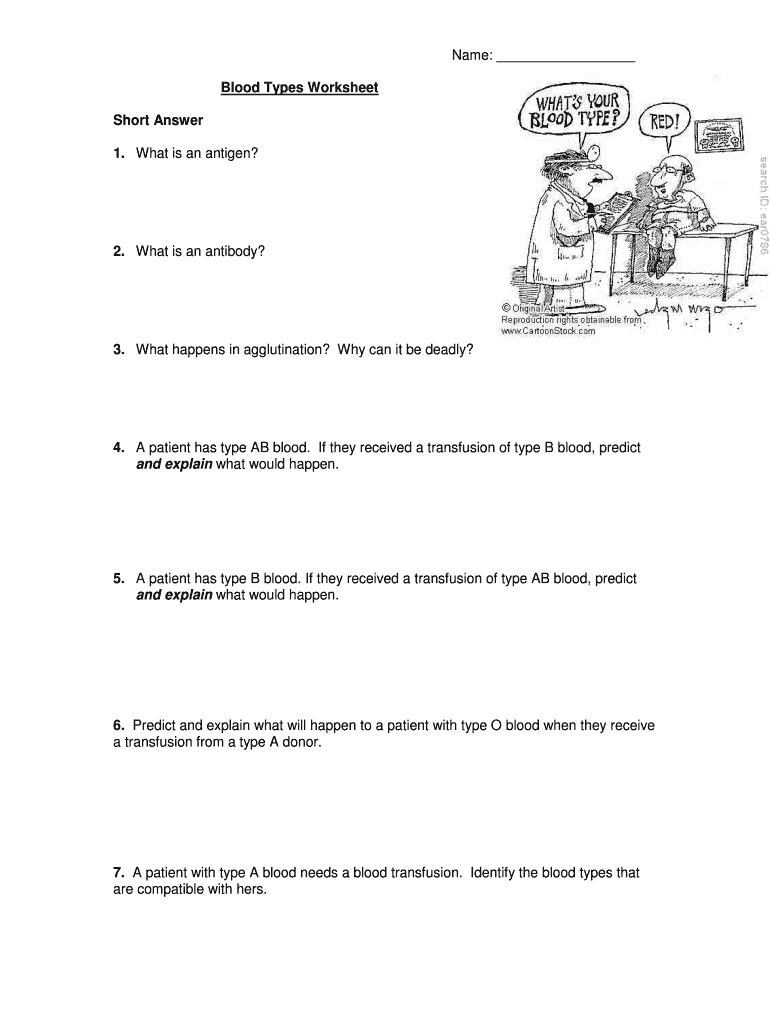
- Click ‘Get Form’ to open the blood type worksheet in the editor.
- Begin by entering your name at the top of the worksheet. This personalizes your document and ensures proper identification.
- Proceed to the 'Short Answer' section. Here, answer each question thoughtfully, providing clear explanations for concepts like antigens and antibodies.
- In the 'Modified True/False' section, read each statement carefully. Mark them as true or false and correct any false statements directly in the provided space.
- Move on to the 'Multiple Choice' section. Select the best answer for each question by clicking on your choice within the editor.
- Review all your answers for accuracy before saving or exporting your completed worksheet.
Start using our platform today to effortlessly complete your blood type worksheet online for free!
It's free
Got questions?
Can I complete and sign my blood type worksheet pdf online?
Sure, and it’s really straightforward! DocHub is a web-based PDF editor with advanced document processing capabilities that allow you promptly modify your forms, complete blank fields and drop new ones for other people to fill out, and create electronic signatures in several ways. Import your blood type worksheet pdf, provide information as required, and choose how you want to eSign your document - by typing your name, drawing your signature, uploading its image, or using a QR code.
How do you complete blood type worksheet online?
You can complete and sign your blood type worksheet on the internet, even on a tight deadline. All you need to access top-notch editing instruments on any device is a DocHub profile, that you can register within a couple of moments. After you register, upload your file or find what you are looking for in our catalog, complete it utilizing the editing instruments you need, and place your electronic signature on it at the end.
What are the 4 rarest blood types?
What are the 8 rarest blood types?
Which blood type is hardest to get?
Security and compliance
At DocHub, your data security is our priority. We follow HIPAA, SOC2, GDPR, and other standards, so you can work on your documents with confidence.
Learn more


