




Here's how it works
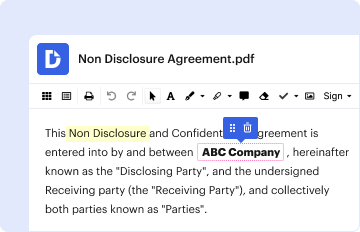
01. Edit your crsp contract online
Type text, add images, blackout confidential details, add comments, highlights and more.
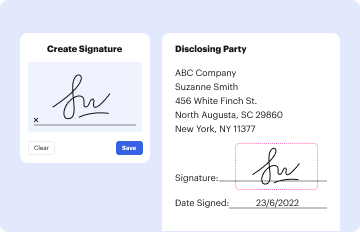
02. Sign it in a few clicks
Draw your signature, type it, upload its image, or use your mobile device as a signature pad.
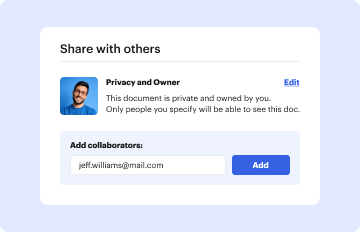
03. Share your form with others
Send it via email, link, or fax. You can also download it, export it or print it out.
How to use or fill out contract for residential sale and purchase crsp 16 with our platform

- Click ‘Get Form’ to open the contract for residential sale and purchase crsp 16 in the editor.
- Begin by filling in the names of the Seller and Buyer in the designated fields. Ensure that both parties' full legal names are accurately entered.
- Provide the property details, including street address, city, zip code, county, and legal description. This information is crucial for identifying the property involved in the transaction.
- Specify the purchase price in U.S. currency. Include details about deposits and payment schedules as outlined in the form.
- Review sections regarding financing options. Indicate whether cash will be used or if financing is required, along with any contingencies related to obtaining a loan.
- Complete sections on closing date and occupancy terms. Clearly state when possession will be transferred to ensure clarity between parties.
- Finally, review all entries for accuracy before signing electronically within our platform to finalize your agreement.
Start using our platform today to streamline your document editing and signing process for free!
Fill out contract for residential sale and purchase crsp 16 online
It's free
It's free
Security and compliance
At DocHub, your data security is our priority. We follow HIPAA, SOC2, GDPR, and other standards, so you can work on your documents with confidence.
Learn more


Related forms
Msc special needs form
The document is a Special Needs Form from MSC Crociere, designed to gather essential information about passengers with s ...
The Broadway Theatre of Pitman, NJ
The document is a Donation Request Form intended for non-PBA members, requiring details such as the applicant's informat ...
Application for specialist registration for a medical practitioner (currently holding general and or
Application for specialist registration for a medical practitioner (currently holding general and or
The document ASPC-30 is an application form for medical practitioners seeking specialist registration in Australia. It o ...
F SOP EX 01 39 02
The document is an application form from the NED University of Engineering and Technology's Examinations Department for ...

Application for Certified Copy of Kansas Birth Certificate
The document is an application form for obtaining a certified copy of a Kansas birth certificate, detailing the necessar ...

BAKER CHAMBER OF COMMERCE MEMBERSHIP APPLICATION
The document is a membership application for the Baker Chamber of Commerce, requesting essential information from busine ...

Arizona Mandatory Insurance Reporting System Guide
The document is a comprehensive guide for insurance companies regarding the Arizona Mandatory Insurance Reporting System ...

Form IT05 - RETURN OF INCOME AND TAX PAYABLE
The document is a tax return form (IT05) for individuals in Jamaica, detailing the annual income and tax payable under t ...