




01. Edit your jsa submission form online
Type text, add images, blackout confidential details, add comments, highlights and more.

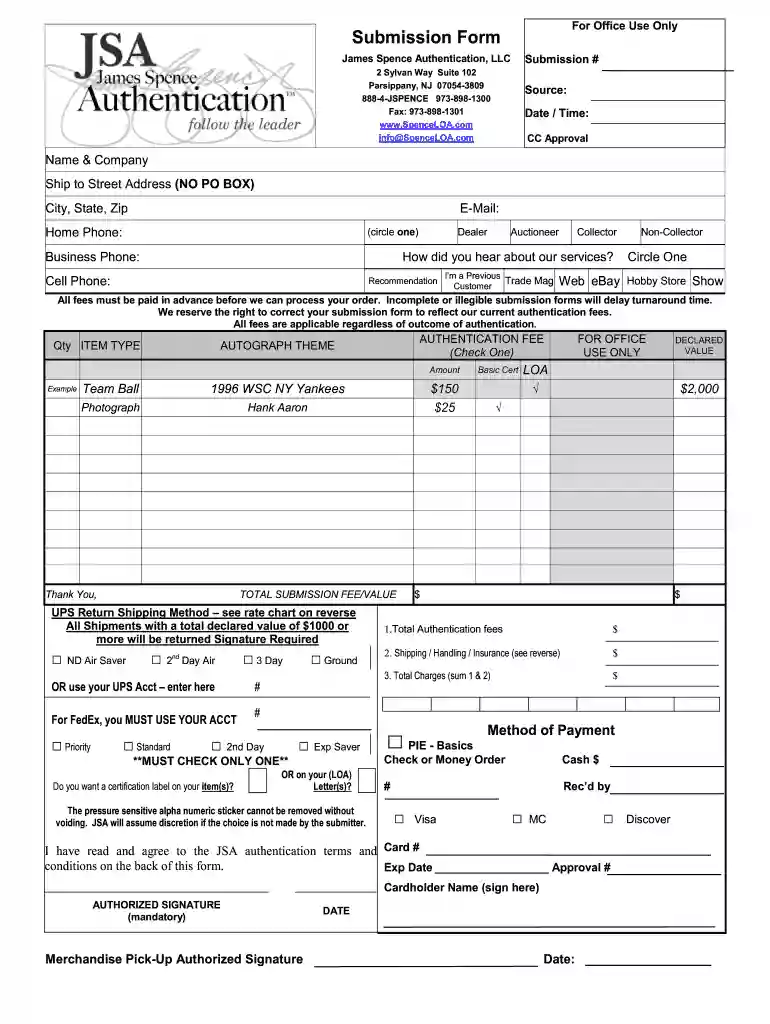
Type text, add images, blackout confidential details, add comments, highlights and more.

Draw your signature, type it, upload its image, or use your mobile device as a signature pad.

Send jsa authentication form via email, link, or fax. You can also download it, export it or print it out.
The JSA submission form is a formal document used for submitting items to James Spence Authentication (JSA) for verification and authentication. It serves to collect essential personal information from the submitter, details about the items being authenticated, and outlines the associated fees and terms of service. The principal purpose of this form is to provide a structured and secure method for individuals to request authentication services, ensuring all required data is captured accurately to facilitate the process.
The form is critical for maintaining the integrity of the authentication process, as it outlines the responsibilities of both the submitter and JSA. Key elements typically included in the submission form may include:
Using the JSA submission form is a straightforward process. Begin by locating a copy of the form, which is typically available on the JSA website for online authentication or can be downloaded for submission via mail. Follow these steps to ensure an accurate and successful submission:
Completing the JSA submission form requires attention to detail and accuracy. Here are the steps:
Understanding specific terms related to the JSA submission form is essential for clarity in the authentication process. Key terms include:
Understanding these terms aids in a smoother submission experience, helping to set clear expectations throughout the process.
When preparing to complete the JSA submission form, it is essential to gather all necessary documentation. Required documents may include:
Having these documents ready will ensure a seamless process and help speed up the authentication timeline.
The JSA submission form is commonly used by a diverse group of individuals, including:
Understanding the user demographic assists JSA in tailoring their services and addressing specific needs pertaining to item authenticity.


At DocHub, your data security is our priority. We follow HIPAA, SOC2, GDPR, and other standards, so you can work on your documents with confidence.
Oct 7, 2020 Download this template to create your own Job Safety Analysis. This template is a Microsoft Word table use MS Words online Help feature for instructions.Read more
Once the submit button is clicked, a Juniper Customer Service Representative or manager will be assigned to your escalation request and will take action. Page 8Read more
Oct 1, 2024 Providers must submit a copy of the Job S e a r c h A s s i s t a n c e Plan and an editable version of Individuals resume (e.g. MS Word) withRead more


