




01. Edit your grading rubric for presentation online
Type text, add images, blackout confidential details, add comments, highlights and more.

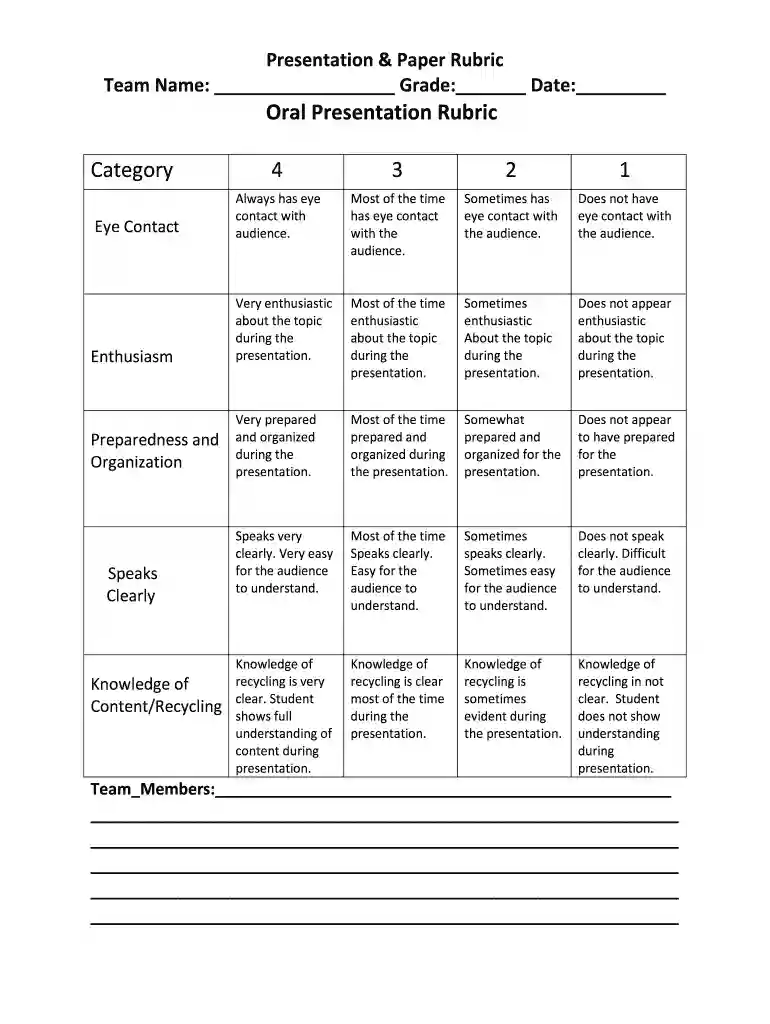
Type text, add images, blackout confidential details, add comments, highlights and more.

Draw your signature, type it, upload its image, or use your mobile device as a signature pad.

Send oral presentation grading rubric via email, link, or fax. You can also download it, export it or print it out.

Start using our platform today for free to streamline your document editing experience!
We've got more versions of the grading rubric for presentation form. Select the right grading rubric for presentation version from the list and start editing it straight away!
| Versions | Form popularity | Fillable & printable |
|---|---|---|
| 2016 | 4 Satisfied (37 Votes) |
At DocHub, your data security is our priority. We follow HIPAA, SOC2, GDPR, and other standards, so you can work on your documents with confidence.
by JJ Prez‐Higueras 2025 Cited by 2 A properly designed rubric for oral presentations should be useful both to assess students performance and to help them prepare for the task.Read more
Rubric for Presentation: PUBH 5900 Graduate Project. Name of Presenter: Name of Evaluator. Date and Location: SCORE: Category. Scoring Criteria. Poor.Read more
Jul 31, 2019 This report was prepared under contract to the Department of Defense Strategic. Environmental Research and Development Program (SERDP).Read more


