




Here's how it works



How to use or fill out fuel proration calculator with our platform

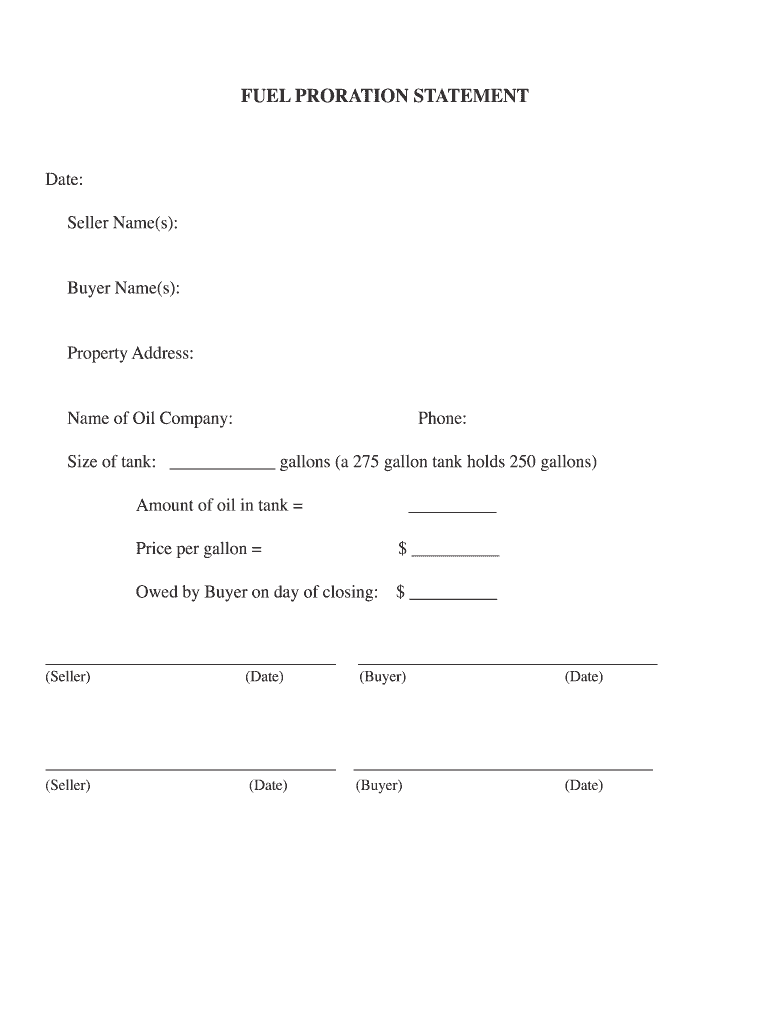
- Click ‘Get Form’ to open the fuel proration calculator in the editor.
- Begin by entering the 'Date' at the top of the form. This is essential for tracking the transaction timeline.
- Fill in the 'Seller Name(s)' and 'Buyer Name(s)' fields to identify all parties involved in the transaction.
- Input the 'Property Address' where the oil is being sold, ensuring accuracy for legal purposes.
- Enter the 'Name of Oil Company' and their contact 'Phone' number for reference.
- Specify the size of your tank in gallons. Remember, a 275-gallon tank typically holds about 250 gallons.
- Calculate and input the 'Amount of oil in tank' based on your previous entry regarding tank size.
- Next, enter the 'Price per gallon' to determine total costs accurately.
- Finally, calculate and write down what is owed by the buyer on closing day, ensuring all calculations are correct before finalizing.
Start using our platform today to streamline your fuel proration calculations for free!
It's free
See more fuel proration calculator versions
| Versions | Form popularity | Fillable & printable |
|---|---|---|
| 2008 | 4 Satisfied (51 Votes) |
Got questions?
How can I send my fuel proration calculator from Google Drive for signing?
If you often deal with documents kept in your Google Drive, DocHub is an excellent solution for you to easily and quickly complete, edit, and sign them. This editor integrates well with Google apps, so you can export your fuel proration calculator from your Google Drive to the editor without downloading and re-uploading it. Right-click on your file, select Open With → DocHub PDF Sign and Edit. In our editor, add and assign Signature Fields for all parties involved, then click on the Menu option above → Send → decide on how you want to share your paperwork.
How do you complete fuel proration calculator on Android?
It is a no-brainer on a computer or via a mobile device to fill out a fuel proration calculator with DocHub. All you need to do is open any installed browser on your smartphone and go to the DocHub site. Once authenticated, add your file and open it in editing mode. Use our toolbar to make your edits and save modifications. Optionally, keep your document in your files or send it to a recipient immediately.
How do you calculate fuel expenses?
What is the formula for fuel expense?
What is the formula for fuel calculator?
Security and compliance
At DocHub, your data security is our priority. We follow HIPAA, SOC2, GDPR, and other standards, so you can work on your documents with confidence.
Learn more




