Definition and Meaning
The "New Employee Guide PC Health FSA Claim Form" is a document designed to help new employees navigate the process of filing claims through a health Flexible Spending Account (FSA). This guide is crucial for ensuring that employees understand how to manage their health-related expenses efficiently. The document aids in outlining the procedures for claiming pre-tax dollars set aside for healthcare expenses, thus offering a tax advantage and helping reduce overall healthcare costs.
Key Elements of the Form
Understanding the key elements of the New Employee Guide PC Health FSA Claim Form is essential for new employees. Typically, the guide will include:
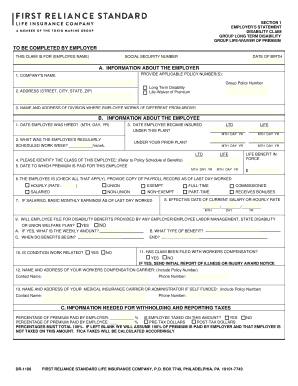
- Employee Information Section: This part captures personal details such as name and employee ID, ensuring that the claim is accurately associated with the correct individual.
- Expense Description: A detailed account of the healthcare expenses being claimed, including service dates, descriptions, and the total amount.
- Service Provider Information: Details about the healthcare provider, which may include the provider's name, address, and contact information.
- Signature and Date Section: Employees are required to sign and date the form, confirming the authenticity and accuracy of the claim details.
These sections are standardized to minimize errors and speed up the processing time.
How to Use the New Employee Guide PC Health FSA Claim Form
To effectively use the New Employee Guide PC Health FSA Claim Form, employees should follow these steps:
- Collect and Organize Receipts: Gather all receipts and documents related to healthcare expenses.
- Fill Out the Form: Accurately complete each section, providing detailed information as required.
- Review Your Entries: Double-check the form for errors or missing information to prevent delays in processing.
- Submit the Form: Choose the appropriate method for submission, whether online, by mail, or in-person delivery.
- Track Your Claim: Follow up on your claim through available channels, ensuring that it is processed in a timely manner.
By adhering to these instructions, employees can ensure a seamless experience when submitting their claims.
Steps to Complete the Form
Completing the New Employee Guide PC Health FSA Claim Form involves a series of precise actions:
- Read the Instructions Carefully: Before starting, understand all guidelines and requirements.
- Enter Personal Details: Fill out your personal and employment information accurately.
- Document Expenses: List all eligible expenses and attach corresponding proof, such as invoices or receipts.
- Verify Service Provider Data: Make sure the details of healthcare providers are correct.
- Sign and Date: Your signature indicates agreement with the provided information.
- Choose Submission Method: Decide on the method for submitting the form based on convenience and processor guidelines.
Each step is critical to ensure the form is filled out accurately, preventing claim denials or processing delays.
Required Documents
To successfully submit the New Employee Guide PC Health FSA Claim Form, specific documents are typically required, such as:
- Proof of Service: Invoices or receipts detailing the services or products purchased.
- Detailed Provider Information: Documentation that specifies provider details as necessary.
- Employer’s Plan Summary: This document outlines eligible expenses as per the company’s FSA plan.
These supporting documents substantiate the claim and ensure compliance with FSA regulations.
Eligibility Criteria
Eligibility to use the New Employee Guide PC Health FSA Claim Form typically includes:
- Current Employment Status: Only active employees participating in a company's health FSA are eligible.
- Enrollment in FSA: Enrollment in an FSA plan for the current fiscal year is required.
- Eligible Expenses: Only specific, pre-approved healthcare expenses are eligible for claims.
Understanding these criteria is essential to determine if the form applies to individual situations.


Software Compatibility
For a more streamlined process, employees may utilize software like QuickBooks or TurboTax:
- Form Compatibility: Some software options may support the uploading and submission of claims.
- Financial Tracking: Integrated platforms can help track medical expenses and simplify form completion.
- Benefit Management: Digital tools may offer reminders and alerts for FSA deadlines, ensuring timely submissions.
These tools can simplify the management of FSA claims within a broader financial management framework.
Submission Methods (Online / Mail / In-Person)
Various methods are available for submitting the New Employee Guide PC Health FSA Claim Form:
- Online Submission: Offers a quick and convenient way to submit forms electronically, often through a portal or email.
- Mail Submission: Traditional method, useful when digital means are inaccessible or for original document needs.
- In-Person Submission: Direct submission at the employer’s HR department or designated processing office.
Employees should select the method that best aligns with their preferences and the form’s requirements for efficiency.