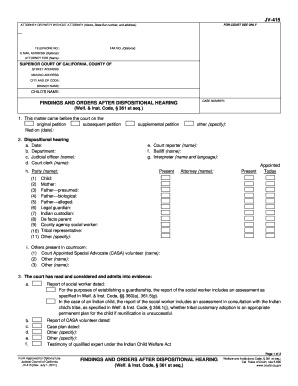
Summit credit union direct deposit form 2026

Get Form
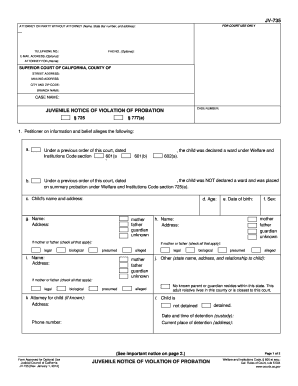
summit credit union direct deposit form Preview on Page 1

Here's how it works

01. Edit your summit credit union direct deposit form online
Type text, add images, blackout confidential details, add comments, highlights and more.

02. Sign it in a few clicks
Draw your signature, type it, upload its image, or use your mobile device as a signature pad.

03. Share your form with others
Send summit credit union direct deposit form via email, link, or fax. You can also download it, export it or print it out.

Definition & Meaning

The Summit Credit Union Direct Deposit Form is a document utilized by members of Summit Credit Union to facilitate the automatic deposit of their paychecks into their designated bank accounts. This form serves as an authorization for employers to deposit funds directly, streamlining the process of receiving payment. The form includes essential sections for personal information, account details, and the member’s consent to initiate deposits or reversals as needed.

How to Use the Summit Credit Union Direct Deposit Form

Members intending to set up direct deposit must fill out the Summit Credit Union Direct Deposit Form completely. It involves providing accurate bank details and personal information. After it is filled out, the member submits the form to their employer, who will handle the direct deposit setup. This process reduces the need to handle checks and ensures timely access to funds.

How to Obtain the Summit Credit Union Direct Deposit Form

The direct deposit form can typically be obtained from the official Summit Credit Union website or directly from a local branch. For ease of access, the form might also be available through online banking portals. Members can download and print the form or request a physical copy from a branch, ensuring they have the latest version for proper completion.

Steps to Complete the Summit Credit Union Direct Deposit Form

  1. Personal Information: Enter your full name, address, and contact information.
  2. Bank Details: Provide the account number and routing number for accurate fund transfers.
  3. Employer Information: Fill in the employer's name and relevant payroll department details.
  4. Consent and Signature: Read the authorization section carefully, then sign and date the form to give permission for direct deposits.
  5. Submit the Form: Deliver the completed form to your employer’s payroll department. Some employers may also accept scanned copies via email.

Key Elements of the Summit Credit Union Direct Deposit Form

  • Account Information: Detailed fields for checking or savings account numbers and routing number.
  • Authorization Statement: A section where the member agrees to terms regarding the direct deposit, including any potential reversals.
  • Employer Details: Information about the employer to ensure proper processing and alignment with payroll systems.

Important Terms Related to Summit Credit Union Direct Deposit Form

  • Routing Number: A nine-digit code necessary for setting up direct deposits, identifying the financial institution.
  • ACH (Automated Clearing House): The network through which direct deposits are processed.
  • Reversal: An option outlined in the form that allows the correction of errors via withdrawal if needed.

Who Typically Uses the Summit Credit Union Direct Deposit Form

This form is usually employed by employees of businesses and organizations who receive regular payments, such as salaries, bonuses, or pension benefits. It is also applicable for individuals receiving government benefits or any entity that distributes funds regularly into personal bank accounts.


decoration image ratings of Dochub

Legal Use of the Summit Credit Union Direct Deposit Form

The direct deposit form is a legally recognized document once signed, providing permission for automatic transfers into the member's account. It's important to ensure that all information provided is accurate to comply with legal and banking regulations. Misuse or incorrect information can lead to failed transactions or issues with payment fulfillment.

State-Specific Rules for the Summit Credit Union Direct Deposit Form

Direct deposit forms must comply with state-specific banking regulations. While the general procedure for setting up direct deposits is consistent, some state laws may affect processing times, employer obligations, or additional disclosures required. Members should ensure compliance with local regulations when completing the form.

be ready to get more

Complete this form in 5 minutes or less

Get form

Got questions?

We have answers to the most popular questions from our customers. If you can't find an answer to your question, please contact us.
Contact us
If you have direct deposit to a Summit checking account, you could get your paycheck deposited up to one day early. This is a free service and is automatic if you currently have direct deposit for your paycheck, social security, tax returns and other benefits.
How Do I Set Up Direct Deposit? Get a direct deposit form from your employer. Fill in account information. Confirm the deposit amount. Attach a voided check or deposit slip if required. Submit the form.
Direct deposit is often used by employers when paying salaries and wages, by the government to pay benefits like Social Security or disability, and by credit unions and banks for secure transactions.
Your banking information is usually found in the line of numbers printed across the bottom of your cheques. If you dont have a cheque or if you need help, contact your financial institution. Let them know youre signing up for direct deposits and theyll give you the information you need.
To locate your Direct Deposit information in our Online Banking, follow these steps: Log into Online Banking. From the Dashboard, choose the account that you want to obtain the information for from the drop down list. Click View All Transactions Select the Account Details tab.

Security and compliance

At DocHub, your data security is our priority. We follow HIPAA, SOC2, GDPR, and other standards, so you can work on your documents with confidence.
Learn more
ccpa2
pci-dss
gdpr-compliance
hipaa
soc-compliance
be ready to get more

Complete this form in 5 minutes or less

Get form

People also ask

As long as your employer offers direct deposit, you just need to provide them with: Your banks name. Make sure you use the full formal name of your bank or credit union. The type of bank account. Bank account number. Bank routing number. Your Social Security number.
What Information Is Necessary to Include on the Authorization Form? Signature of the payer (accountholder of the bank account) Permission to the ACH payee to debit/credit the payers account. The amount (or range of amounts) debited or credited. Expected time that the transaction will occur (monthly, weekly, etc.)

Related links