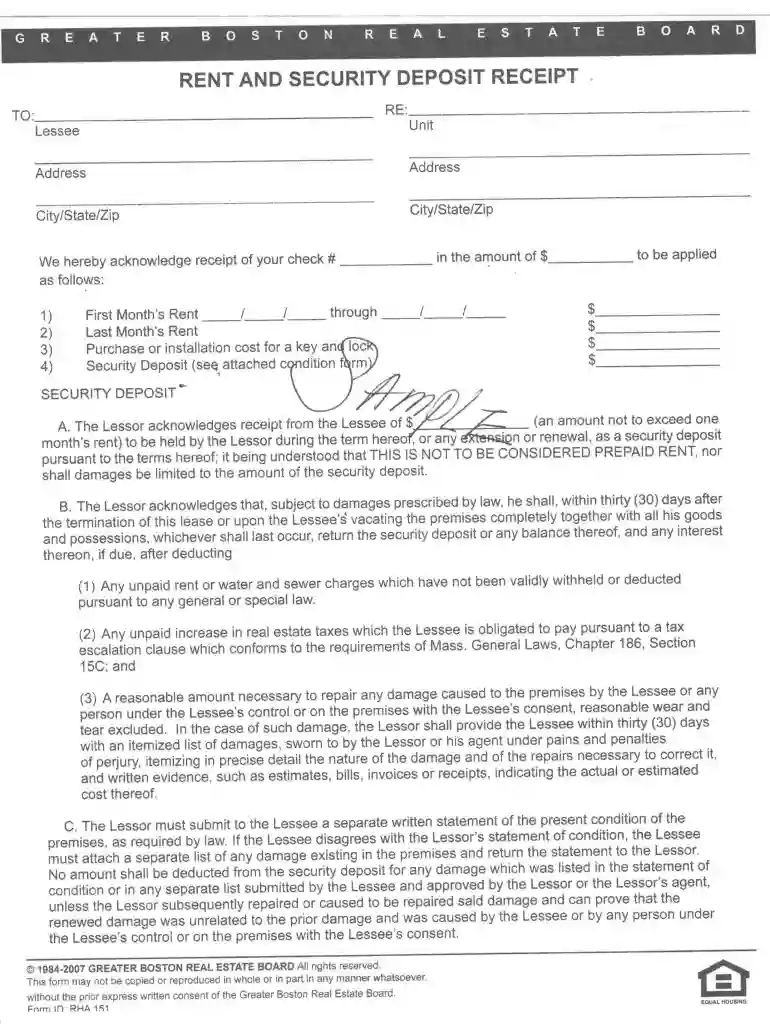
Greater boston real estate board rent and security deposit receipt 2026

Get Form
rent and security deposit receipt pdf Preview on Page 1

Here's how it works

01. Edit your rent and security deposit receipt pdf online
Type text, add images, blackout confidential details, add comments, highlights and more.

02. Sign it in a few clicks
Draw your signature, type it, upload its image, or use your mobile device as a signature pad.

03. Share your form with others
Send greater boston real estate board via email, link, or fax. You can also download it, export it or print it out.

How to use or fill out greater boston real estate board rent and security deposit receipt with our platform

Form edit decoration
9.5
Ease of Setup
DocHub User Ratings on G2
9.0
Ease of Use
DocHub User Ratings on G2
  1. Click ‘Get Form’ to open the greater boston real estate board rent and security deposit receipt in the editor.
  2. Begin by entering the tenant's name in the designated field. This ensures that the receipt is properly attributed.
  3. Next, fill in the property address where the rental agreement is applicable. This provides clarity on which property the payment relates to.
  4. In the section for payment details, specify the amount of rent received and any security deposit. Make sure to indicate whether these amounts are for monthly rent or a one-time deposit.
  5. Finally, sign and date the receipt at the bottom. This confirms that both parties acknowledge the transaction.

Start using our platform today to streamline your document editing and signing process for free!

be ready to get more

Complete this form in 5 minutes or less

Get form

Got questions?

We have answers to the most popular questions from our customers. If you can't find an answer to your question, please contact us.
Contact us
A well-prepared receipt typically includes: Date of receipt. Receipt number. Property address, including unit number, if applicable. Tenants contact information like name, phone, etc. Amount of rent received. Method of payment, such as cash, debit/credit card, or check and check number. Rental payment period.
Step 1: Receiving the security deposit: Record the full amount (e.g., $2,000) of security deposits on the balance sheet as a liability. This amount is not considered an expense; it is a liability you intend to return.
Creating a professional deposit receipt: Include the date of the transaction and the amount of the deposit received. Specify the purpose of the deposit, whether its for a rental, service, or purchase. Provide details about the payer, including their name, contact information, and any relevant identification numbers.
Include the date and rental period of the payment, the property address, the tenants full name, and the person receiving the payment. Include the payment amount, the method of payment, the remaining lease balance (if applicable), and any other information that may be important, like late fees.
When writing a security deposit receipt, include the following information: Date of the deposit receipt. Name of the tenant. Name and location of the financial institution where the security deposit is held. Account number, if required. Amount deposited and date the deposit was made.

Security and compliance

At DocHub, your data security is our priority. We follow HIPAA, SOC2, GDPR, and other standards, so you can work on your documents with confidence.

Learn more
be ready to get more

Complete this form in 5 minutes or less

Get form

People also ask

Massachusetts landlord-tenant laws require landlords to provide their tenant a receipt of the payment. These receipts should be given within 30 days of receiving the payment. As for grace periods, landlords must wait 30 days after the rent expires to provide the tenant a warning or an eviction notice.
A landlord must return a tenants security deposit and any interest, minus any portion that was rightfully subtracted, within 30 days after the tenant moves out.

greater boston real estate board rent and security deposit receipt