




Here's how it works



How to use or fill out parenting skills workbook pdf with our platform

- Click ‘Get Form’ to open the parenting skills workbook PDF in the editor.
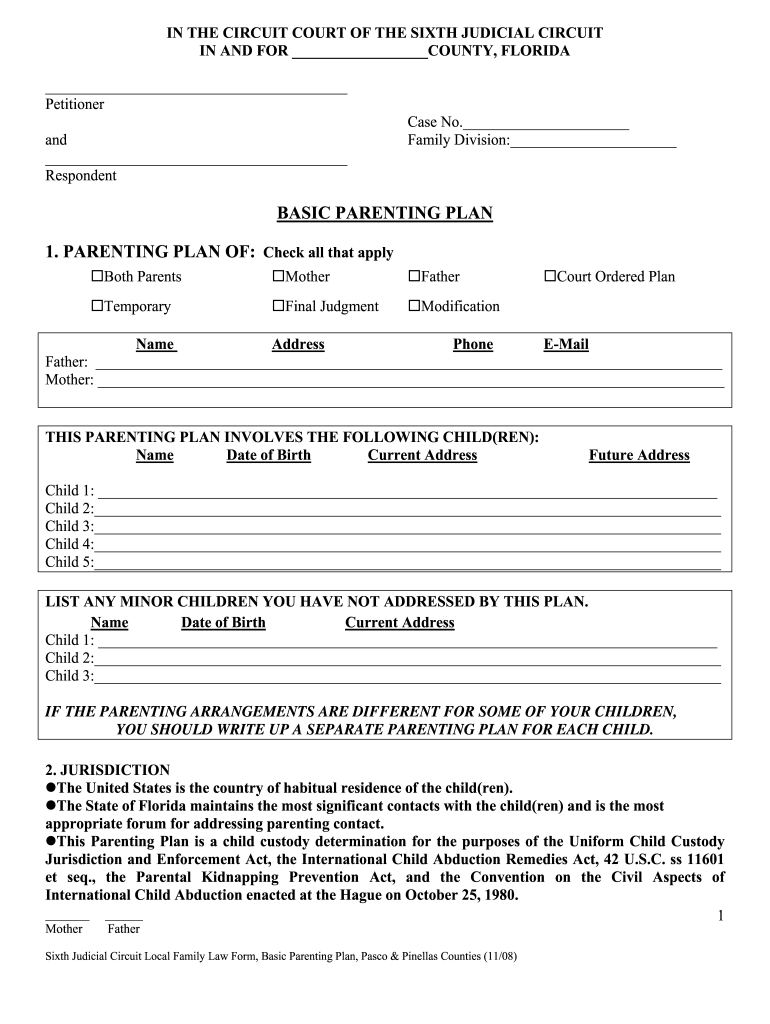
- Begin by filling out the 'Parenting Plan Of' section. Check all applicable boxes for both parents and indicate whether this is a temporary or final judgment.
- In the 'Children Involved' section, list each child's name, date of birth, and current address. If there are additional minor children not addressed, provide their details as well.
- Proceed to the 'General Parenting Principles' section. Here, you can check options regarding shared decision-making and specify who has authority over various aspects of your children's lives.
- Continue through sections on education, medical care, religion, and scheduling. Use checkboxes to indicate preferences and responsibilities for each area.
- Finally, review all entries for accuracy before signing. Ensure both parents sign and date the document at the end.
Start using our platform today to easily fill out your parenting skills workbook PDF for free!
It's free
See more parenting skills workbook pdf versions
| Versions | Form popularity | Fillable & printable |
|---|---|---|
| 2008 | 4.8 Satisfied (51 Votes) |
Got questions?
How do I sign my parenting skills worksheets pdf without printing?
eSignatures are an excellent alternative to traditional signing, as they save time, effort, and money people spend on printing, scanning, and paper delivery. You can eSign your parenting skills worksheets pdf using a trustworthy and robust online document processing services like DocHub. It complies with major eSignature standards (ESIGN and UETA), so all forms approved there are legally binding and have the same validity as physically signed ones.
How do you complete positive parenting worksheets pdf on Android?
It is a no-brainer on a computer or via a mobile phone to fill out a positive parenting worksheets pdf with DocHub. All you need to do is open any installed internet browser on your smartphone and proceed to the DocHub site. Once authenticated, add your file and open it in editing mode. Use our toolbar to make your edits and save adjustments. Optionally, keep your file in your files or send it to a recipient on the spot.
Security and compliance
At DocHub, your data security is our priority. We follow HIPAA, SOC2, GDPR, and other standards, so you can work on your documents with confidence.
Learn more


