




01. Edit your form online
Type text, add images, blackout confidential details, add comments, highlights and more.

Type text, add images, blackout confidential details, add comments, highlights and more.

Draw your signature, type it, upload its image, or use your mobile device as a signature pad.

Send it via email, link, or fax. You can also download it, export it or print it out.
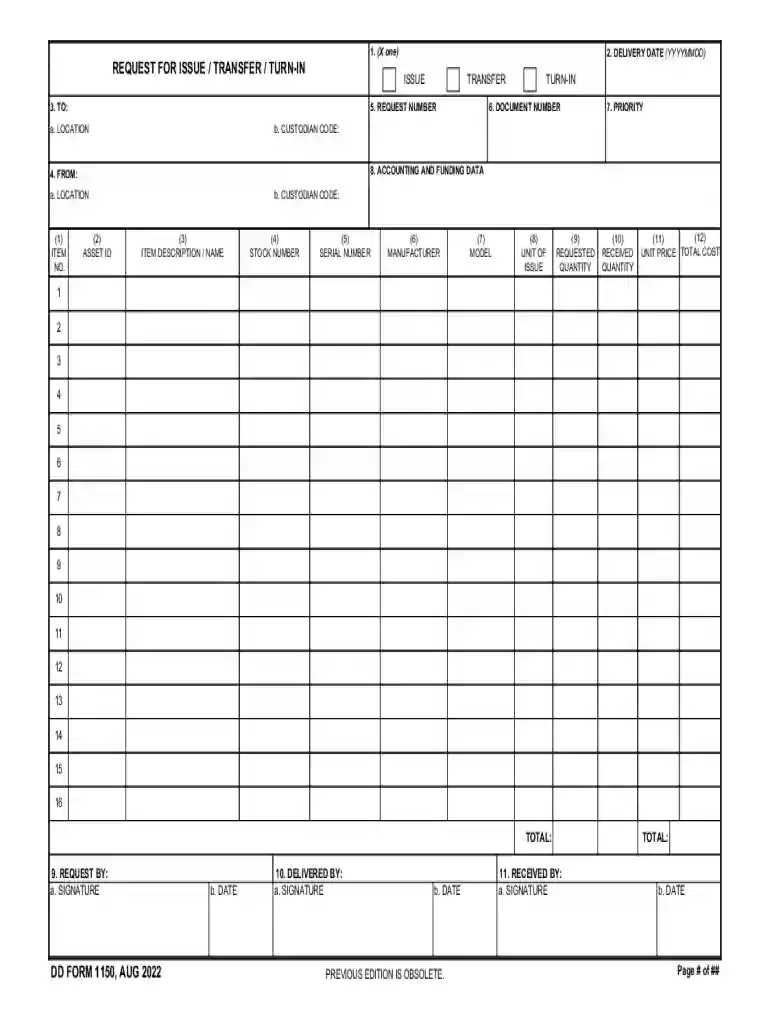
DD Form 1150, officially titled "Request for Issue Transfer Turn-In," is a standardized form used within the United States Department of Defense (DoD) for managing equipment and supply logistics. Initiated in December 2011, this form plays a crucial role in the documentation and authorization of issuing, transferring, or turning in items. It captures essential details, including asset identification, item descriptions, quantities, and authorizing signatures. This form ensures accountability and traceability across the supply chain, facilitating efficient inventory management and resource allocation within military and government operations.
The process for using DD Form 1150 involves several key steps to ensure accurate and efficient inventory management. Firstly, begin by accurately filling out the form with the necessary details, such as the identifying number of the items and their respective descriptions. These details help in establishing a clear record of the items in question. Once the form is completed, it must be submitted to a designated authority for approval. The approval process involves verifying the information provided to ensure its accuracy before any transfer or issue is executed, thus maintaining a consistent record of inventory movement.
Acquire the Form: Obtain the DD Form 1150 from an authorized source or the designated department within the organization.
Enter Personal Information: Begin by filling out personal details, such as name and contact information, to identify the requestor.
Describe Items: List each item with its asset ID, detailed description, and quantity to provide full transparency of the requested transaction.
Include Location Information: Specify the current and intended location for the item to ensure proper logistical planning and execution.
Approval Signatures: Secure necessary signatures from authorized personnel to validate and authorize the transaction.
Submission: Submit the form to the appropriate department for processing and keep a copy for your own records to ensure accurate tracking and accountability.
DD Form 1150 comprises several critical components essential for its proper execution and management. These elements include:
Understanding the terminology associated with DD Form 1150 is crucial for accurate completion and compliance:
The legal framework surrounding DD Form 1150 is aimed at ensuring compliance with DoD regulations and maintaining accountability for government property. Users are required to follow detailed instructions to fill out the form accurately, preventing misuse or incorrect asset handling. Failure to adhere to these regulations can result in legal ramifications and operational inefficiencies. Therefore, personnel must comprehend and comply with legal requirements to optimize resource utilization and accountability.
Compatibility with various document management platforms enhances efficiencies in processing DD Form 1150. Systems such as QuickBooks or TurboTax may not directly process this form, but integration with document management solutions like DocHub facilitates digital handling. Users can upload, modify, and securely store forms within these systems, allowing seamless digital transitions from paperwork into systematic record-keeping. This interoperability accommodates the adaptation of standard forms into dynamic digital environments, ensuring streamlined workflows.
While both digital and paper versions of the DD Form 1150 serve the same purpose, utilizing the digital form offers several advantages over traditional paperwork. Digital forms facilitate:
Conversely, the paper version may be preferable in scenarios where technical resources are limited or a physical copy is mandated by policy or regulation.
We've got more versions of the DD Form 1150, Request for Issue Transfer Turn-In, December 2011 form. Select the right DD Form 1150, Request for Issue Transfer Turn-In, December 2011 version from the list and start editing it straight away!
At DocHub, your data security is our priority. We follow HIPAA, SOC2, GDPR, and other standards, so you can work on your documents with confidence.


